

Introduction to Cleaner Elite
Are you tired of your smartphone lagging or running out of storage space? If so, Cleaner Elite might be the perfect solution to revitalize and optimize your device. This powerful app is designed to help users effortlessly clean up junk files, delete large files, and manage notifications with ease. Whether you’re looking to free up space or improve your phone’s performance, Cleaner Elite offers a range of features to keep your device running smoothly and efficiently.
Key Features of Cleaner Elite
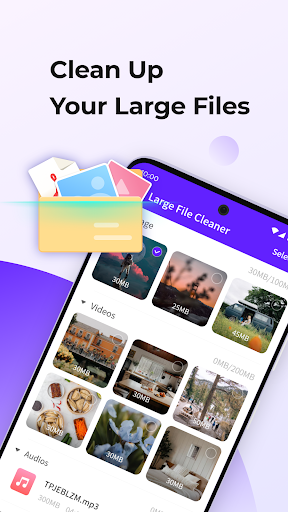
Large File Cleaning
This feature allows you to easily identify and delete large files that occupy significant storage space on your device. Managing big files becomes simple, helping you free up crucial storage without hassle.
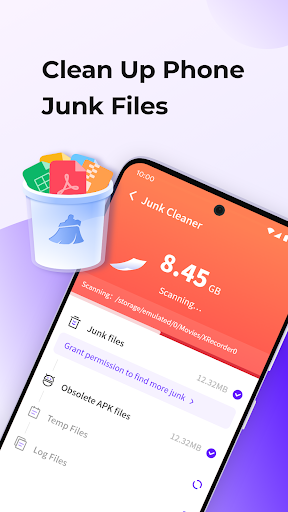
Junk Cleaning
Cleaner Elite smoothly cleans temporary and unnecessary files that accumulate over time. These junk files can slow down your device, but with just a tap, you can clear them and optimize your phone’s speed.
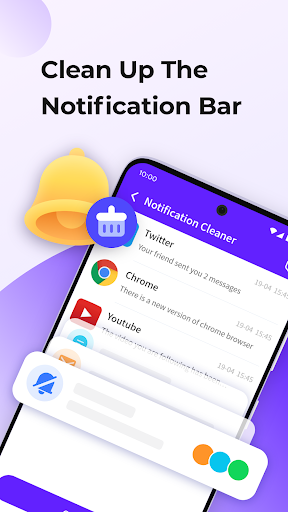
Notification Cleaning
Stay clutter-free by clearing all notifications in one click. The notification cleaning feature helps tidy your notification bar, making it easier to focus on what truly matters.
Powerful File Manager
Explore and manage your files with ease using Cleaner Elite’s intuitive file manager. You can browse your media, documents, and other files efficiently, making organization straightforward.
Intelligent Classification
This feature enables you to browse through different media types seamlessly. By intelligently classifying files, Cleaner Elite makes media management quicker and more efficient.
User Experience and Performance
Getting started with Cleaner Elite is incredibly straightforward. The installation process from the app store is quick, and the user interface is designed for simplicity. Unlike complicated apps that require navigating through multiple menus, Cleaner Elite presents all essential features on the home screen, making navigation effortless.
Once launched, the app quickly scans your device, identifying hidden files and other clutter. The tool displays results clearly, allowing users to select specific items for deletion, thereby preventing accidental removal of important files like photos or documents. This level of control enhances the user experience, balancing efficiency with safety.
Additional features include a battery saver option that boosts your device’s battery life, and a CPU cooler to prevent overheating, ensuring your phone remains in top condition during intensive tasks. These functions collectively contribute to a smoother, faster, and cooler-running device.
Is Cleaner Elite Worth Using?
Considering its features, Cleaner Elite is highly recommended for anyone seeking to optimize their phone's performance. Its ability to swiftly clean junk files, manage large files, and organize media makes it a versatile tool for everyday use. Whether you're dealing with sluggish performance or limited storage space, this app acts almost like a personal assistant that keeps your device tidy and efficient.
While it does contain advertisements, they are minimally intrusive and don’t hinder the overall experience. Users have reported noticeable improvements in device speed and battery performance after regular use of Cleaner Elite. It’s especially useful during moments when quick space clearance is needed, turning a potentially stressful situation into a hassle-free process.
In summary, if you're looking for an effective and easy-to-use phone cleaner, Cleaner Elite is a smart choice. It provides a straightforward solution to common device issues, helping your smartphone stay clean, fast, and responsive. Give your device the care it deserves with Cleaner Elite — a reliable partner in optimizing your mobile experience.
Pros
- Enhances device speed significantly.
- Easy-to-use and intuitive interface.
- Effective removal of junk files.
- Boosts battery efficiency.
- Regular updates maintain app freshness.
Cons
- Contains advertisements within the app.
- Limited access to free features.
- Potential to delete important files during cleaning.
- Requires manual activation on a frequent basis.
- Sometimes issues false positive alerts.











