
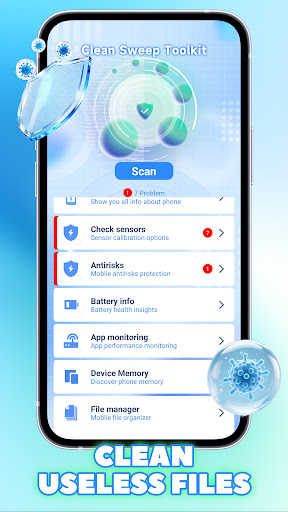


Introduction to the Clean Sweep Toolkit App
The Clean Sweep Toolkit app is an innovative solution designed to streamline your digital cleaning process, making device maintenance effortless and efficient. Whether you're looking to clear up storage space, organize your files, or enhance your device’s performance, this app offers comprehensive tools tailored to meet your needs. With a user-friendly interface and powerful features, Clean Sweep Toolkit simplifies the often tedious task of digital decluttering, ensuring your devices run smoothly and efficiently. Ideal for tech enthusiasts and everyday users alike, this app makes maintaining your digital environment straightforward and hassle-free.
Key Features of Clean Sweep Toolkit
Effective Storage Management
The app provides advanced storage management capabilities, allowing users to identify and delete unnecessary files quickly. With intelligent scanning, Clean Sweep Toolkit helps free up valuable space by removing junk files, duplicate data, and unused apps, ensuring your device operates at optimal speed without clutter.
Secure and Safe Cleaning
Prioritizing safety, Clean Sweep Toolkit incorporates parental controls, privacy protections, and safe-sweep options. Users can confidently declutter their devices, knowing that sensitive data is protected and that kids' usage is monitored with safe mode features.
Easy-to-Use Interface
Designed with simplicity in mind, the app boasts an intuitive interface that guides users through cleaning routines effortlessly. Whether you're a tech novice or an experienced user, accessing features like cache cleaning, app management, and system optimization is straightforward.
Performance Optimization
Beyond cleaning, Clean Sweep Toolkit offers tools to boost device performance. These include RAM clearing, startup management, and battery saving tips, allowing your device to run faster and last longer on a single charge.
Privacy and Security
Your privacy is paramount. The app emphasizes secure cleaning processes that safeguard your personal data, with transparent policies and options to control what information is accessed or modified during cleaning routines.
Why Choose Clean Sweep Toolkit?
If you seek a reliable, efficient, and safe way to maintain your digital devices, Clean Sweep Toolkit is an excellent choice. It combines powerful cleaning tools with a user-friendly design, making device optimization accessible for everyone. Additionally, the app's focus on privacy and security ensures your personal information remains protected during every cleaning session. Whether you're managing storage for work, entertainment, or personal use, Clean Sweep Toolkit helps you keep your devices in top shape, maximizing performance and longevity.
Pros
- High performance and efficiency in tasks
- User-friendly interface for easy navigation
- Strong security features to protect user data
- Regular updates with new features and improvements
- Excellent customer support and assistance
Cons
- Premium features require a subscription fee
- Limited customization options available
- Some functions may have a learning curve for new users
- Occasional bugs or glitches affecting performance
- Requires a stable internet connection for optimal use