


CineToolkit: Caster & Roku Remote — Your All-in-One Smart TV Control Solution
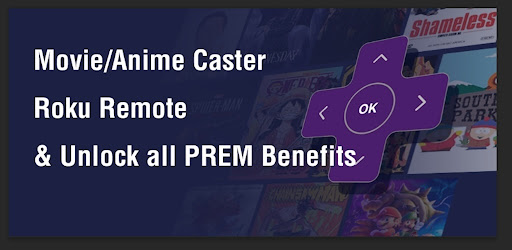
Are you tired of juggling multiple remote controls or seeking a smarter way to manage your TV and streaming devices? Look no further than CineToolkit:Caster&Roku Remote. This innovative app transforms your smartphone into a versatile remote control, offering seamless control over your Roku device, smart TVs, and casting needs. Whether you're a movie enthusiast, a casual viewer, or someone who simply loves integrating technology into your entertainment setup, this app is designed to elevate your experience in multiple ways.
Comprehensive Casting Tools for Every Movie Lover
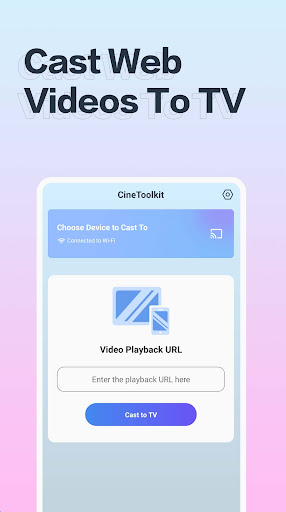
With CineToolkit:Caster&Roku Remote, you gain access to a wide array of casting features tailored to enhance your viewing pleasure. The app supports various casting methods, allowing you to stream local media files directly from your device or input IPTV playback addresses. Additionally, you can cast content from network playback sources, ensuring that your favorite movies, TV shows, or music are just a tap away. An especially convenient feature is the QR code scanning capability, enabling quick and easy website access without cumbersome navigation.
Subscription Benefits
Opting for a subscription unlocks all the powerful tools the app offers—providing unlimited casting times and various methods to stream your favorite content. With an active subscription, you'll never be bothered by ads, making your entertainment smooth and uninterrupted. Plus, stay tuned for future updates and linkages that will further expand the app's functionality, keeping your entertainment setup cutting-edge. For transparency, the app's privacy policy and terms of use are available at Privacy Policy and Terms of Use.
Transform Your Smartphone into a Smart Remote
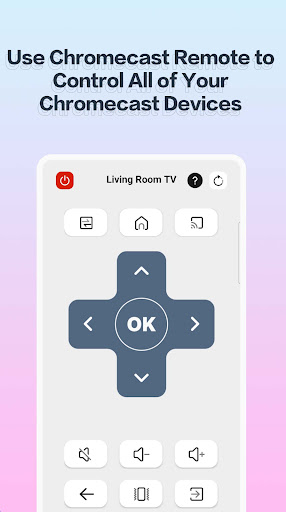
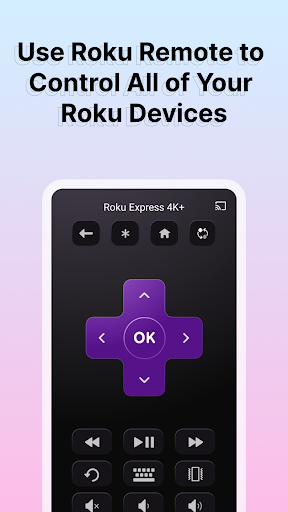
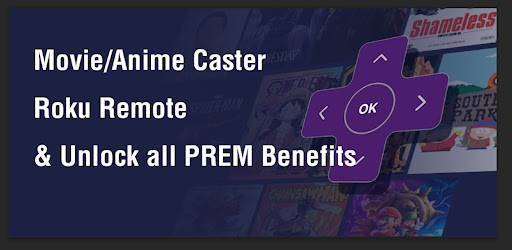
Ever wished you had a magic wand to control your TV effortlessly? CineToolkit:Caster&Roku Remote makes this a reality by turning your smartphone into an intuitive remote control. Its sleek and straightforward interface mimics the layout of a traditional remote, making it familiar and easy to use—even for those who aren’t technologically inclined. Whether you're adjusting volume, changing channels, or surfing menus, the app simplifies the process and enhances your control over your entertainment devices.
Versatile Features for a Modern Viewing Experience
What sets this app apart is its broad support for multiple devices and features. It doesn’t just work with Roku; it supports various smart TVs and streaming devices, consolidating your remote controls into a single app. Voice search functionality allows you to find content without typing—a time-saver—and the integrated keyboard feature ensures quick text input whenever needed. Additionally, the private listening mode lets you connect your headphones, enabling silent streaming that won’t disturb others in the room—a perfect feature for late-night binge-watching sessions.
Effortless Casting and Media Sharing
Share videos, music, or photos from your phone directly to your TV with ease. The casting feature is smooth, responsive, and ideal for spontaneous movie nights or sharing memorable moments with friends and family. All you need is to ensure both your smartphone and your TV are on the same Wi-Fi network for optimal performance. The quick response time and fluid controls make the interaction delightful, turning your phone into a powerful entertainment hub.
User Experience and Final Thoughts
Using CineToolkit:Caster&Roku Remote is a genuinely enjoyable experience. Its fast response times and intuitive layout make controlling your devices effortless. While the voice search feature performs admirably in quieter settings, it may encounter slight difficulties in noisy environments, which are expected to be improved in future updates.Overall, this app is a game-changer for anyone looking to simplify their entertainment setup. It combines convenience, versatility, and user-friendly design, making it suitable for both tech enthusiasts and casual users alike. By consolidating multiple remotes and adding casting capabilities, it’s a valuable tool to have in your digital arsenal.
Pros
- Intuitive user interface
- Seamless Roku integration
- Quick setup process
- Wide range of features
- Responsive customer support
Cons
- Requires stable internet connection
- Limited free version
- Contains advertisements in the free version
- Occasional connectivity issues
- In-app purchases required for full access











