

Introducing the BuzzKill Notification Manager: Your Personal Notification Control Solution
Ever felt overwhelmed by an incessant stream of notifications, making it difficult to focus or enjoy your downtime? If so, you’re not alone. That’s exactly where the BuzzKill Notification Manager comes into play. Designed to give you complete control over your notifications, BuzzKill acts like your personal digital assistant, filtering out unnecessary alerts while highlighting what's truly important. This innovative app helps you regain focus, protect your privacy, and manage your notifications effortlessly—all without compromising your device’s security.
Seamless Setup and User-Friendly Interface
Getting started with BuzzKill is straightforward and hassle-free. After downloading from the app store, you’ll encounter a clean, intuitive interface designed with user experience in mind. The setup process requires no technical expertise—simply customize your preferences through straightforward options. Unlike many complex notification management tools, BuzzKill emphasizes simplicity, making it accessible for users of all levels. This thoughtful design ensures that you can quickly craft a personalized notification experience tailored to your daily needs.
Powerful Features to Transform Your Notification Experience
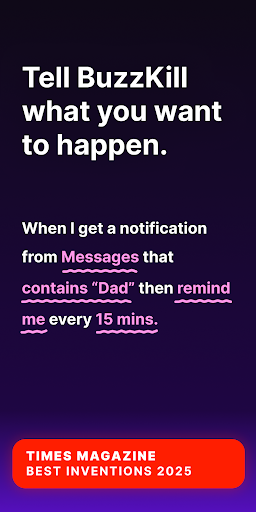
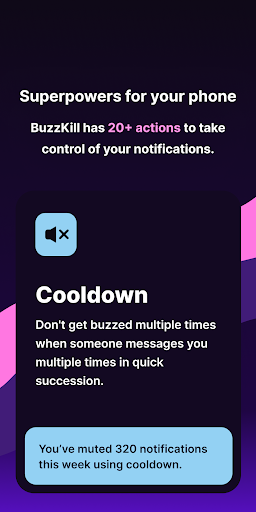
One of BuzzKill’s standout features is its ability to filter notifications based on your specific requirements. For example, you can create rules to mute notifications from certain apps or contacts during designated times. Imagine silencing work emails after 7 PM, allowing you to unwind without being disturbed—BuzzKill makes this possible. Moreover, it offers the option to highlight important notifications, so you never miss critical alerts. The app also includes features like automatic dismissals for intrusive pop-ups, so your notification tray remains clutter-free.
Customize and Prioritize with Flexibility
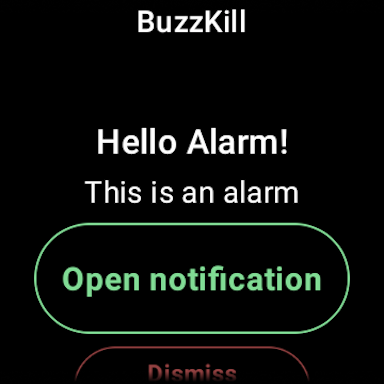
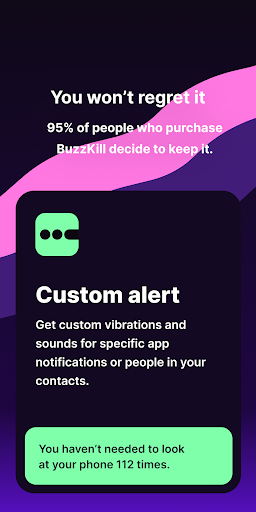
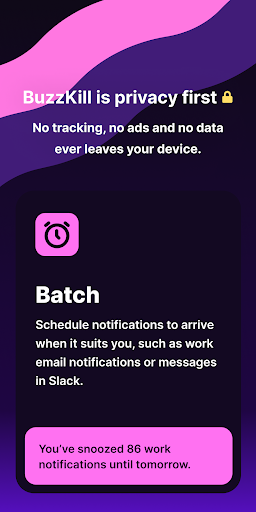
Beyond basic filtering, BuzzKill allows you to set custom alert sounds or vibration patterns for specific contacts or phrases, ensuring you instantly recognize important messages. The Remind me feature keeps nudging you until you’ve seen an alert, preventing missed messages. If you accidentally clear a notification, the Undo feature gives you a second chance to access it. Need notifications at specific times? The Snooze function batches alerts for your convenience. Want to ensure security camera alerts or sensitive notifications stand out? BuzzKill’s Alarm feature grabs your attention effectively.
Privacy and Security at the Forefront
The creators of BuzzKill prioritize your privacy first. Unlike many apps that collect user data or display ads, BuzzKill contains no trackers and never transmits your data over the internet. It’s a fully offline app, ensuring your notifications and personal information remain on your device. Whether you’re concerned about data security or simply prefer a clutter-free, ad-free experience, BuzzKill delivers peace of mind while enhancing your notification management.
Additional Features for Enhanced Control
In addition to the core notification management capabilities, BuzzKill offers a Wear OS companion app. This allows you to trigger specific actions directly from your smartwatch, such as activating an alarm when receiving certain notifications. For those interested in automation, BuzzKill includes an optional Accessibility Service API, enabling it to perform automated actions like tapping buttons within notifications. It’s worth noting: phone calls are handled differently, with limited support, but you can set rules to temporarily allow calls to pass during specific conditions.
Why BuzzKill is a Must-Have App for Modern Life
In today’s hyper-connected world, managing digital distractions is more important than ever. BuzzKill provides an innovative solution to help you regain control, reduce stress, and improve productivity. Whether you're a busy professional, a parent, or someone who simply wants a calmer digital experience, BuzzKill adapts to your lifestyle. It’s not just about filtering notifications—it’s about crafting a balanced, secure, and personalized digital environment.
Final Thoughts: Simplify Your Notifications Today
If you’re tired of being overwhelmed by constant alerts and want a smarter way to handle notifications, BuzzKill is the answer. Its easy setup, customizable features, and privacy-first approach make it stand out as a top choice for anyone seeking effective notification management. Experience the difference BuzzKill can make in your daily life—giving you peace of mind, better focus, and more control over your digital world.
Pros
- Custom notification filters
- Mute annoying notifications
- Block spam effectively
- Easy to use interface
- Enhances productivity
Cons
- Limited free version
- Occasional bugs
- Requires permissions
- Not compatible with all apps
- Steep learning curve initially











