

Introduction to BlackHole: Your Ultimate Audio Tool
BlackHole is a compact and efficient application designed to remove sound from video content. Whether you’re a content creator, a social media enthusiast, or someone looking to extract silence from videos for various editing purposes, BlackHole offers a straightforward solution. Its simplicity and effectiveness make it an indispensable tool for users who need quick audio removal without complicated processes or bulky software. With BlackHole, you can seamlessly silence videos, making it easier to focus on visuals or prepare files for further editing. Its user-friendly interface ensures that even beginners can navigate the app with ease, providing a smooth experience from start to finish.
Discovering the Power of BlackHole in Video Editing
Imagine you're preparing a presentation or creating a multimedia project, and you need to eliminate the background noise or audio from your footage. BlackHole simplifies this task by offering a dedicated solution to remove sound from videos. The app supports a wide range of video formats, making it versatile for various editing workflows. Its efficient processing speed ensures you don’t have to wait long to get your silent videos ready. Moreover, BlackHole maintains the quality of the video’s visual content, so the removal of sound doesn’t compromise the clarity or resolution of your footage. This makes it an essential tool for videographers, digital marketers, and hobbyists alike.
Features That Make BlackHole Stand Out
Intuitive Interface for Easy Use
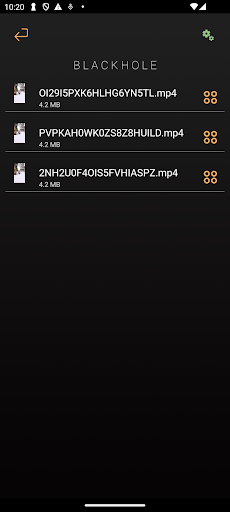
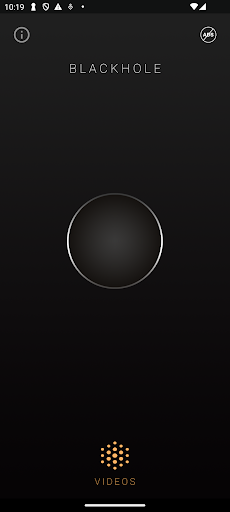
One of the first things users notice about BlackHole is its sleek and intuitive interface. Designed for simplicity, the app avoids unnecessary clutter, allowing you to focus solely on your editing tasks. The clean layout ensures quick access to features like selecting videos, previewing content, and executing the audio removal process. Navigating through the app feels natural, even for those with little prior experience in video editing.
Fast and Reliable Audio Removal
BlackHole prides itself on delivering efficient audio removal capabilities. The processing speed is impressive, enabling users to silence videos promptly. Whether you’re working on batch editing or need quick results, BlackHole handles large files with ease. The app also preserves the visual quality, ensuring your videos look crisp and professional post-editing.
Support for Multiple Formats
Versatility is key—BlackHole supports a variety of video formats, ensuring compatibility with most common media files. This flexibility is crucial for professionals and hobbyists who encounter videos from different sources. No matter whether you’re working with MP4, MOV, AVI, or other formats, BlackHole can handle them effortlessly.
Why Choose BlackHole for Your Video Editing Needs?
If you're searching for a simple yet powerful tool to remove sound from videos, BlackHole is a perfect choice. Its combination of ease of use, speed, and broad format support makes it ideal for both quick edits and more detailed projects. Additionally, because it performs one specialized task—audio removal—it excels at what it does without becoming overly complicated with unnecessary features. For content creators, videographers, or anyone needing to silence videos efficiently, BlackHole stands out as a reliable and user-focused solution. It is especially useful for preparing videos for subtitles, narration replacement, or creating silent tutorials. Overall, BlackHole is a modern, lightweight app that can significantly streamline your editing workflow while maintaining high-quality results.
Pros
- High-quality audio streaming
- User-friendly interface
- Ability to download music for offline listening
- Extensive music library
- Ad-free experience
Cons
- Full access requires a premium subscription
- Limited social interaction features
- Does not support displaying lyrics
- Occasional crashes of the app
- Few options for customizing the app experience











