

Introduction to Big Keyboard: Easy Launcher
The Big Keyboard: Easy Launcher is a user-friendly app designed to enhance your smartphone experience by offering a larger, more accessible keyboard and a suite of helpful tools. Whether you’re tired of tiny keys leading to embarrassing typos or seeking a more intuitive home screen layout, this app combines practicality with customization to make everyday phone usage easier and more comfortable. With features like quick shortcuts, hands-free search, and magnification tools, Big Keyboard: Easy Launcher aims to simplify your digital life while adding a touch of personalization.
Key Features of Big Keyboard: Easy Launcher
Intuitive Home Screen Layout
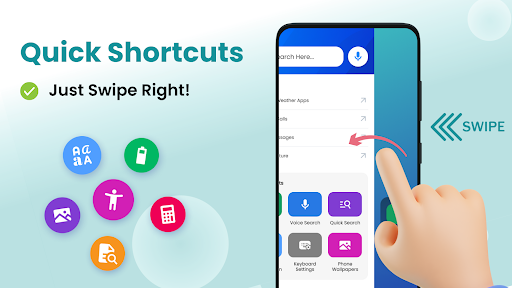
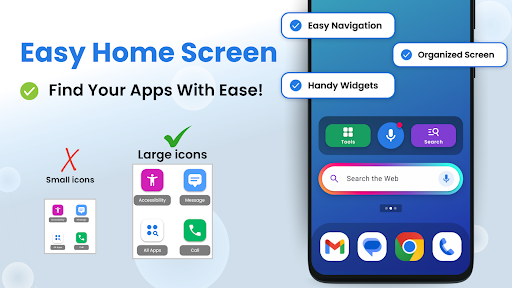
Forget boring and cluttered home screens. Big Keyboard: Easy Launcher provides a sleek, clean interface that can be customized to fit your needs. Its unique design offers quick-swipe shortcuts, allowing you to access your favorite apps or functions just by swiping right. This setup speeds up your daily tasks and reduces time spent searching through menus.
Large-sized Keyboard for Easy Typing
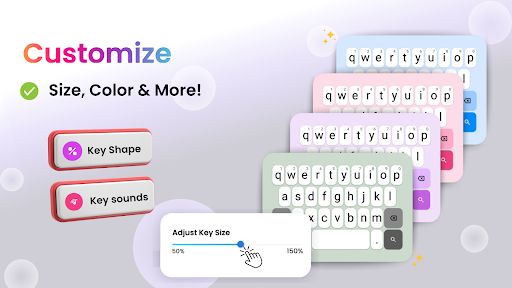
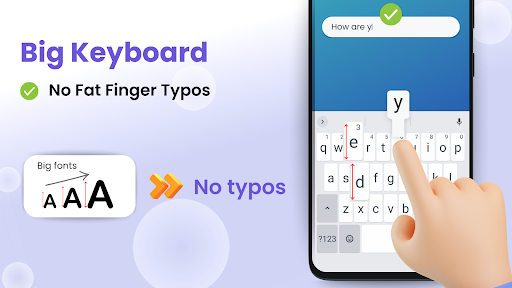
One of the standout features is the adjustable, up to 70% larger keyboard, tailored for easier typing. This makes it ideal for those with larger fingers or anyone who finds standard keyboards too small. You can set the size during setup or anytime later, customizing your typing experience to maximize comfort and reduce errors.
Hands-Free Voice Assistance and Search
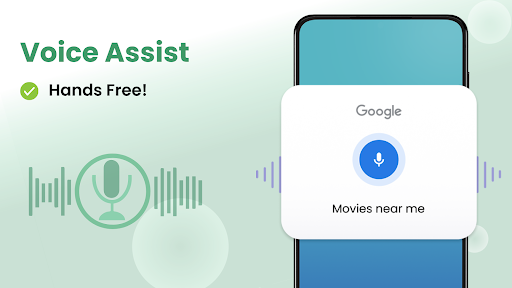
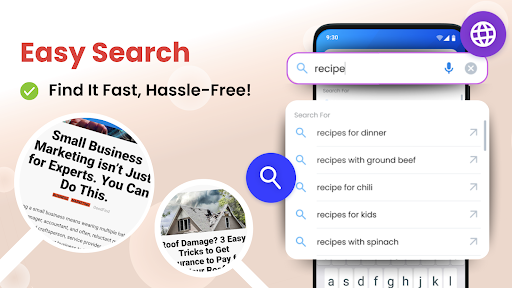
The app features a smart voice assistant tool that allows you to search the web or find apps hands-free. Simply tap the microphone icon, speak your query, and let the app do the rest. This is especially useful when you’re on the go or trying to multitask, making your smartphone more accessible and responsive to your natural voice commands.
Magnifier and Lighting Tools for Better Visibility
Ever struggled to read small print in low light? Big Keyboard: Easy Launcher offers a handy magnifier and flashlight functioning. Hover your phone over text or a menu, and the magnification feature will help you see clearly. Tap the flashlight button to illuminate dark environments, making it easier to read menus, labels, or small print anywhere you go.
Personalization and Fun Wallpapers
Express your personality by customizing your phones’ backgrounds with free, visually appealing wallpapers included within the app. Personalized aesthetics make your device truly yours, while the simple display and accessibility settings allow you to tweak your device’s look and feel with ease.
Additional Tools for Everyday Use
Beyond the keyboard and home screen, Big Keyboard: Easy Launcher provides handy tools like a calculator and other helpful utilities accessible right from your device, saving time and effort. These tools, combined with easy access shortcuts, make your smartphone more functional and efficient.
Why Choose Big Keyboard: Easy Launcher
Designed for those who need larger keys or a more straightforward smartphone interface, this app caters to a wide audience — from seniors and individuals with large fingers to anyone seeking a more comfortable typing experience. Its minimal setup process and lightweight design ensure it won’t slow down your device, making it a practical upgrade for daily use.
Final Thoughts
If you’re looking for an easy-to-use, customizable keyboard solution that prioritizes comfort and practicality, Big Keyboard: Easy Launcher is worth trying. It simplifies your interaction with your phone by reducing typos, making searches faster, and providing essential tools to enhance visibility and accessibility. Whether you want larger keys, quick shortcuts, or helpful magnification features, this app is a well-rounded choice that balances functionality with a user-friendly interface. Say goodbye to frustrating small keyboards and hello to a smarter, more comfortable smartphone experience.
Pros
- Large keys enhance typing accuracy.
- User-friendly interface facilitates easy navigation.
- Themes are customizable for personalization.
- Supports multiple languages.
- Quick access to favorite applications.
Cons
- Limited advanced functionalities.
- Not optimized for tablets.
- May experience occasional lag on older devices.
- Advertisements are included in the free version.
- Does not support gesture controls.











