


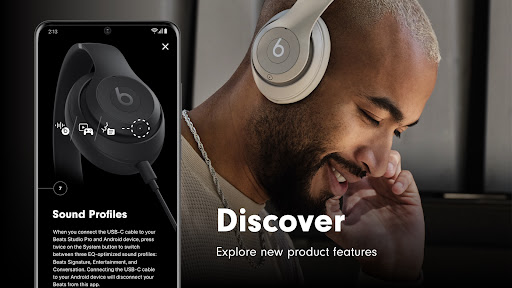
Introduction to the Beats App
Are you passionate about music and looking for an app that elevates your listening experience? The Beats app is a comprehensive tool designed for audiophiles and music enthusiasts who seek control, customization, and seamless connectivity with their Beats devices. Whether you're using headphones, earbuds, or speakers, this app transforms your smartphone into a central hub for managing your audio equipment with ease and style.
Features and Functionality
Easy Setup and Device Management
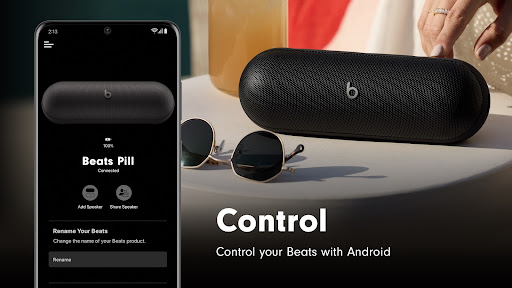
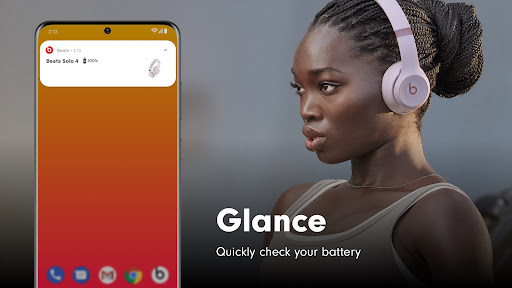
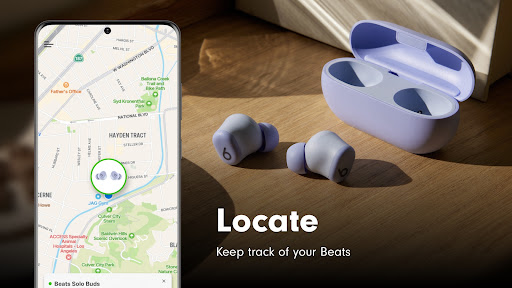
Getting started with the Beats app is simple and straightforward. Available for both Android and iOS devices, it allows users to connect their Beats products with just a single touch — thanks to its simple one-touch pairing feature. Once connected, you can effortlessly access battery status and tweak various settings to optimize your audio experience. The app also offers innovative features like creating customized Android widgets for your Beats, so you can control playback or adjust volume directly from your home screen. Additionally, if you happen to misplace your Beats, the app can help you locate them on a map, provided you enable location access.
Supported Devices and Compatibility
The Beats app supports an extensive range of products, including the latest Powerbeats Pro 2. It remains compatible with popular models like Beats Solo Buds, Beats Pill, Beats Studio Pro, Beats Solo 4, Beats Studio Buds +, Beats Fit Pro, and many others such as Beats Flex, Powerbeats, Powerbeats3 Wireless, Beats Solo Pro, and Beats Studio3 Wireless. This wide support ensures that most Beats users can enjoy full control and management of their devices through a unified app interface.
Firmware Updates and Analytics
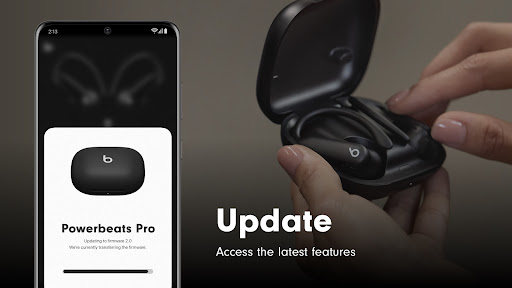
To keep your Beats devices performing at their best, the app regularly checks for firmware updates. Updating your headphones or speakers ensures you benefit from the latest features and improvements. Additionally, users can opt to share analytics data with Apple, which helps enhance product quality and performance. Rest assured, these analytics are designed with privacy in mind, collecting only non-identifiable information such as device software versions and update success rates.
Enhanced Listening Experience
Customizable Sound and Advanced Controls
Beyond basic device management, the Beats app offers a rich suite of audio customization tools aimed at serious music lovers. An integrated equalizer allows for precise sound tuning to match your personal preference—whether that’s boosting bass for hip-hop beats or fine-tuning the treble for classical compositions. The app provides multiple presets, but for those who enjoy full control, you can manually adjust settings to create your unique sound profile. The crossfade feature further enhances your playlist experience, smoothly transitioning between songs to maintain the vibe with minimal interruption.
Performance and Compatibility
Designed for efficiency, the Beats app runs smoothly without taxing your device’s resources. It supports a variety of audio formats, including high-quality files like FLAC, ensuring your music sounds pristine regardless of your collection. The app also integrates seamlessly with cloud services, making it easy to access your entire music library from multiple devices. The offline mode is particularly useful when you're on the go, preventing interruptions when data connectivity isn’t available.
Why Choose the Beats App?
If you love to personalize your audio experience and crave comprehensive control over your music and device settings, the Beats app is an essential tool. Its sleek, modern user interface and intuitive navigation make it accessible even for those less tech-savvy. Regular updates introduce new features and improvements, ensuring that your experience evolves alongside your musical journey. Whether you’re a casual listener or a dedicated audiophile, the Beats app empowers you to enjoy your favorite tunes with unrivaled clarity and customization, making every listening session exceptional.
Pros
- High-quality sound output
- User-friendly interface
- Wide range of music genres
- Offline listening available
- Customizable playlists
Cons
- Requires subscription for premium features
- Can be data-intensive
- Limited free trial period
- May have occasional ads
- Not compatible with all devices











