

Background Video Recorder: The Ultimate App for Discreet Video Recording
In today's fast-paced digital world, having a reliable and versatile video recording app is essential for many users. The background video recorder (BVR) is designed to meet this need by offering an intuitive and powerful solution for recording videos seamlessly in the background. Whether you're looking to capture moments without drawing attention or need a tool for scheduled recordings, this app provides a comprehensive set of features to enhance your mobile recording experience.
Key Features of Background Video Recorder
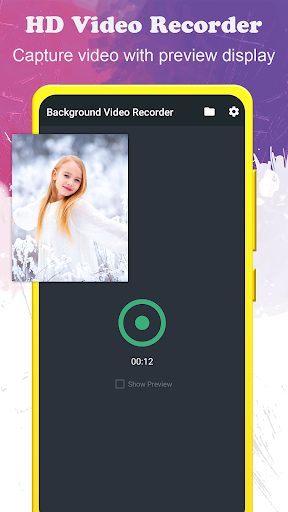
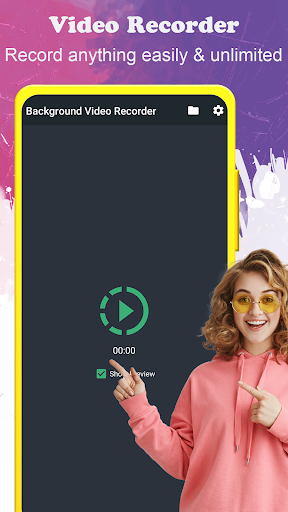
The background video recorder stands out with its wide array of functionalities tailored for both casual users and professionals. One of its main strengths is the ability to record an unlimited number of videos without any restrictions. You can choose to record with or without preview, depending on your preference, allowing for flexible usage situations.
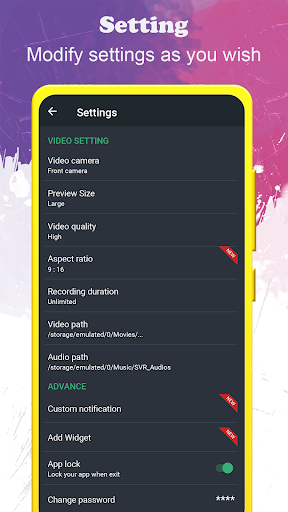
Supporting full HD video quality (1920x1080), the app ensures high-definition recordings that preserve clarity and detail. Users can easily configure video orientation and video quality settings, as well as specify recording duration. An especially useful feature is the support for external SD card storage, enabling you to save large video files without worrying about internal memory limitations.
Another highlight is the one-touch start/stop recording functionality, making it extremely easy to operate even for first-time users. Additionally, the app allows you to record during a phone call, providing additional versatility. Support for front and back cameras offers flexibility depending on the recording needs, while the support for turning the screen off lets you continue recording discreetly in the background, conserving battery life and avoiding unwanted attention.
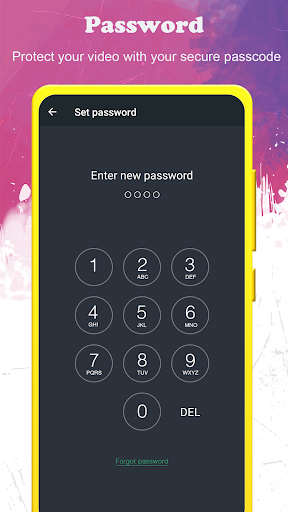
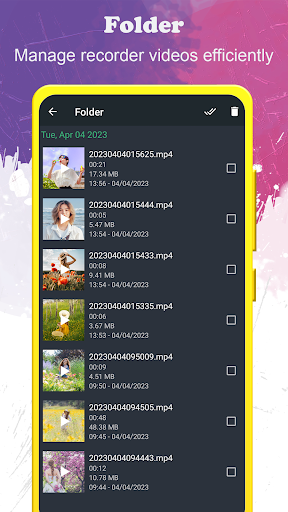
Before starting any recording, the app will check free storage to ensure enough space is available. Users can quickly access the folder containing all recorded videos and even protect the app with a passcode lock to maintain privacy and security.
Ease of Use and Multilingual Support
The app features a user-friendly interface that is easy to navigate. It supports more than 50 languages, making it suitable for a global audience. Configuring the app's settings such as duration, camera selection, and video quality is straightforward, enabling users to tailor their recording experience effortlessly.
Performance and Practical Applications
In practical use, the background video recorder performs smoothly with minimal lag or stutter, delivering reliable and high-quality recordings even in challenging lighting conditions. Its ability to record discreetly with the screen off makes it ideal for various scenarios, from capturing candid moments to professional surveillance.
The app's support for recording during phone calls and capturing ambient sounds enhances its utility for diverse purposes. However, high-definition recordings can occupy significant storage space, so users should ensure sufficient memory or perform regular file management.
This versatile app is especially beneficial for journalists, detectives, or anyone needing a discreet recording solution. Its ability to operate seamlessly in the background without interrupting other phone activities offers unparalleled convenience.
Privacy and Support
Security is prioritized with features like passcode protection, safeguarding your recordings. For feedback, feature requests, or support inquiries, users can contact the dedicated support team via email, ensuring continuous improvement and assistance.
Conclusion
The background video recorder is an innovative app that combines ease of use, advanced features, and reliable performance to meet a variety of recording needs. Whether you require scheduled recordings, background operation, or high-definition video capture, this app has you covered. Use it responsibly and respect privacy laws in your region. If you're looking for a dependable tool to record videos discreetly on your mobile device, background video recorder is definitely worth trying — it could quickly become one of your favorite apps for on-the-go recording.
Pros
- User-friendly interface suitable for all users, including beginners.
- Capable of recording high-quality videos in the background.
- Compatible with various video formats.
- Operates smoothly without experiencing lag.
- Provides scheduling options for recordings.
Cons
- Consumes a lot of battery power.
- Limited features available in the free version.
- May not be compatible with all devices.
- Requires permissions that may raise privacy concerns.
- Some users experience occasional app crashes.











