




Authenticator App - 2FA Auth
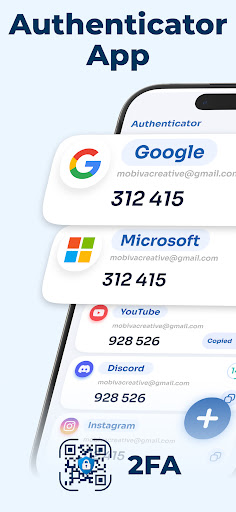
Enhance your digital security with the Authenticator App - 2FA Auth, a reliable and user-friendly solution designed to protect your online accounts from unauthorized access. Whether you're looking to implement Two-Factor Authentication (2FA) or Multi-Factor Authentication (MFA), this app offers a seamless way to add an extra layer of security to your digital life.
Key Features of the Authenticator App
🔒 Secure Your Digital Life with Robust Security Measures
Security is at the core of this authenticator application. All your one-time passwords and authentication codes are stored within a secure vault protected by advanced encryption standards. Setting a strong password ensures that only you can access your OTP tokens, elevating your privacy and data protection.
☁️ Automatic Backups & Easy Recovery
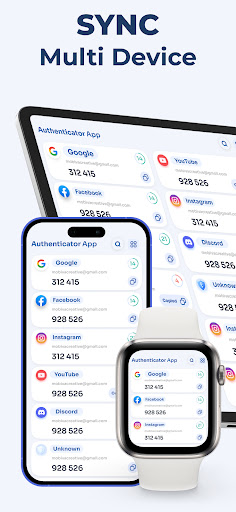
Never worry about losing access to your accounts. The app offers automatic backups and a simple recovery process, so transitioning to a new device or restoring your data after device loss or reset is effortless. With restore anywhere, you can quickly recover your 2FA tokens without the need to reconfigure each account manually.
📲 Broad Compatibility and Industry-Standard Support
This authenticator supports widely-used algorithms like HOTP and TOTP, ensuring it works seamlessly across various platforms. It is compatible with thousands of popular web services and social media platforms, making it an all-in-one solution for your online security needs. Additionally, the app provides easy import features, allowing you to transfer entries from other authenticator apps effortlessly.
📂 Smart Management & User-Friendly Interface
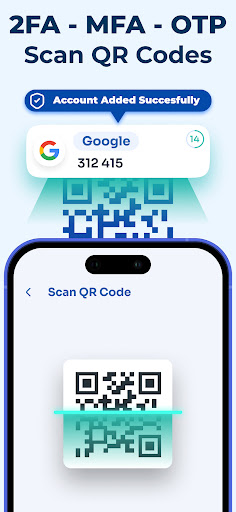
Managing multiple accounts becomes simple with the app’s powerful organization tools. Users can scan QR codes directly using the camera or manually enter account details when needed. The app also functions offline, enabling the generation of secure verification codes without requiring an internet connection or even when in airplane mode.
Why Choose This Authenticator App
Adding two-factor authentication to your online accounts is the most effective way to prevent hacking and ensure your digital safety. This open-source application combines privacy-focused design with maximum ease of use, offering a reliable tool to enhance your online security posture. Whether you’re protecting your email, banking, or social media accounts, this app provides a seamless, secure, and versatile solution.
Take control of your digital security today with the most trustworthy authenticator app—experience peace of mind knowing your accounts are protected by robust encryption, comprehensive backup options, and universal compatibility. Download now and enjoy a smarter, safer online experience.
Pros
- Offers a user-friendly interface that simplifies navigation and usage.
- Provides a comprehensive set of features that meet diverse user needs.
- Ensures high performance and stability for an optimal user experience.
- Includes regular updates that enhance functionality and fix issues.
- Integrates seamlessly with other platforms and services.
Cons
- Requires a significant time investment to master all features.
- Some advanced functionalities may be complex for beginners.
- Occasional bugs can affect usability until addressed in updates.
- Limited customization options for certain settings.
- Can be resource-intensive, impacting device performance on lower-end hardware.











