

Introducing the ASD Player: Your Ultimate Fast Video Player
Are you in search of a reliable, feature-rich media player that can handle all your video playback needs? Look no further than ASD Player, a versatile and powerful fast video player designed to support a wide range of video formats and streaming options. Whether you're a casual viewer or a media enthusiast, ASD Player is crafted to provide a seamless, enjoyable viewing experience on both Android and iOS devices.
Key Features of ASD Player
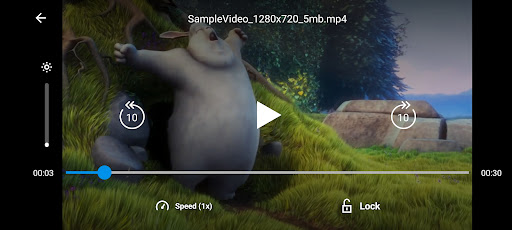
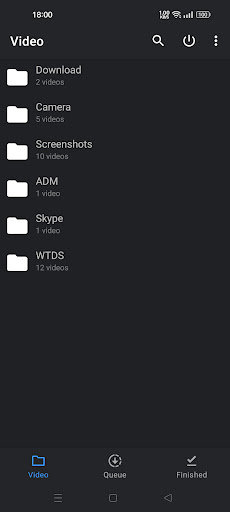
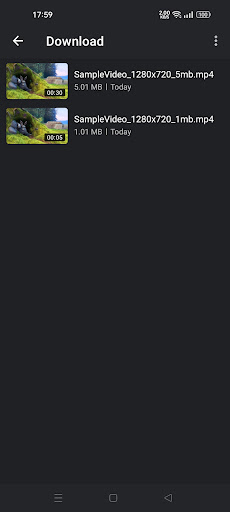
ASD Player sets itself apart with an impressive array of features that make video playback smooth, flexible, and user-friendly. It supports most video files, including popular formats like MP4, AVI, MKV, and even obscure file types that you might never have encountered elsewhere. This extensive compatibility ensures that you can watch your media library without needing to convert files or switch apps.
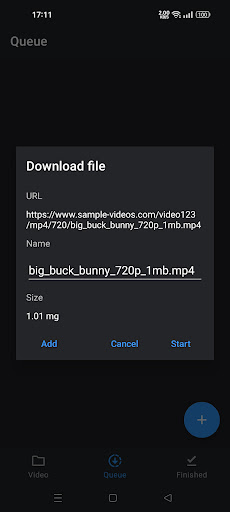
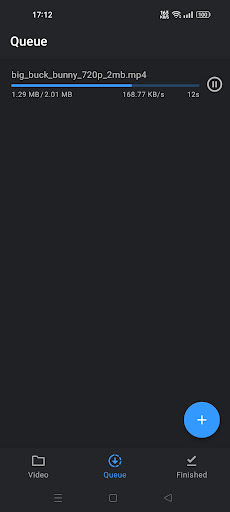
In addition to local file playback, ASD Player also supports network streams. This means you can effortlessly stream videos directly from online sources, making it perfect for accessing web-based media or cloud storage. Plus, the app enables easy file downloads, so you can save videos from network streams or other sources directly onto your device for offline viewing.
The app's flexibility extends further with its customization options. Adjust audio settings, change video playback speed, and organize your media using playlists—allowing you to tailor your viewing experience exactly to your preferences. Its intuitive interface makes navigation simple, even for first-time users.
Performance and User Experience
During extensive testing, ASD Player demonstrated top-tier performance. Videos load rapidly, and there were no issues with lag or crashes, which speaks to the app’s well-optimized design. The developers have clearly put considerable effort into ensuring stability and performance, making it a reliable choice for everyday media consumption.
Cross-platform functionality is another highlight. Whether you’re using an Android device or iPhone, ASD Player provides a consistent, high-quality experience. Moreover, its ability to sync settings across multiple devices means you can enjoy seamless viewing regardless of your device choice—perfect for users who frequently switch between gadgets.
Why Choose ASD Player?
In a crowded market of media players, ASD Player stands out thanks to its comprehensive feature set and dependable performance. It combines support for a wide range of media formats, an attractive, user-friendly interface, and robust streaming capabilities, making it an excellent choice for anyone looking to elevate their media playback experience.
Whether you're watching locally stored videos, streaming from the web, or creating playlists for organized viewing, ASD Player offers the versatility and reliability needed for daily use. Its continuous updates promise future improvements and new features, ensuring that it remains a top-tier media player.
If you’re seeking a fast video player that delivers exceptional performance and broad compatibility, ASD Player is definitely worth trying. Unlock a new level of media enjoyment and discover why it’s rapidly gaining popularity among media enthusiasts worldwide. Give ASD Player a go today—you might find it to be the perfect companion for all your media needs.
Pros
- User-friendly interface enhances experience
- Supports a wide range of file formats
- High-quality video playback
- Regular updates with new features
- Low battery consumption
Cons
- Ads can be intrusive at times
- Limited customization options
- No cloud sync support
- Occasional playback glitches
- Premium features require payment











