
Introduction to Alight Motion
Are you looking to elevate your video editing and animation skills right from your smartphone? Alight Motion is a revolutionary mobile application that brings professional-quality motion design, animation, visual effects, and advanced editing capabilities directly to your device. Whether you're an aspiring content creator or a seasoned designer, Alight Motion offers a comprehensive suite of features that empower you to produce stunning animations and videos with ease and precision.
Features of Alight Motion
Multilayer Support and Editing
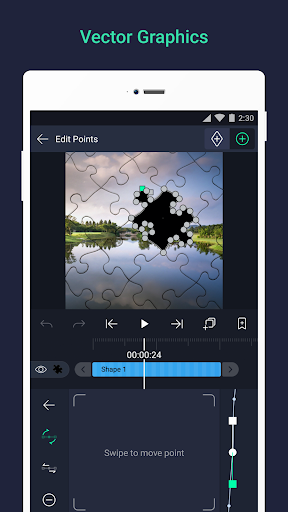
With Alight Motion, users can add multiple layers of graphics, videos, and audio, allowing for complex compositions and seamless integration of various media elements. The app supports both vector and bitmap graphics, enabling you to edit vector graphics directly on your phone, ensuring sharp and scalable visuals for your projects.
Effects and Visual Enhancements
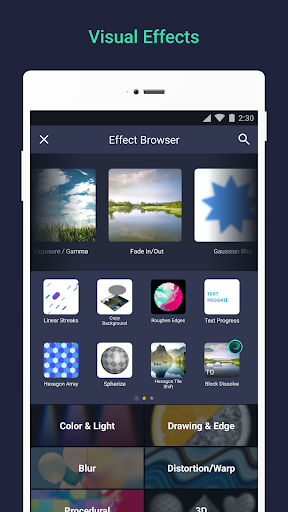
Unlock your creativity with over 160+ basic effect building blocks that can be combined to generate sophisticated visual effects. You can also utilize solid color and gradient fill effects, and apply effects to Borders, Shadows, and Strokes. These features allow for vibrant and dynamic designs that stand out.
Animation and Keyframe Capabilities
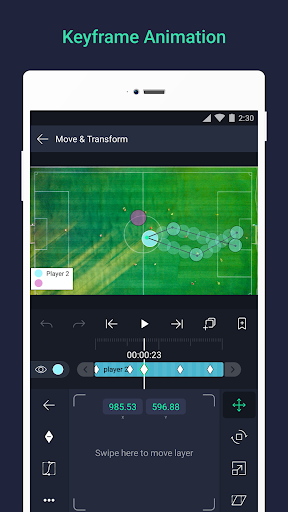
The app offers full keyframe animation support for all adjustable settings, letting you craft fluid and detailed motion sequences. Users can animate properties such as position, scale, rotation, and more, with customizable animation easing to make movements feel natural and engaging. Additionally, features like linking parent and child layers and rigging character joints facilitate complex character animations.
Camera and Layer Management
Use virtual Cameras that support panning, zooming, focus blur, and fog effects. Layer grouping and the creation of Masks enhance your editing flexibility. You can also copy and paste entire layers or just their styles, and save your favorite elements for quick reuse in future projects.
Color and Effects Editing
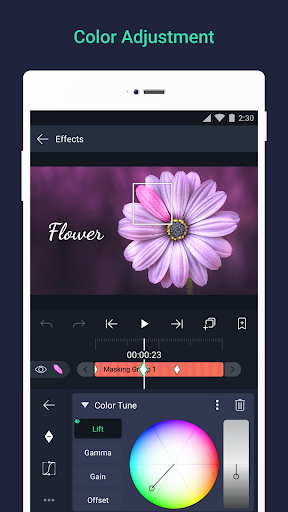
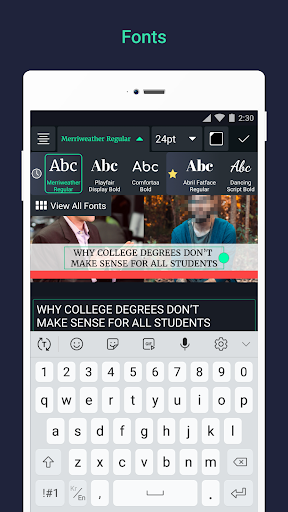
Adjust and change colors freely, and add effects to enhance the aesthetic of your videos. Enhance your projects with tools like velocity-based motion blur for smoother motion looks, and add text using custom font support to include titles or captions.
Export Options and Sharing
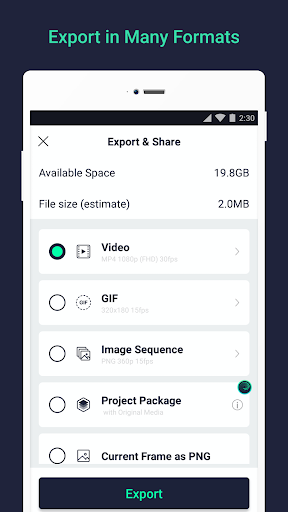
Once satisfied with your creation, export your projects in various formats such as MP4, GIF, PNG sequences, or still images. Share your project packages directly with others, making collaboration straightforward.
Additional Creative Tools
Utilize the app's solid color and gradient fills, along with effects on borders, shadows, and strokes, to refine your visual style. Save your preferred elements for repeated use, streamlining your creative process.
Pricing and Subscription
Alight Motion can be used for free with basic features and includes a watermark on exported videos. To remove watermarks and gain access to an extensive library of premium effects, you can opt for a paid subscription. These subscriptions are billed via Google Play and can be canceled anytime. Options may include free trial periods, and more details can be found at support.alightmotion.com.
System Requirements and Support
To run smoothly, Alight Motion requires at least 1.5GB of RAM. The development team works diligently to add new features and improve performance, aiming for a glitch-free experience across various devices. If you encounter issues or have suggestions, you can contact their support team at support-android@alightmotion.com.
Why Use Alight Motion for Your Video Projects?
Ever come across a social media video that made you think, "How did they do that?" Chances are, the creator used Alight Motion. This app is like having a mini professional studio right in your pocket, transforming simple videos into captivating animations and motion graphics. Its intuitive interface is designed for both beginners and experienced users, making complex editing accessible and fun.
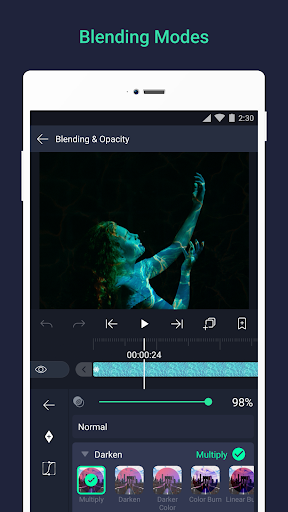
Alight Motion's comprehensive feature set includes multiple layers, blending modes, visual effects, and advanced color correction. The vector graphics tools and freehand drawing capabilities enable complete creative freedom, allowing you to craft detailed animations and design elements precisely how you envision them.
Performance-wise, Alight Motion ensures smooth editing and quick exports, even for complex projects. With a broad user community offering tutorials and support, learning new techniques is straightforward, keeping your creative momentum going. Whether it’s editing a birthday clip or producing a professional animation, Alight Motion provides the necessary tools to make your ideas come alive.
In an age where engaging content rules, having a powerful yet user-friendly mobile editing app can be a game-changer. With Alight Motion, you can turn your creative sparks into stunning visuals that captivate your audience—perfect for social media, personal projects, or professional portfolios.
So, why wait? Download Alight Motion today and start creating animations and videos that truly stand out. Your social media feed—and viewers—will thank you!
Pros
- User-friendly interface.
- A broad selection of editing tools.
- Supports multiple layered structures.
- High-quality export options.
- Regular updates and feature improvements.
Cons
- Steep learning curve for new users.
- Certain features require a subscription.
- Reports of occasional application crashes.
- Limited functionalities in the free version.
- Can be demanding on older hardware.











