
Introduction to VivaCut: The Ultimate Video Editing & Video Maker App
If you're passionate about creating stunning videos, VivaCut stands out as an amazing video editor and video maker. Whether you want to craft a cinematic masterpiece or simply share memorable moments with friends, VivaCut offers a comprehensive suite of tools to elevate your content. Its user-friendly interface makes editing accessible to beginners, while advanced features cater to professional editors looking for a portable editing solution.
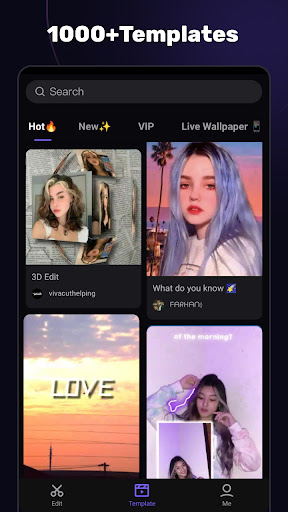
With VivaCut, you can swiftly create short videos using an array of cool effect and transition templates. The app supports multi-layer editing, chroma key, and green screen effects, empowering users to produce cinematic videos optimized for platforms like YouTube, Instagram, and TikTok. If you're aiming to increase your social media engagement, downloading this video editor & video maker could be a game-changer.
Basic Video Editing Features
Multi-layer Timeline
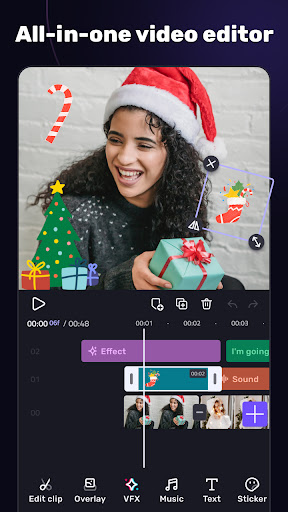
VivaCut provides an intuitive and sleek editing interface with a zoom feature for frame-by-frame precision. The overlay video editor app allows stacking multiple clips seamlessly, giving you full control over your project.
Text and Style Editing
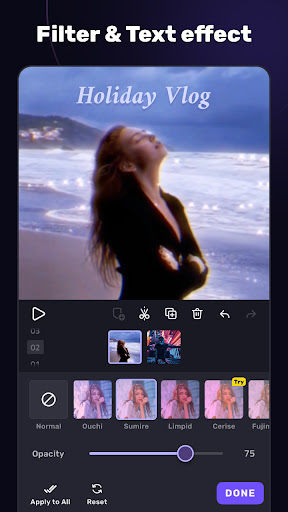
You can easily edit, duplicate, and modify styles using a variety of fonts, emojis, colors, opacity, shadow, and stroke. This flexibility lets your videos stand out with personalized text effects.
Video Trimming & Splitting
Use professional tools designed for precise video editing to trim clips to perfection or split videos into smaller segments for easier sharing and editing.
Combine & Transition Clips
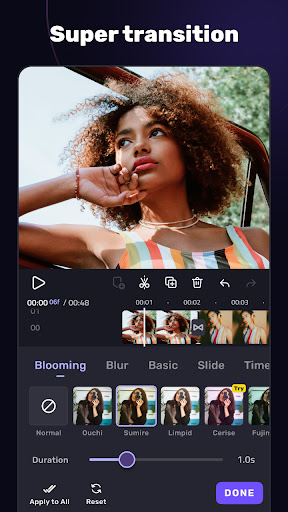
Merging multiple video clips into a single cohesive video is straightforward. Add transitions effects to create smooth, cinematic sequences that captivate your audience.
Speed Control
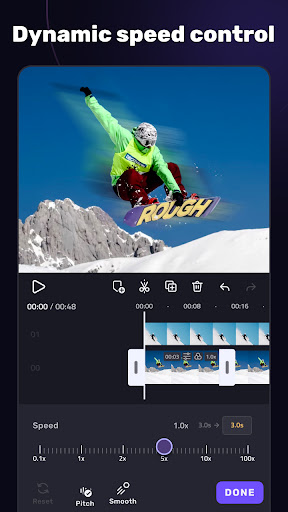
Apply fast or slow motion effects like a pro with VivaCut, making your videos more dynamic and engaging.
Advanced Video Editing Capabilities
Green Screen & Chroma Key
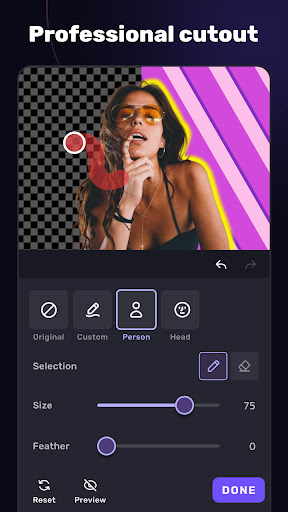
The green screen or chroma key feature enables you to combine and manipulate videos like a Hollywood film studio. It’s perfect for creating professional-looking content with custom backgrounds.
Keyframe Animation
Apply keyframe animation to masks, video collages, text, stickers, and emojis, allowing for dynamic and animated effects in your videos.
Masking Features
Choose from various mask styles such as linear, mirror, radial, rectangle, and oval to customize your scenes and add artistic effects.
Picture in Picture & Collage
Create eye-catching videos by combining clips with picture in picture and collage features, perfect for social media content that goes viral.
Overlay & Blending Modes
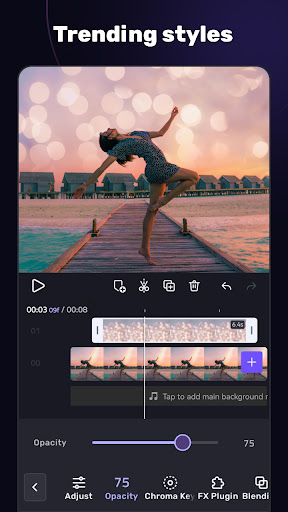
Customize layer opacity and blending modes like Color Burn, Multiply, Screen, Soft Light, and Hard Light to craft unique visual styles and effects.
Enhancing Videos with Effects, Filters & Transition Effects
Video Transition Effects
Inject cinematic transition effects to make your videos flow smoothly. VivaCut's movie-level background changer and transition effects elevate your projects to a professional standard.
Filters & Glitch Effects
Apply customizable filters and trendy glitch effects to give your videos a stylish, modern look that resonates with current trends.
Music & Audio Features
Sync music expertly using the music marker to add effects in rhythm with your clips. Extract audio from videos or layer multiple sound effects to create immersive soundtracks. Plus, the app provides templates for automatic music video creation with filters and effects.
Save & Share Your Creations Effortlessly
Export your finished videos in multiple resolutions, including 720p, 1080p, and 4K. Rename your videos and add personal touches before saving. With non-destructive editing, you can preserve the original files while creating captivating content.
Sharing is simple—upload directly to platforms such as YouTube, Instagram, TikTok, and Snapchat with just one click. VivaCut ensures your videos look polished and professional before sharing your story with the world.
Why Choose VivaCut?
VivaCut is the best video background changer editor and a comprehensive pro video editor that combines ease of use with a powerful feature set. Ideal for both beginners and experienced editors, it enables you to craft high-quality videos with music, effects, and cinematic transitions. Whether you're creating viral TikTok videos, polished YouTube content, or Instagram stories, VivaCut provides all the tools you need in an all-in-one video editing application.
Download VivaCut today and elevate your video creation to new heights. With advanced editing features, stunning effects, and seamless sharing options, this video maker with music is your gateway to professional-grade videos from your mobile device.
Pros
- Intuitive interface suitable for users of all skill levels.
- Professional-grade editing tools for high-quality results.
- Extensive collection of effects and transitions.
- Supports exporting videos in high resolution.
- Frequent updates introducing new features.
Cons
- Occasional prompts for in-app purchases.
- Free version offers limited features.
- Some functionalities require a subscription.
- May consume considerable system resources on older devices.
- Potential for occasional crashes.











