

Introduction to VideoShow - AI Video Editor, Movie Maker, and AI Video Generator
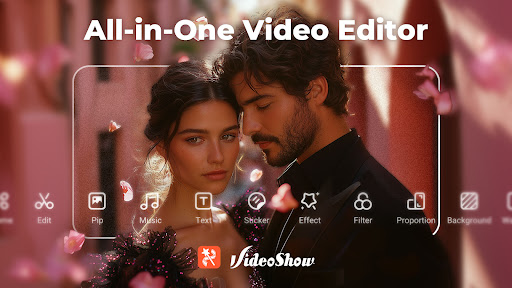
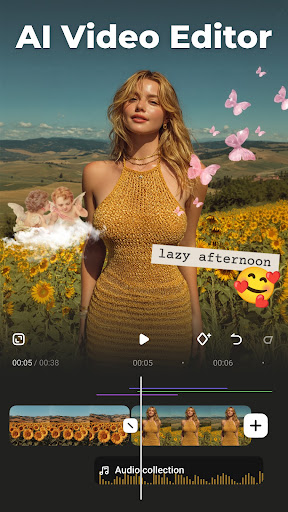
VideoShow is an all-in-one video editing app designed to make creating stunning videos both easy and enjoyable. With a suite of powerful features, this app allows users to decorate their videos with AI Effects, romantic stickers, dreamy transitions, and heartfelt music. Whether you're aiming to become the next TikTok star or creating content for Instagram, Facebook, or other social media platforms, VideoShow provides the tools to help you stand out.
Key Features of VideoShow
Creative Video Editing Made Simple
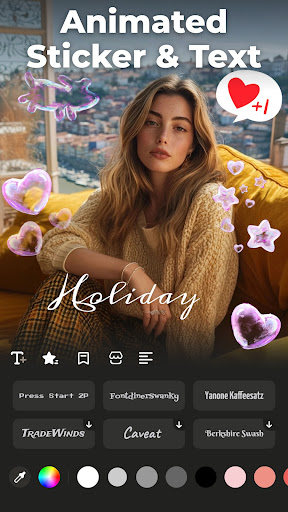
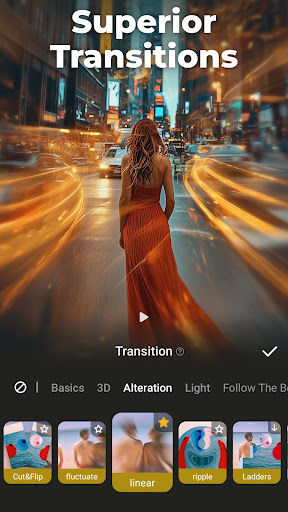
This video editor & movie maker offers a wide range of features to personalize your videos effortlessly. Add scroll texts, FX, GIFs, transitions, or even live dubbing to craft unique vlogs, memes, or entertaining clips. The app simplifies capturing special moments like weddings, birthdays, Halloween, Christmas, and Valentine’s Day, making professional-looking videos accessible to everyone.
Professional Video and Photo Editing
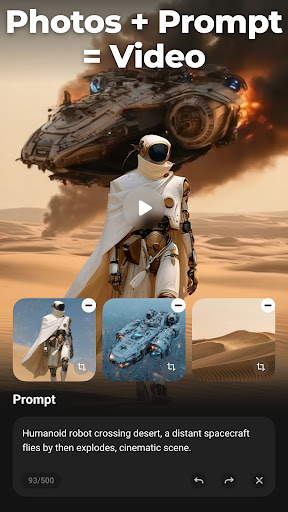
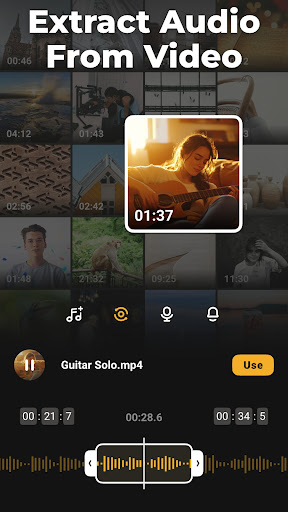
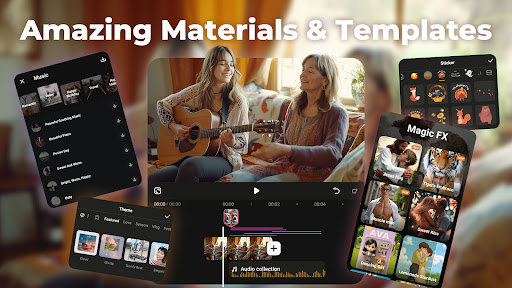
Some of the standout features include an AI Video Generator that can turn images into videos, as well as generate special content like AI kiss videos or AI hug videos. Utilize ready-made templates for trendy videos in just a few steps, or extract clear audio from videos and convert them into music. Achieve high-definition output with 4K export without sacrificing quality, and display multiple videos simultaneously using overlays for double exposure effects. Enhance your videos with emojis, animated filters, and more.
AI-Powered Video Creation Tools
Leverage advanced AI features such as Auto Editing, which automatically adds effects, filters, and themes based on your selection. The app's AI Subtitles feature uses speech-to-text technology to add captions effortlessly. Transform your voice using the AI Voice Changer into various styles, from cute and girlish to mature or youthful. Additionally, AI Mosaic tools help you protect privacy or create artistic effects seamlessly, while customizable filters and effects add the finishing touches to your videos.
All-in-One Video Editing Suite
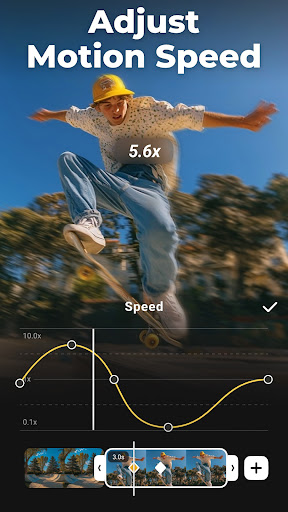
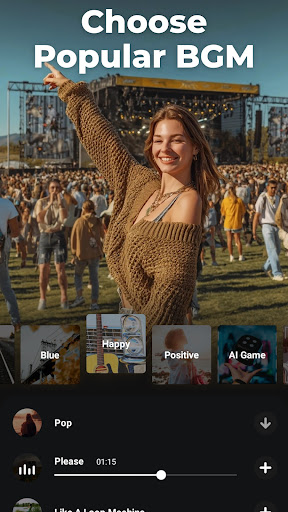
Create music videos, slideshows, or vlogs instantly with a variety of themes. Add local background music, adjust the speed for slow or fast motion, and include artistic subtitles with various fonts and styles. Use Blur background effects, enhance audio quality, and adjust video ratios tailored to platforms like Instagram and TikTok. Export fun GIFs, crop videos, or create seamless loops while maintaining full control over editing elements.
Powerful Editing Tools
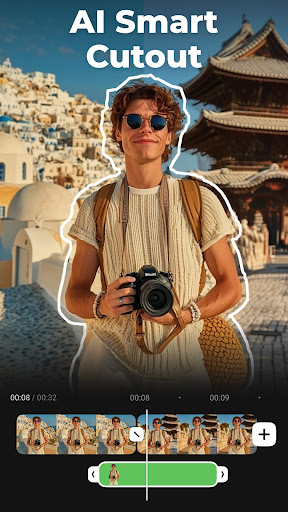
VideoShow includes professional editing features such as splicing, merging, converting videos to MP3, collage creation, and loop features. Zoom in or out to highlight specific regions, reverse videos for comedic or creative effects, and add voice narrations or sound effects to enhance your storytelling. Doodle directly on videos, compress file sizes, and cut clips easily. Explore the extensive materials center for themes, filters, stickers, memes, emojis, fonts, sound effects, FX, and more to constantly refresh your content.
Sharing Made Easy
Support for high-resolution outputs—including GIF, 480p, 720p, Full HD 1080p, and Ultra HD 4K—ensures your content looks professional. Export your videos directly to your device in one click, and seamlessly share your creations across social media platforms such as Instagram Reels, Facebook, TikTok, Rednote (Xiaohongshu), WhatsApp Status, Kwai, and Weibo. Please note, VideoShow operates independently of any platform and is not officially affiliated with Instagram, TikTok, or other social media giants.
User Experience and Accessibility
Getting started with VideoEditor & Maker VideoShow is simple. It’s available on both Android and iOS devices, occupies minimal space, and boasts an intuitive interface suitable for beginners and experienced editors alike. The smooth operation, quick exports, and high-quality results make it a favorite among content creators. The built-in tutorials further ease the learning curve, helping users unlock the full potential of this versatile video editing tool.
Conclusion
In summary, VideoShow is a comprehensive video editing app that combines advanced AI-driven features with user-friendly controls. Whether you're creating engaging social media videos, personalized clips for special occasions, or professional-quality content, this app provides everything you need in a single package. Its extensive selection of templates, effects, and editing tools ensures that every user can produce eye-catching videos with ease. Discover your creativity with VideoShow and elevate your video content to new heights.
Pros
- Intuitive user interface
- Wide range of editing tools
- High-quality video output
- Numerous filters and effects
- Supports multiple formats
Cons
- Contains ads in free version
- Some features require in-app purchases
- Occasional crashes reported
- Exporting can be slow
- Limited music library











