

Introduction to Adobe Premiere Rush
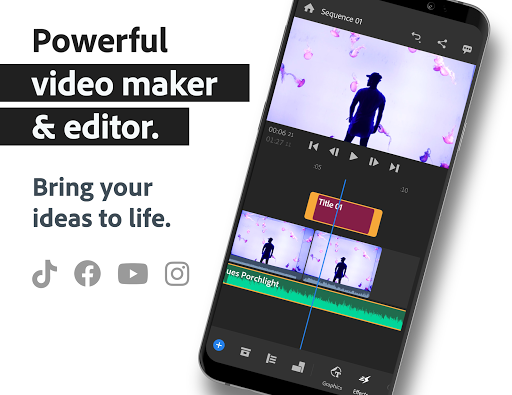
Are you looking for an easy-to-use yet powerful video editing solution that you can use on the go? Look no further than Adobe Premiere Rush, the all-in-one cross-device video editing app designed for creators, influencers, vloggers, and professionals alike. With its intuitive interface and robust features, Premiere Rush enables users to shoot, edit, and share high-quality videos seamlessly across various platforms. Whether you're crafting content for YouTube, Instagram, Facebook, or TikTok, Premiere Rush makes it easier to produce professional-looking videos in just a few minutes.
Key Features of Adobe Premiere Rush
Pro-Quality Video Capture
Premiere Rush includes built-in professional camera functionality that allows you to capture high-quality content directly from the app. This feature ensures that your footage is crisp and clear, eliminating the need for separate camera apps. Once captured, you can jump straight into editing, streamlining your workflow and saving valuable time.
Easy and Intuitive Editing Tools
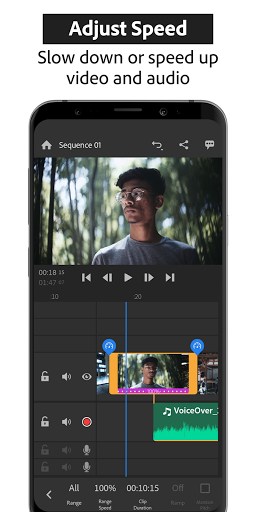
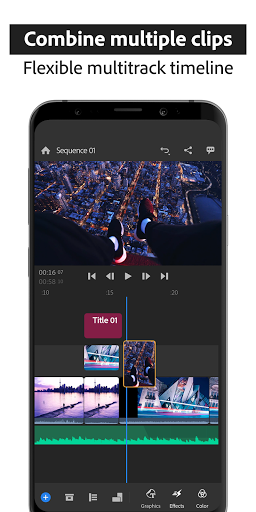
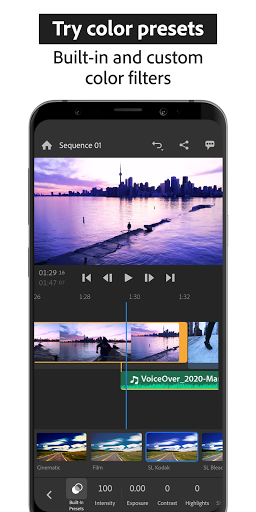
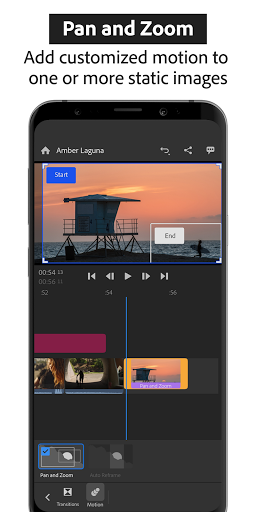
The app provides a variety of drag-and-drop editing options, making it simple to arrange your video, audio, graphics, and photos. You can trim and crop clips, flip or mirror videos, and add images, stickers, or overlays effortlessly. The multitrack timeline supports multiple video tracks, enabling creative effects like picture-in-picture and split-view. Adjustable video speed and color presets further enhance your editing capabilities.
Animated Titles and Overlays
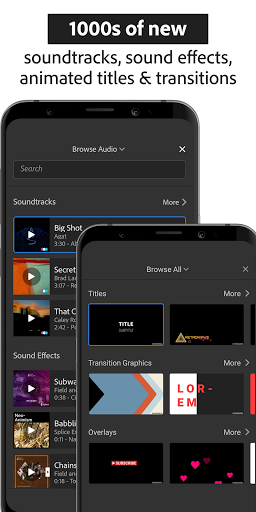
Make your videos stand out with customizable animated titles and overlays. Change color, font, size, and other attributes to match your style. These built-in graphics add a professional touch, perfect for branding or emphasizing key moments in your videos.
Music and Sound Effects
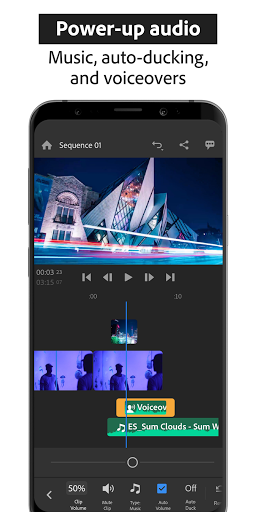
Add music and sound effects from an extensive library of royalty-free soundtracks. You can easily import your own music, then fine-tune audio levels with the robust sound editing tools. The app ensures your audio complements the visuals perfectly, giving your content a cinematic quality.
Versatile Sharing and Exporting
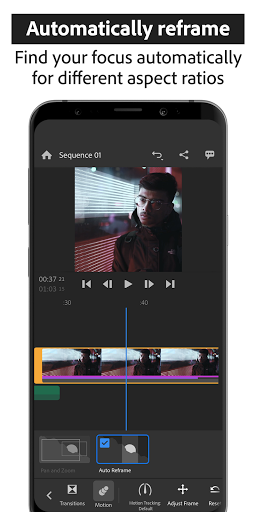
Once your masterpiece is ready, sharing is a breeze. You can crop videos for different aspect ratios—portrait, square, or landscape—to suit various social media platforms. Export your videos in 4K resolution directly from the app and share with one click to Instagram, Facebook, YouTube, and TikTok. The app automatically adjusts media to fit different formats, making your content look flawless everywhere.
Premium Features for Advanced Users
Upgrade to Rush Premium
For those wanting access to advanced editing tools and premium content, upgrading to Rush Premium unlocks a host of features. Enjoy AI-powered audio tools like auto-ducking and sound balancing. Access hundreds of premium titles, overlays, and animated graphics to elevate your videos. The auto reframe feature intelligently detects and keeps the most important part of your footage within frame when changing aspect ratios, making it ideal for social media sharing. Additionally, premium users can export videos in 4K and sync edits across multiple devices for a seamless workflow.
Why Choose Adobe Premiere Rush?
Adobe Premiere Rush stands out for its user-friendly interface, professional-grade features, and seamless multi-platform sharing. It bridges the gap between simple mobile editing and professional software, making video editing accessible for beginners without sacrificing functionality for more advanced users. Whether you're creating content for social media or editing videos for a small business, Rush provides all the tools you need in one accessible app, with the flexibility to upgrade when you’re ready for more.
Conclusion
If you’re seeking an intuitive, powerful, and versatile video editing app, Adobe Premiere Rush should be your go-to choice. Its cross-device capabilities, rich features, and seamless sharing options make it perfect for content creators of all levels. Download Rush today and start turning your videos into captivating stories with professional quality — easy, fast, and fun!
Pros
- Cross-platform compatibility
- User-friendly interface
- Auto-sync across devices
- Built-in camera functionality
- Supports 4K video editing
Cons
- Limited advanced features
- Subscription required for full functionality
- Occasional performance issues
- Limited export format options
- Lacks multi-camera editing











