




Discover the Powerful Features of 8Super App Manager & Cleaner
Welcome to the world of 8Super — your ultimate solution for maintaining a clean, secure, and well-optimized Android device. This innovative app combines robust security features with handy cleaning tools, making it an essential companion for anyone looking to enhance their smartphone's performance and safety. Whether you're concerned about privacy, storage, or simply want a smoother experience, 8Super has you covered.
Comprehensive App Management and Security
At the core of 8Super is its Apps Manager function. This feature performs an in-depth analysis of all installed applications on your device, focusing on sensitive permissions such as access to camera, contacts, location, and others. The app provides you with clear insights into which applications could potentially pose security risks. With this knowledge, you can efficiently manage or uninstall not trusted applications and safeguard your personal data.
To enable the Apps Manager to analyze apps accurately, the app requests special permissions like QUERY_ALL_PACKAGES. This permission allows 8Super to build a complete list of installed apps and scrutinize their permissions, giving you the power to control app access and enhance your device’s security.
Additionally, 8Super examines various sensitive permissions such as WRITE_CONTACTS, SEND_SMS, RECORD_AUDIO, and more. This detailed permission analysis helps you identify apps that might be overstepping boundaries, empowering you to prevent potential data breaches or misuse.
Smart Data Cleaning and Storage Optimization
With Apps Data Cleaner, 8Super efficiently removes unnecessary data accumulated by applications. This helps to free up valuable storage space and improve overall device responsiveness. To facilitate this process, the app requires enabling Accessibility Access to automate routine cleaning tasks for third-party apps without compromising your device’s security.
It’s important to note that while the app requires this permission to function effectively, you can choose to decline it without losing access to other features. This flexibility ensures your privacy preferences are respected, while still allowing the app to keep your device clutter-free.
Duplicate Media Files Cleaner
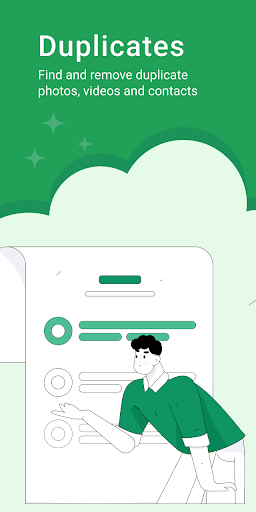
Optimize your gallery by removing duplicate photos and videos. The Duplicates Photos Cleaner and Videos Cleaner features help you reclaim storage space and keep your media library organized.
Contacts and Screenshots Management
The app can also help you tidy up your contacts by removing duplicate entries with the Duplicates Contacts Cleaner. Additionally, it manages and deletes unnecessary screenshots to prevent clutter in your photo storage.
Large Files and System Cleanup
Identify and eliminate big files that take up significant space using the Big Files Cleaner. The Junk Cleaner clears out leftover files from uninstalled applications, ensuring your device remains streamlined. Plus, the System Cleaner targets redundant system files, freeing up storage and boosting performance.
Performance Monitoring and Boosting
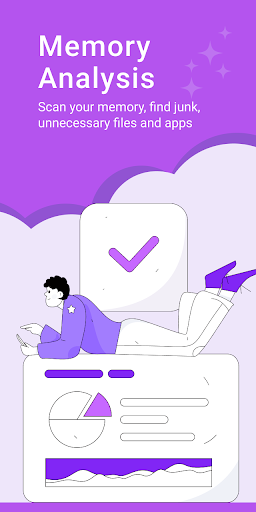
Understanding device habits is essential for effective maintenance. 8Super offers comprehensive Memory Analysis to give you insights into how memory is being used. This feature helps you identify major space consumers and plan your cleaning routine accordingly.
To further improve your device's speed, 8Super includes a Phone Booster feature. This quickly optimizes performance, reduces lag, and ensures smooth operation, offering a quick "performance shot" for your device when it needs it most.
Why Choose 8Super? Your All-in-One Device Guardian
In summary, 8Super App Manager & Cleaner is a versatile and user-friendly tool designed to keep your Android device secure, organized, and running efficiently. Its powerful app analysis, privacy protections, intelligent cleaning routines, and performance boosting make it an indispensable app for modern smartphones. Install 8Super today and experience a more organized, secure, and faster device—because your smartphone deserves the best care.
Pros
- Efficient app management capabilities
- Cleans junk files effectively
- User-friendly interface
- Enhances device performance
- Battery optimization features
Cons
- Contains ads in the free version
- Some features require in-app purchases
- May slow down older devices
- Occasional crashes reported
- Limited support for tablets











