

Introduction to 1.1.1.1 + WARP: A Safer Internet Experience
If you're seeking a way to make your internet browsing safer and faster, 1.1.1.1 + WARP developed by Cloudflare might be the solution you've been looking for. This innovative app promises to enhance your online privacy and security while maintaining speedy connections. In this blog-style overview, we'll explore the key features, how it works, and why it could become an essential tool in your digital toolkit.
Getting Started with 1.1.1.1 + WARP
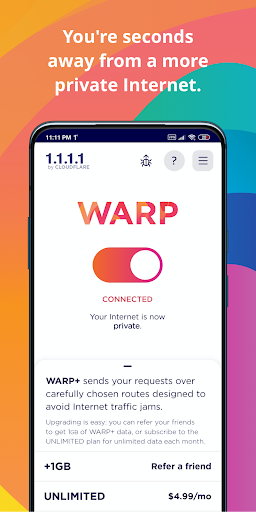
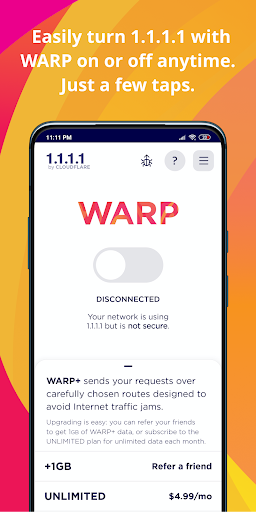
Installing 1.1.1.1 + WARP is quick and straightforward. Available for both Android and iOS devices, the app can be downloaded from your respective app store with just a few taps. Once installed, simply open the app and hit the connect button—within seconds, you are connected with an encrypted, private internet connection.
How Does 1.1.1.1 + WARP Work?
The app primarily acts as a DNS resolver, which accelerates your internet queries, making browsing faster and more secure. Unlike traditional VPNs that mask your IP address, WARP emphasizes encryption of data between your device and the internet. This means that even if someone intercepts your traffic, the data remains unreadable. One notable aspect is its ability to seamlessly switch between networks—whether on Wi-Fi or mobile data—without dropping the connection or requiring manual reconnections. The modern, optimized protocol used by WARP provides not only enhanced security but also improved performance.
Performance and User Experience
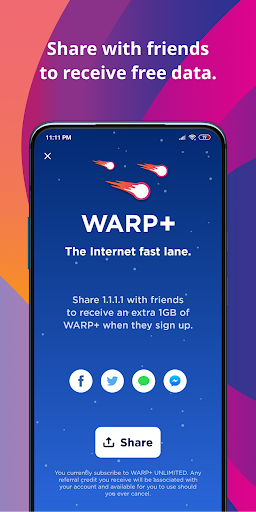
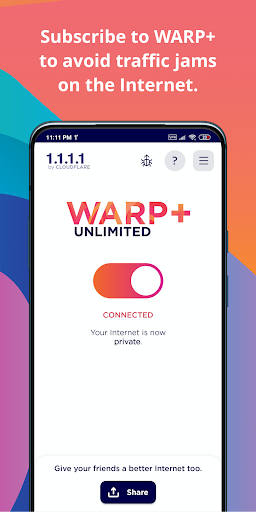
When it comes to speed, 1.1.1.1 + WARP excels by leveraging Cloudflare’s extensive global network. During tests, browsing and streaming experienced minimal lag, often comparable to or even faster than standard connections. Despite the added security layer, the app maintains a user-friendly and intuitive interface, ideal even for those who aren’t technically inclined. The app offers the option to upgrade to WARP+ for even faster speeds and unlimited data—also available through a subscription plan. The basic version, however, provides excellent privacy and security features suitable for everyday internet use.
Privacy and Security Features
Privacy is a core benefit of 1.1.1.1 + WARP. It encrypts your data traffic to prevent snooping and tracking, and Cloudflare’s no-log policy means your browsing habits are not stored. Additionally, features like Trusted Networks allow users to share specific information such as network SSID to optimize device compatibility—useful for integrating with home devices like printers and smart TVs. While it doesn't bypass regional restrictions like some VPNs, it offers a solid security foundation for safe browsing, protecting against threats like malware, phishing, and crypto mining.
Subscription and Additional Options
1.1.1.1 + WARP is free to use, but the WARP+ upgrade is a paid feature that enhances speed and provides unlimited data. Subscriptions are billed monthly and renew automatically unless canceled in the app settings. Users can enjoy improved performance for streaming, browsing, and more—making the overall internet experience smoother and more secure.
Final Thoughts
Overall, 1.1.1.1 + WARP is an excellent solution for anyone seeking to improve their online security and speed without the complexity of traditional VPNs. Its straightforward setup, minimal impact on speed, and strong focus on privacy make it a highly recommended tool for daily internet use. Whether you're a casual browser or someone concerned about data protection, this app provides a reliable, user-friendly way to enjoy a safer, faster internet. Give it a try and experience the benefits of enhanced online privacy and security firsthand.
Pros
- Ensures online privacy is enhanced effortlessly.
- Available at no cost with no hidden charges.
- Simple to set up with an intuitive interface.
- Boosts connection speeds.
- Trusted VPN suitable for all device types.
Cons
- Server options are limited in number.
- Internet connection may experience occasional slowdown.
- Not suitable for complex or advanced VPN requirements.
- Can significantly drain device battery life.
- Support services offer limited options.











