

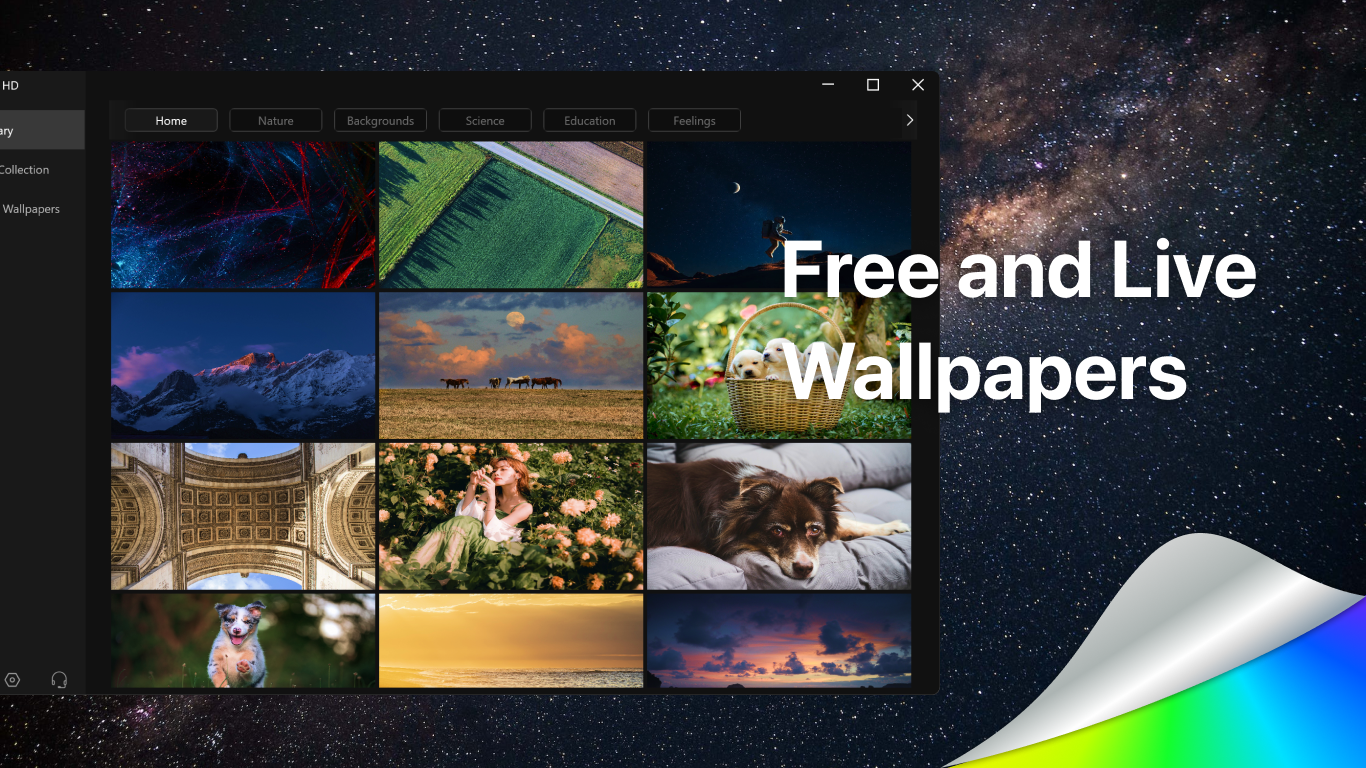
- Name Wallpaper·
- Category Personalization
- Available on PC, Mobile, Surface Hub, HoloLens
- OS Windows 10 version 14393.0 or higher
- languages English (United States)
Wallpaper for Windows: A Fresh Take on Personalization
Wallpaper for Windows by SuperFizz App is a sleek, user-friendly application that elevates your desktop experience with high-quality wallpapers and customizable features designed to make your screen truly your own.
Basic Information: Setting the Stage
With a focus on delivering stunning visuals effortlessly, Wallpaper for Windows is developed by SuperFizz App, a studio known for creating intuitive and aesthetic personalization tools. The app's main highlights include a vast library of high-resolution images, seamless update automation, and easy customization options that cater to both casual users and tech enthusiasts. Its primary target audience encompasses Windows users seeking to enhance their desktop environment—ranging from casual users to digital creatives looking for fresh inspiration.
Vibrant Visuals and Seamless Experience
Imagine waking up your computer to a breathtaking sunrise or an eye-catching cityscape—Wallpaper for Windows makes this possible with just a few clicks. The introduction to this app is like opening a door to a gallery where every wallpaper tells a story or captures a mood. Its intuitive interface welcomes you with a clean layout, where browsing through categories or searching for specific images feels as natural as flipping through a photo album.
Dynamic Wallpaper Library & Automated Updates
This feature is arguably the heart of the app. It offers an extensive collection of high-quality wallpapers sourced from various genres—nature, abstract, art, photography, and more. One of the app's remarkable strengths lies in its ability to automatically refresh your wallpaper collection with new images at preset intervals, akin to having a personal art curator constantly bringing new pieces into your digital gallery. This refresh mechanism keeps your desktop fresh without you lifting a finger, making it perfect for users who enjoy variety without the hassle.
Advanced Customization & Theme Compatibility
Beyond just changing wallpapers, Wallpaper for Windows excels in its customization flexibility. Users can fine-tune wallpapers with filters, overlays, and cropping tools, allowing for a tailored look that aligns with personal aesthetic preferences. Moreover, it integrates seamlessly with Windows themes, enabling users to harmonize wallpapers with system colors and styles. This synchronization transforms your desktop into a cohesive visual environment—think of it as decorating a room where everything matches perfectly, from the curtains to the decorative accents.
User Experience & Unique Selling Points
The app's interface is thoughtfully designed; it's simple enough for beginners but offers enough depth for power users to craft their ideal desktop. Transitioning between wallpapers or customization options is smooth, with minimal loading times, as if walking along a well-paved path rather than navigating a maze. The learning curve is gentle, making it accessible without sacrificing depth for those who want to explore advanced features.
A notable differentiator from similar personalization apps is its dual emphasis on visual diversity and theme integration. While other apps may focus solely on wallpapers or limited customization, Wallpaper for Windows stands out by offering a broad spectrum of images coupled with robust theme support. This versatility allows users to create a synchronized, aesthetically pleasing desktop that reflects their personality seamlessly.
Recommendation and Final Thoughts
Overall, Wallpaper for Windows earns a solid recommendation for anyone looking to inject fresh life into their desktop environment without the complication of overly complex tools. Beginners will appreciate its straightforward interface and beautiful default options, while enthusiasts can dive into detailed customization and automation to craft a truly personalized workspace. Whether you're a digital artist seeking inspiration or someone who just loves a beautiful background, this app offers a practical yet elegant solution.
In conclusion, Wallpaper for Windows is a well-rounded, thoughtfully crafted app that balances ease of use with powerful features. Its standout capabilities—automatic refresh of high-quality wallpapers and seamless theme harmony—make it a worthy addition to your personalization toolkit. Give it a try, and transform your desktop into a dynamic gallery that evolves with you every day.
Pros
- Extensive wallpaper library
- User-friendly interface
- Customizable options
- Regular updates
- Lightweight and fast
Cons
- Limited preview features
- Ads included in free version
- Limited editing tools
- Occasional slow loading times
- Subscription model for premium features











