

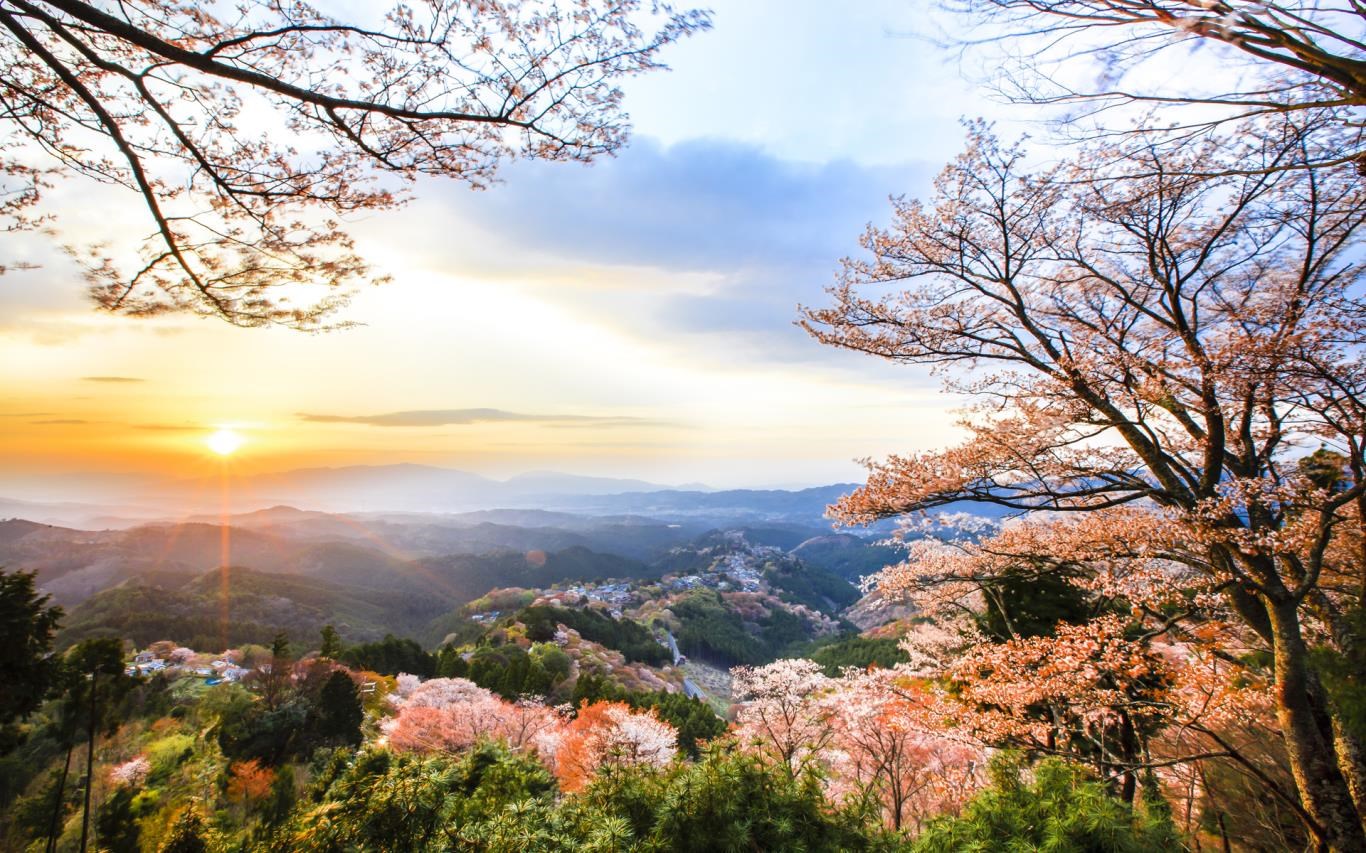



- Name Japanese Landscapes
- Category Personalization
- Available on PC
- OS Windows 10 version 14951.0 or higher
- languages English (United States)
Discover Serenity and Beauty with Japanese Landscapes for Windows
Japanese Landscapes for Windows is a thoughtfully crafted app that transforms your desktop into a tranquil Japanese vista, seamlessly blending aesthetic elegance with user-friendly customization. Perfect for nature lovers and those seeking Zen-inspired backgrounds, this app offers a serene escape right at your fingertips.
About the App: A Quick Snapshot
Japanese Landscapes for Windows is designed to provide high-quality, immersive Japanese landscape wallpapers that breathe life into your desktop. Developed by Microsoft Corporation, this app emphasizes aesthetic variety and easy personalization, making your digital workspace more calming and visually appealing.
- Main Features:
- Extensive collection of authentic Japanese scenery images, including temples, cherry blossoms, mountains, and waterfalls.
- Auto-refresh options to cycle wallpapers for dynamic visual stimulation.
- Customizable slideshow settings to control display durations and transition styles.
- Built-in search and categorization for easy discovery of preferred themes.
- Target Audience: Desktop users who appreciate Japanese aesthetics, landscape photography enthusiasts, and anyone looking to infuse their workspace with calming natural imagery.
Stepping Into a Landscape Wonderland
Imagine this: a gentle breeze rustles through a lush cherry blossom grove as the soft glow of sunrise kisses distant Mount Fuji — such enchanting scenes await you inside Japanese Landscapes for Windows. This app isn't just about pretty pictures; it's like having a window into Japan's soul, instantly transforming your mundane screen into a tranquil sanctuary. Whether you want a peaceful zen garden to start your day or a scenic mountain vista for moments of reflection, this app offers a visual retreat that feels both inspiring and soothing.
Immersive Wallpapers That Truly Transport
The core allure of this app lies in its rich collection of high-resolution images that capture Japan's diverse landscapes—from serene lakeside temples shimmering under moonlight to vibrant autumn forests ablaze with color. Each wallpaper is carefully curated for authenticity and aesthetic charm, giving users a mini-gallery of Japan's natural and cultural beauty. The app also supports slideshow mode, allowing seamless transitions that feel like flipping through a calming travel album. This dynamic aspect makes your desktop feel alive and ever-changing, much like a living painting.
User Experience: Smooth Operation and Intuitive Design
Japanese Landscapes for Windows sports a clean, minimalist interface that's a breeze to navigate, even for those less tech-savvy. The setup process is straightforward, with intuitive controls for selecting and customizing your background display. Transition effects and refresh intervals can be adjusted effortlessly, creating a tailored visual experience. The app runs smoothly without noticeable lag, thanks to optimized performance. For users familiar with personalization apps, the learning curve is gentle—think of it as assembling a beautiful jigsaw puzzle where each piece falls perfectly into place.
What Sets It Apart in a Crowd of Personalization Apps?
Among many wallpaper apps, Japanese Landscapes for Windows distinguishes itself through its focus on cultural authenticity and extensive customization options. Its variety of themes—from sakura-lined pathways to snow-capped mountains—ensures there's something to match every mood or season. Additionally, the theme compatibility feature allows this app to harmonize with your existing desktop themes and color schemes, creating a cohesive visual environment. Unlike generic wallpaper apps that offer only random images, this app provides a curated and culturally enriching selection, making it a go-to for enthusiasts seeking depth and authenticity.
Final Thoughts and Recommendations
Overall, Japanese Landscapes for Windows offers a peaceful and visually stunning way to personalize your desktop, especially if you hold an appreciation for Japanese scenery and artistry. Its user-friendly interface, coupled with high-quality imagery and thoughtful customization features, makes it a worthwhile choice for those looking to elevate their workspace ambiance. I would recommend it to users who want a reliable, aesthetically pleasing background that can be easily tailored to their preferences. For anyone seeking a serene escape without leaving their desk, this app is a gentle, elegant solution.
Pros
- Stunning high-resolution images
- Extensive variety of scenery
- Easy-to-navigate interface
- Regular content updates
- Low data consumption for viewing images
Cons
- Limited customization options
- Occasional image loading delays
- Lack of offline access for all images
- Ads occasionally interrupt the experience
- Minor app stability issues on some devices










