

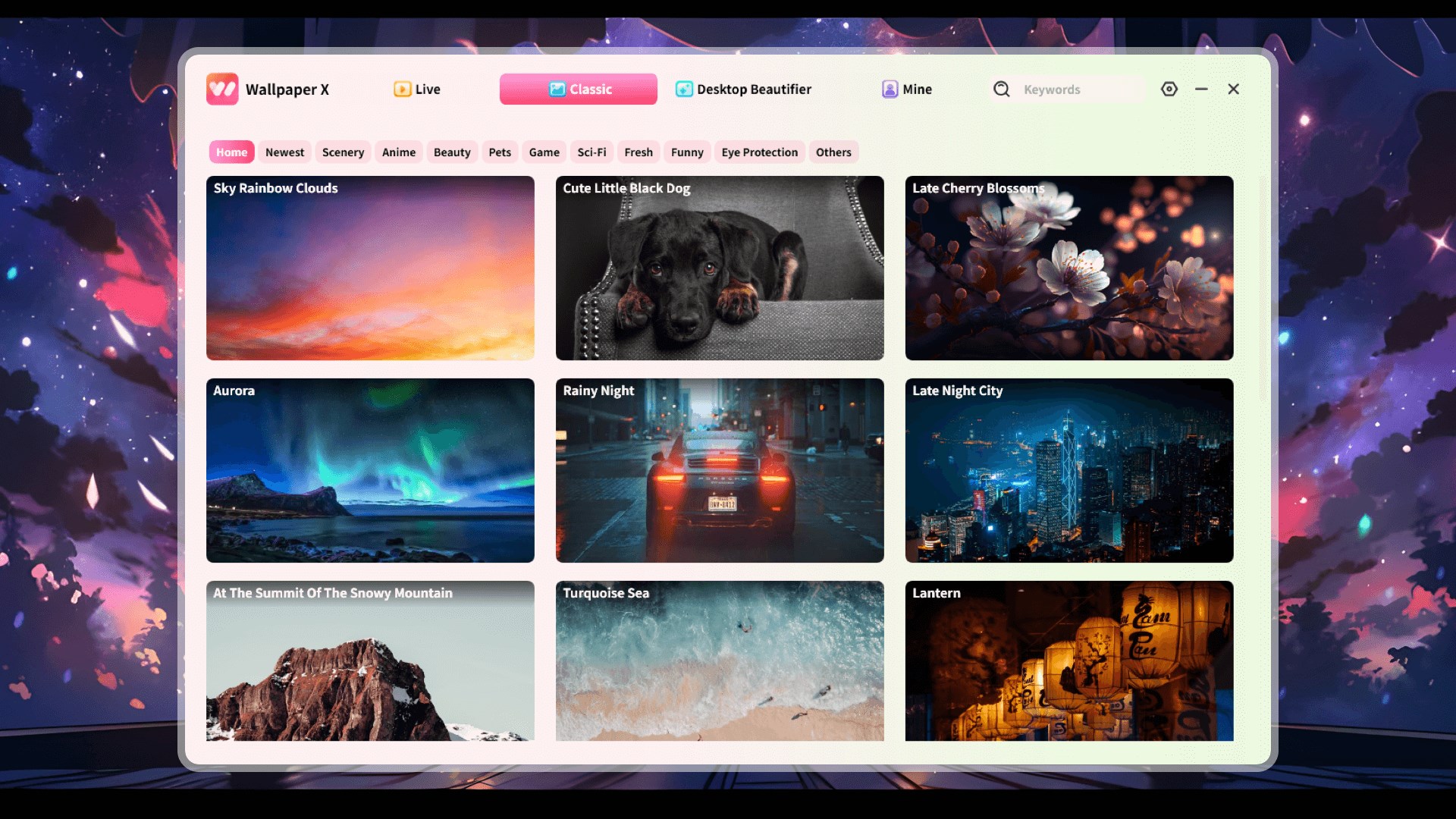
- Name Wallpaper - Live Wallpapers Engine
- Category Personalization
- Available on PC, Mobile, Surface Hub, HoloLens
- OS Windows 10 version 17763.0 or higher
- Mouse Integrated Mouse
- languages Arabic, Bangla, Chinese (Simplified), Chinese (Traditional Chinese), Chinese (Traditional), English, French, German, Hindi, Indonesian, Italian, Japanese, Korean, Portuguese, Russian, Spanish, Thai, Turkish, Vietnamese
Elevate Your Desktop: An In-Depth Look at Wallpaper - Live Wallpapers Engine for Windows
If you're seeking to transform your Windows desktop into a dynamic, mesmerizing environment, Wallpaper - Live Wallpapers Engine offers a compelling solution. This app promises to blend aesthetic appeal with user-friendly customization, making your workspace more vibrant and personalized. Let's dive into what makes this application stand out, and how it could become your go-to wallpaper companion.
Who Developed It and Main Highlights
Developed by Wuhan Yousigan Technology Co., Ltd., Wallpaper - Live Wallpapers Engine is designed to bring animated and interactive wallpapers right to your Windows desktop. Its core features include a vast library of live wallpapers, seamless integration with your system, and versatile customization options. The app caters particularly to users who crave a touch of personality on their screens—from tech enthusiasts to casual users eager to refresh their desktop aesthetic.
A Splash of Creativity: What Sets This App Apart
Vast Library and Dynamic Content
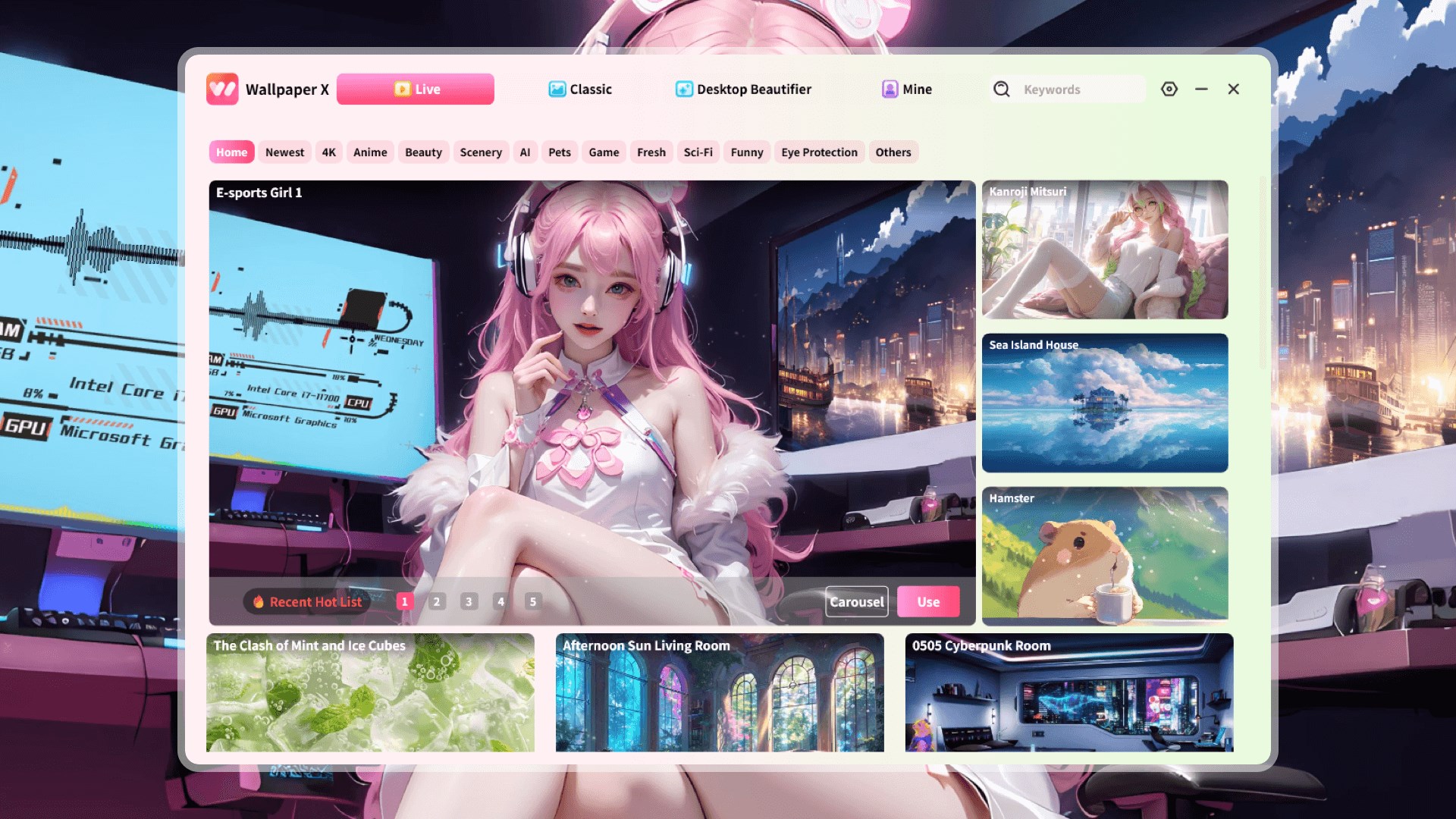
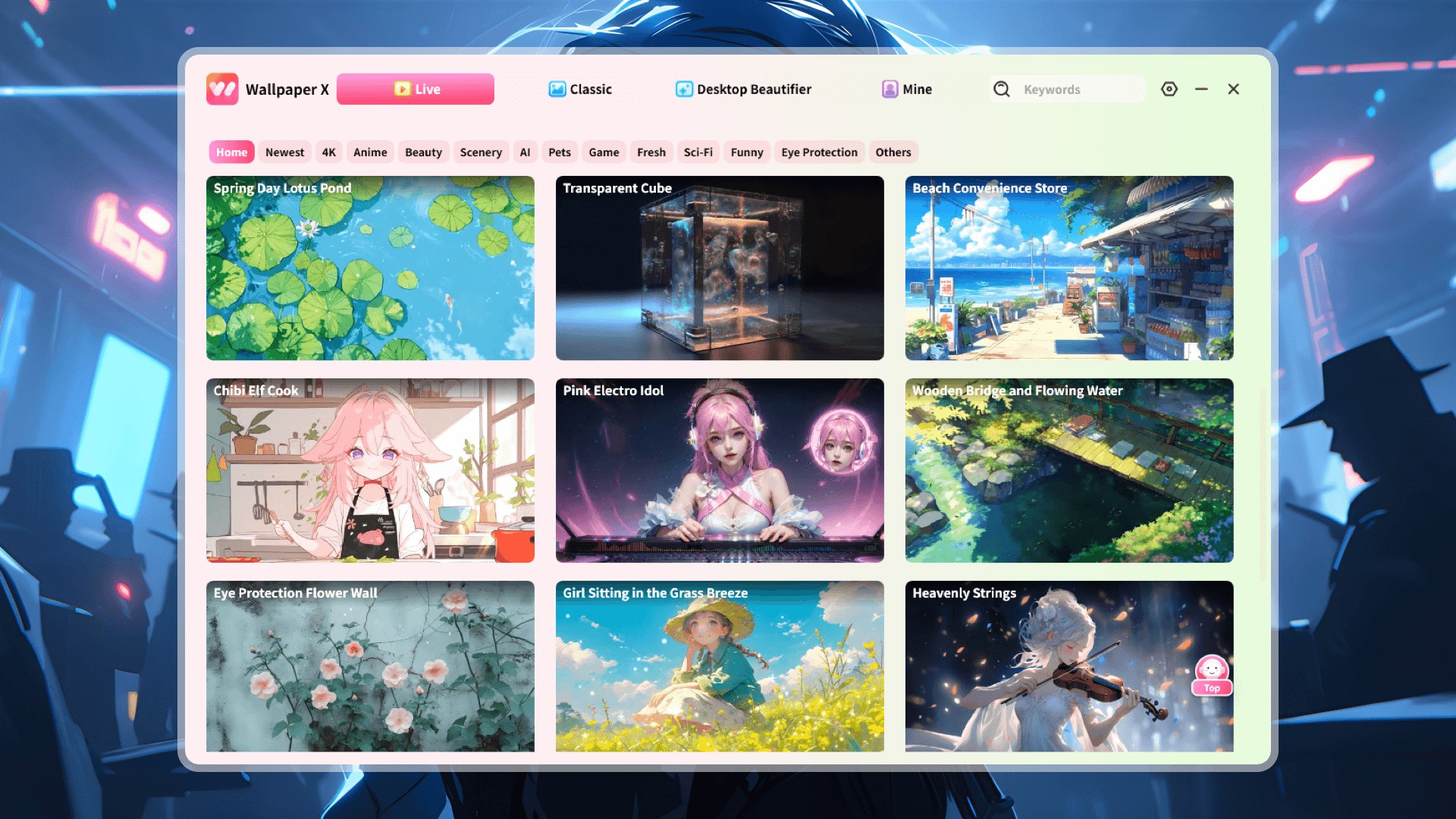
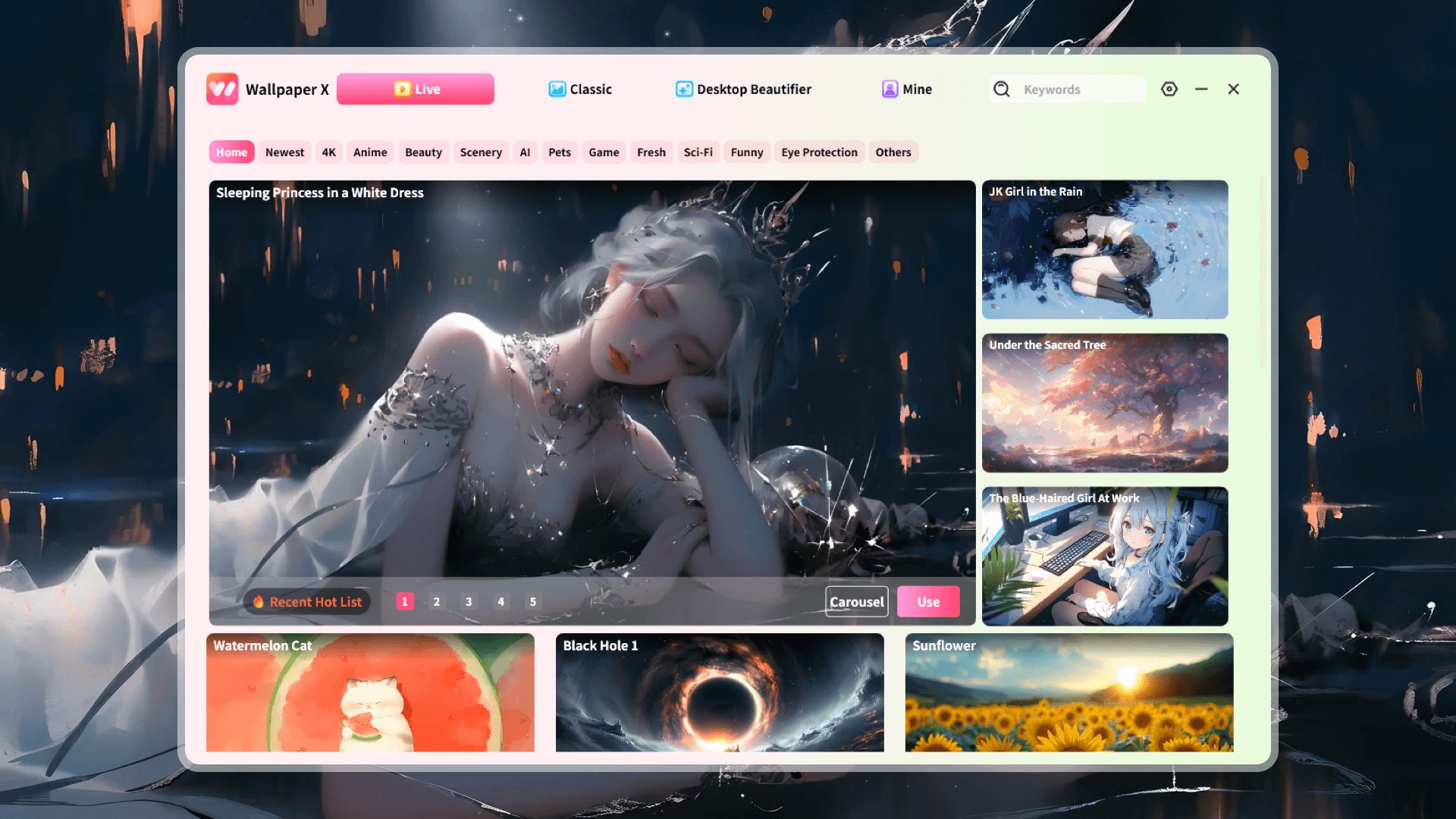
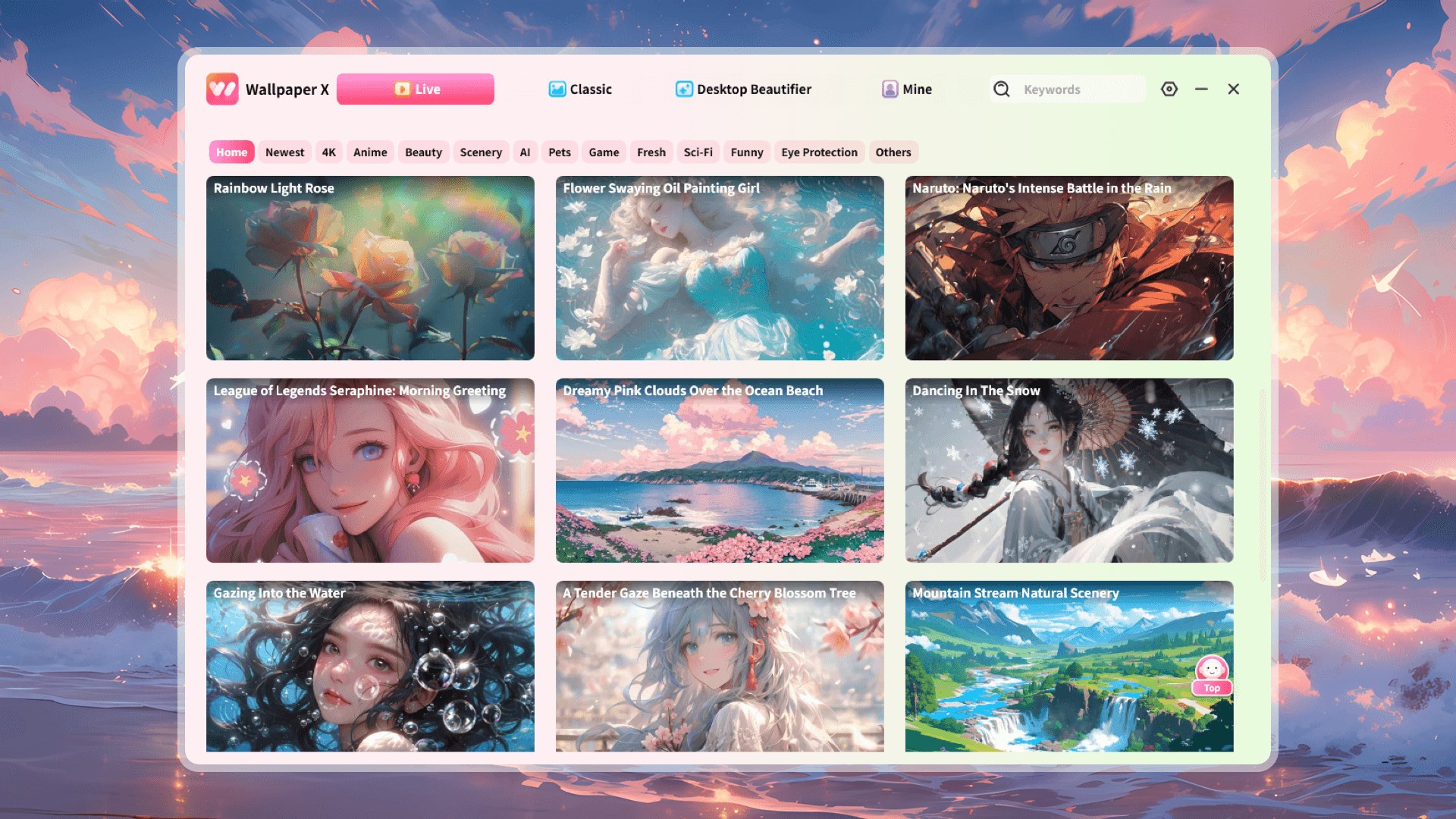
The application provides access to a library of stunning live wallpapers including nature scenes, abstract visuals, and even interactive animations. This rich variety ensures that users can find wallpapers matching their mood or workspace theme, effectively transforming a static background into a lively showpiece. The content is updated regularly, keeping your desktop feeling fresh without needing to search elsewhere.
Custom Interactivity and Animation Options
One of the most notable features is its capacity for interactivity—users can manipulate certain wallpapers with mouse movements or sound inputs. Imagine your desktop reacting to your music or cursor hover; this interactivity adds a layer of engagement that static images simply can't match. Alongside this, customization options such as adjusting playback speed, overlay effects, and filtering make each wallpaper uniquely yours.
Seamless User Experience and Interface Design
The app boasts an intuitive interface that resembles a sleek dashboard rather than a cluttered control panel. Navigating between wallpaper categories, previewing animations, and customizing settings is smooth and straightforward. The learning curve is gentle, even for first-time users, thanks to clear icons and responsive controls. Performance-wise, the app runs fluidly without noticeable lag—your system remains responsive as the wallpapers dynamically update in the background.
Comparison with Similar Personalization Tools
Unlike other personalization applications that often offer limited animation options or require complex setups, Wallpaper - Live Wallpapers Engine stands out with its extensive customization options and theme compatibility. Its ability to synchronize with Windows themes and adapt to system changes allows it to blend naturally into your desktop environment. This unique flexibility means you are not just replacing a wallpaper but creating a cohesive aesthetic experience that aligns with your preferences.
My Take: Should You Try It?
Overall, this app is recommended for users who desire more than just a pretty picture—they want an interactive, customizable desktop environment that feels alive. For casual users, the extensive library alone makes it a worthwhile download, offering endless visual variety. Power users will appreciate the granular controls and the app's unobtrusive performance. If you're someone looking to add a touch of personality or sophistication to your workspace, Wallpaper - Live Wallpapers Engine is a solid choice to consider.
Pros
- Stunning Live Wallpapers with High-Quality Visuals
- Customizable Wallpaper Settings
- Supports Dynamic and Interactive Wallpapers
- User-Friendly Interface
- Regular Updates and New Content
Cons
- High System Resource Consumption
- Battery Drain on Laptops
- Occasional Stability Issues
- Limited Free Content
- Customization Options Could Be Expanded











