- Name Totally Accurate Battle Simulator
- Category Fighting
Introducing Totally Accurate Battle Simulator for Windows
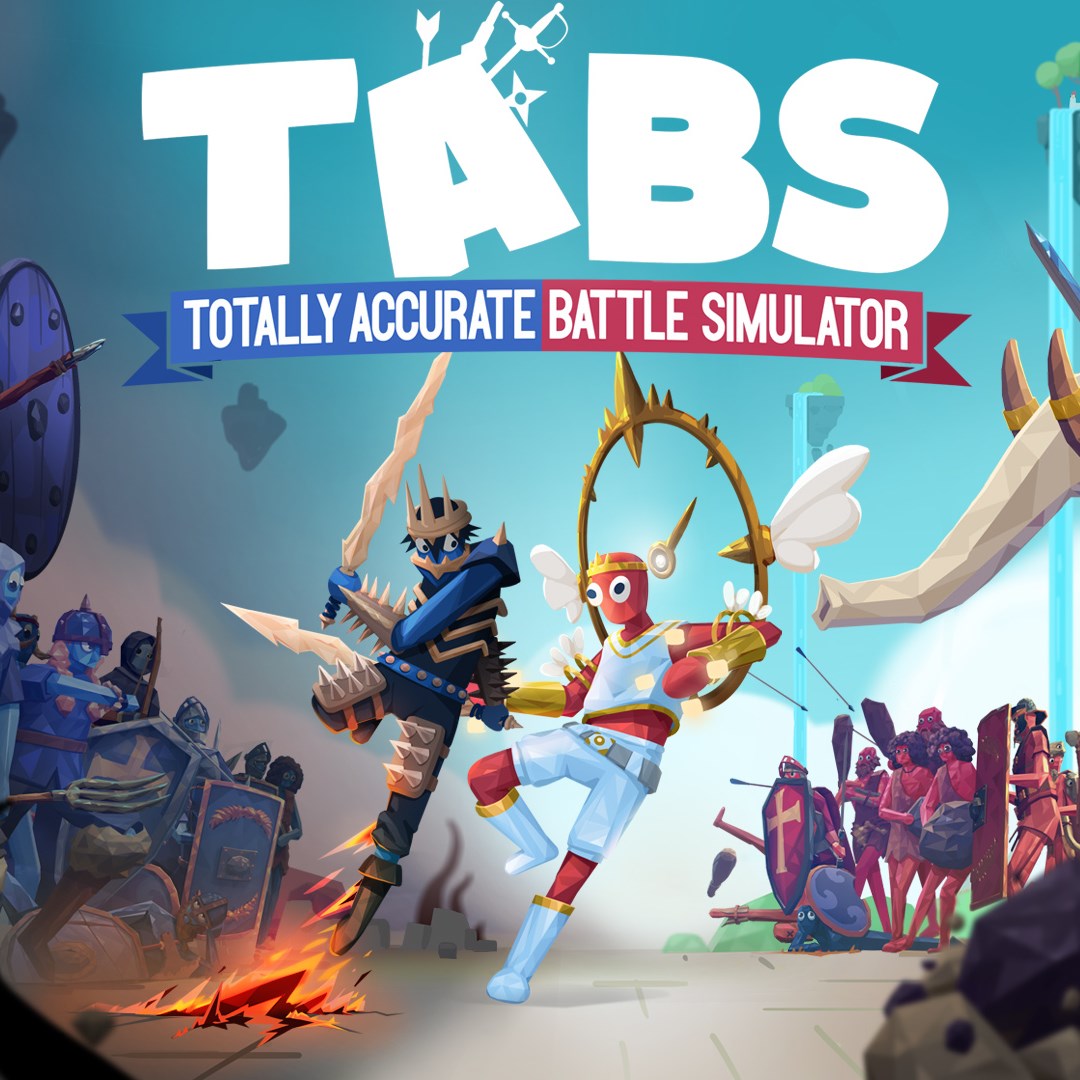
Totally Accurate Battle Simulator (TABS) is a whimsical physics-based battle simulation game that offers players the chance to orchestrate chaotic and hilarious skirmishes with an array of quirky units. Developed by Landfall, it combines humor, strategy, and unpredictable physics for a uniquely entertaining experience.
Core Features That Make TABS Stand Out
1. Over-the-Top Physics-Driven Battles
At the heart of TABS lies its innovative physics engine, which breathes life into every clash. Unlike traditional strategy games where battles feel scripted, here each fight turns into a unpredictable spectacle—the units tumble, bounce, and fling each other in amusing ways. This randomness enhances replayability, as no two battles look or unfold the same way, making every session a fresh adventure.
2. Wide Roster of Quirky Units and Customization
The game boasts a diverse array of units—from medieval knights and archers to futuristic robots and prehistoric creatures—all designed with a comical flair. Players can experiment with different combinations, creating humorous or surprisingly effective armies. Additionally, the game offers customization options, allowing players to craft their own units or modify existing ones, adding a creative layer to the chaos.
3. Dynamic Campaign and Sandbox Modes
Whether you prefer a structured challenge or freeform chaos, TABS caters to both. The campaign mode features humorous scenarios with specific objectives and amusing narratives, while the sandbox mode drops you into open arenas where you can experiment endlessly without restrictions. This flexibility ensures there's always something to explore for every type of gamer.
User Experience: Engaging Yet Intuitive
The interface of TABS is sleek yet accessible, resembling a cartoonish control panel that feels inviting rather than overwhelming. Navigating menus and deploying units is straightforward, even for newcomers. The game runs smoothly on a range of hardware, with responsive controls that make commanding armies feel natural—and the physics calculations are seamlessly integrated, preventing lag or jankiness that could dampen the fun.
For players new to battle simulations, TABS offers a gentle learning curve: placing units, adjusting parameters, and initiating fights are intuitive processes. Over time, players can delve deeper into advanced tactics and customizations, but the core gameplay remains approachable and rewarding from the start.
What Sets TABS Apart from Similar Games?
Compared to other fighting or strategy games, TABS's distinct charm lies in its blend of slapstick humor with strategic depth. The unpredictable physics make each match a spectacle of chaos, encouraging experimentation. Unlike traditional combat sims that aim for realism, TABS embraces its cartoonish universe, creating a playful sandbox that's as much about entertainment as it is about strategy. Its emphasis on humor and unorthodox gameplay makes it stand out in a crowded genre, appealing to both casual gamers and seasoned strategists seeking a lighthearted diversion.
Recommendation and Usage Suggestions
Considering its engaging physics, diverse units, and user-friendly interface, I'd recommend TABS to anyone looking for a fun, low-pressure gaming experience. It's perfect for quick breaks or extended sessions, providing endless laughs and surprises. If you appreciate games that don't take themselves too seriously but still offer tactical depth, this title is definitely worth exploring.
Keep in mind, while TABS is primarily a sandbox toy for creative chaos, its quirky physics might sometimes frustrate those seeking precise control or competitive multiplayer. However, for solo experimentation and entertainment, it excels. So, gear up, pick your units, and prepare for some hilarious chaos—because few games can match its unique blend of physics-based fun and strategic experimentation.
Pros
- Intuitive and fun gameplay mechanics
- Variety of units and scenarios
- Creative sandbox environment
- Regular updates and new content
- Excellent visual and sound effects
Cons
- Performance issues on older devices
- Limited campaign progression
- Graphics may seem simplistic for some users
- Occasional balancing issues with units
- Learning curve for new players