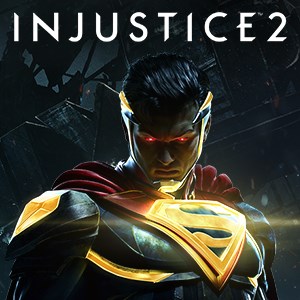
- Name Injustice™ 2 - Standard Edition
- Category Fighting
Injustice™ 2 - Standard Edition: A Robust and Visually Stunning Fighting Game
Injustice™ 2 for Windows offers players an immersive combat experience set in a vivid universe filled with iconic superheroes and villains, bringing console-quality fighting action to the PC platform.
Game Overview and Core Highlights
Positioning and Developer
This title is a highly-polished, story-driven fighting game that emphasizes character customization and dynamic combat mechanics, crafted by Warner Bros. Interactive Entertainment, a name synonymous with quality licensed game titles.
Main Features and Highlights
- Deep Character Roster & Customization: Dive into a vast lineup of DC universe heroes and villains, each with unique moves, and personalize their appearance and gear to reflect your style.
- Engaging Story Mode: Experience a compelling narrative progressing through cinematic battles that delve into the justice and villainy within the DC universe.
- Intuitive Combat System: Combining fast-paced action with strategic combos, allowing both newcomers and veterans to enjoy fluid fights.
- Cross-Platform Progress & Online Battles: Enable seamless multiplayer engagements and progression across devices, fostering a vibrant online community.
In-Depth Game Analysis
Vivid Visuals and User Interface
The game's interface is clean yet dynamic, with menus that are easy to navigate and aesthetically aligned with the comic-book style. Graphically, it boasts detailed character models, expressive facial animations, and lively backgrounds that look practically painted to evoke comic panels come alive. This visual craftsmanship not only immerses players but also sets it apart from more minimalist fighting games.
Gameplay Mechanics and User Experience
The combat flow in Injustice™ 2 is both smooth and responsive, thanks to finely tuned controls that bridge the gap between accessibility and depth. The learning curve is reasonable; newcomers can pick up the basics quickly, while seasoned fighters will appreciate the layered combo system and counter mechanics. The game's matchmaking and online latency are well-optimized, ensuring competitive play feels fair and engaging both locally and online.
What Sets It Apart from Other Fighting Games?
While games like Mortal Kombat or Street Fighter go for realism or pure martial arts style, Injustice™ 2 distinguishes itself with its superhero-centric design and a rich narrative backdrop. Its standout features include the Gear System, which allows players to customize and upgrade characters for both aesthetic appeal and combat advantage—transforming the traditional fighting game into a personalized hero creation experience. Additionally, its story mode employs quick-time events and cinematic sequences reminiscent of interactive comic-books, adding a layer of narrative engagement seldom seen in purely competitive fighters.
Final Thoughts and Recommendations
Injustice™ 2 offers a compelling blend of storytelling, strategic gameplay, and visual appeal, making it a worthwhile pick for both DC fans and fighting game enthusiasts. Its intuitive mechanics and robust customization options provide a satisfying experience, whether you're tacking through the single-player story or challenging friends online.
Given its strengths—particularly the character customization and narrative integration—it is highly recommended for players seeking a fighting game with depth and flair. For newcomers, the learning curve is gentle enough to enjoy the game immediately, while veteran players will find plenty of strategic depth to master.
Overall, if you're looking for a fighting game that feels as vibrant and lively as a comic book page, Injustice™ 2 is a solid option. Just prepare to be drawn into its universe, where every battle is a live-action panel unfolding before your eyes.
Pros
- Engaging storyline and iconic characters
- High-quality graphics and animations
- Extensive roster of playable heroes and villains
- Multiple game modes including story, versus, and ranked battles
- Regular updates with new characters and events
Cons
- In-app purchases can be expensive
- Requires a stable internet connection for most features
- Controls can be a bit sensitive on mobile devices
- Some players report long match loading times
- Limited tutorial for new players