
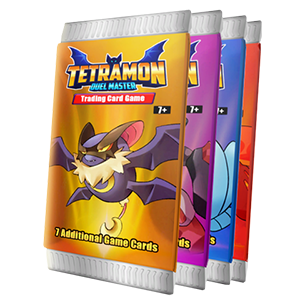
- Name TCG Card Shop Simulator (Game Preview)
- Category Simulation
Introducing TCG Card Shop Simulator: A Fresh Take on Card Shop Management
Designed for enthusiasts of trading card games and simulation fans alike, TCG Card Shop Simulator (Game Preview) offers a realistic and engaging experience of running your own card shop. Aiming to blend strategy, management, and a touch of the trading card universe, this Windows application stands out as an immersive yet accessible simulation.
Developers and Core Features
OPNeon Games Sdn Bhd, the creative minds behind this title, have crafted an experience that combines strategic shop management with detailed gameplay mechanics. The key highlights include: 1) Authentic shop customization, allowing players to design and populate their shops with various card products and layouts; 2) Dynamic customer interactions where understanding customer preferences and managing inventory directly influence revenue and reputation; 3) An in-depth learning curve that introduces players to trading card game economics and marketing strategies, building transferable skills for real-world scenarios; and 4) A straightforward, Windows-optimized interface tailored for ease of navigation and quick gameplay sessions.
An Engaging and Immersive Management Experience
Imagine stepping into the shoes of a burgeoning card shop owner—shelves lined with brightly-colored cards, customers browsing with eager anticipation, and the satisfaction of watching your business grow. From the moment you launch TCG Card Shop Simulator, you're greeted with a lively, well-animated storefront that feels both inviting and vibrant. The game's playful aesthetic is reminiscent of a bustling marketplace, yet it retains a clean, organized interface that is easy to navigate, even for beginners.
The core gameplay centers on managing your shop's layout, stocking inventory, and catering to diverse customer needs. Strategic decisions—such as selecting which card packs to stock, pricing, and promotional events—are rewarded with a sense of real progress. The visual cues and feedback mechanisms, including customer mood indicators and sales graphs, create an engaging loop that encourages experimentation and learning.
Core Functionality That Keeps the Game Moving
Shop Customization and Inventory Management
One of the standout features is the detailed customization system. Players can choose the arrangement of shelves, display cases, and promotional banners to attract different customer types. Inventory management feels tactile—dragging cards into displays, adjusting prices, and monitoring stock levels are intuitive actions that simulate the real-world complexities of running a retail space. This not only adds depth but also makes planning ahead a satisfying puzzle.
Customer Interaction Dynamics
The game simulates a range of customer personalities—from casual browsers to hardcore collectors—each with specific preferences. Recognizing these patterns and tailoring the shop's offerings accordingly can lead to increased satisfaction and sales. The in-game AI provides realistic response patterns, making the experience feel genuine and rewarding strategic thinking. Moreover, analyzing sales data and customer feedback teaches players about market trends—a valuable lesson transferable outside the game.
Gameplay Mechanics and Realism
The mechanics are surprisingly nuanced; the game incorporates elements like seasonal demand fluctuations, promotional discounts, and limited editions, mimicking genuine market behavior. While not hyper-realistic in physics or mechanics like a serious simulator, it offers a believable economic environment that encourages experimentation. This focus on trading card economy and customer psychology makes the game stand out among other shop management titles, which often prioritize surface-level features over depth.
User Experience and Unique Selling Points
The game's interface is sleek and user-friendly, with a gentle learning curve that welcomes newcomers without overwhelming them. Tutorials and prompts guide players through initial steps, while the complexity gradually unveils itself through gameplay, ensuring sustained interest. Transitions are smooth, with total control retained over shop decisions, making each session rewarding without frustration.
Compared to typical simulation games, TCG Card Shop Simulator's key differentiator lies in its focus on authentic trading card shop mechanics and the transferability of skills learned—like inventory balancing and customer psychology—to real-world business acumen. The game subtly emphasizes strategic planning in a lively, colorful setting—making it not just a management game, but a mini-lesson in entrepreneurship and market analysis.
Final Thoughts and Recommendations
Overall, TCG Card Shop Simulator offers a well-rounded experience for those interested in simulation, trading cards, or business management. Its engaging core features, combined with approachable design and realistic economic behaviors, make it a worthwhile addition to the Windows game library. While it does cater more to those who appreciate management simulations than fast-paced action, its depth and educational value shine through.
I would recommend this game to hobbyists, students of economics, or anyone curious about the trading card market's inner workings. It's especially suitable as an educational tool for understanding retail dynamics in a fun, accessible environment. Whether you're aiming to refine your strategic thinking or just enjoy a colorful, engaging simulation, TCG Card Shop Simulator hits the right notes as a unique, thoughtful experience.
Pros
- Intuitive Card Collection Interface
- Realistic Card Trading Experience
- Engaging Gameplay Mechanics
- Frequent Content Updates
- Smooth Performance on Most Devices
Cons
- Limited Card Database in Game Preview
- Occasional UI Clutter
- Lack of Online Multiplayer Features
- Minor Bugs and Glitches
- Insufficient Tutorial Guidance











