- Name Stellar Docks (Windows)
- Category Platformer
Introducing Stellar Docks: A Strategic Space Adventure for Windows
Stellar Docks by Afil Games is a captivating puzzle-platformer that immerses players in a vibrant galaxy where strategic thinking and quick reflexes are key to mastering each level. Designed specifically for the Windows platform, it combines engaging gameplay with sleek visuals, making it a promising title for fans of sci-fi and challenging puzzles alike.
Who's Behind the Mission: Developer & Key Features
Owned and developed by Afil Games, Stellar Docks stands out with its inventive approach to classic platforming mechanics. The game introduces innovative features aimed at delivering both challenge and enjoyment:
- Dynamic Docking Mechanics: Guide various spacecraft to dock safely amidst obstacles and shifting environments, blending puzzle-solving with timing skills.
- Customizable Ships: Players can personalize their spacecraft, adding a layer of strategy and visual appeal.
- Multiple Environments & Levels: From asteroid belts to space stations, the game offers diverse settings that keep the gameplay fresh and engaging.
- Intuitive Touch & Keyboard Controls: Smooth control schemes ensure accessibility for a wide range of players.
Vivid Gameplay and User Experience
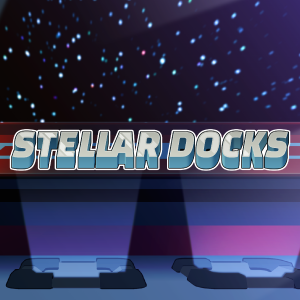
Imagine floating in a luminous galaxy, stars swirling around you as spacecraft glide gracefully through tight corridors—this is the essence that Stellar Docks offers. The game's introduction pulls you into a universe teeming with puzzles masked as space missions, demanding both quick thinking and steady hands.
Level Design and Visual Appeal
The game's design is akin to navigating through a jewel-toned nebula, with vibrant colors and clear visual cues guiding your way. Each level presents a unique challenge, from navigating through narrow docking bays to avoiding moving obstacles. The aesthetic blending of sci-fi elements with playful art styles creates an inviting yet challenging environment that keeps players hooked.
User Interface and Control Fluidity
The interface is clean, minimalistic, and easy to grasp. Controls on keyboard and mouse are responsive, allowing for precise movements that are crucial when timing is everything. The learning curve is gentle enough for newcomers but intricate enough to satisfy seasoned puzzle fans. Transitioning between levels feels seamless, with subtle cues neatly guiding your next move.
What Sets Stellar Docks Apart?
While many platformers rely solely on jumping or combat mechanics, Stellar Docks introduces a strategic layer through its docking puzzles, turning the game into a blend of reflex-based and brain-teaser gameplay. Its core strength lies in the "dynamic docking" feature—players must align ships meticulously within moving or constricted docking ports, a challenge that elevates typical platforming into a thoughtful exercise in precision. Compared to similar titles, its space-themed aesthetic and customizable ships provide a unique flavor that appeals to sci-fi enthusiasts and puzzle lovers alike.
Recommendation & Usage Suggestions
Considering its engaging gameplay, visually appealing design, and smooth controls, Stellar Docks deserves a place in the game library of anyone fond of cerebral platformers with a science fiction twist. It's especially recommended for players who enjoy strategic spatial puzzles and creative customization. The game runs well on most Windows setups, making it accessible for casual gamers and dedicated hobbyists alike.
In conclusion, Stellar Docks stands out as a thoughtfully crafted game that combines puzzle-solving with strategic space navigation. Whether you're seeking a relaxing challenge or an exciting test of reflexes, this game offers a delightful experience—just set your course, align your spacecraft, and enjoy the cosmic journey.
Pros
- Intuitive Dock Management
- Customizable Dock Appearance
- Quick Launch Features
- Lightweight and Efficient
- Supports Multiple Monitors
Cons
- Limited Customization Options
- Minor Stability Issues on Certain Systems
- Lack of Advanced Gesture Support
- Inconsistent Compatibility with All Apps
- Limited Free Version Features