- Name RadiAnt DICOM Viewer
- Category Medical
- Developer Medixant
- Available on PC
- OS Windows 10 version 0.0 or higher
- Keyboard Integrated Keyboard
- Mouse Integrated Mouse
- Memory 1 GB
- languages English
Introducing RadiAnt DICOM Viewer for Windows: Your Gateway to Precise Medical Imaging
RadiAnt DICOM Viewer by Medixant is a professional-grade application designed to facilitate seamless viewing and analysis of DICOM images, making it an indispensable tool for radiologists, medical practitioners, and medical students alike.
Who Developed This Tool? A Brief Overview
The app is developed and published by Medixant, a reputable software development team with a focus on medical imaging solutions. Their commitment to creating user-friendly yet powerful tools is evident in RadiAnt's robust features and intuitive interface.
Standout Features That Make RadiAnt Shine
- Comprehensive DICOM Support: Handles complex DICOM datasets with ease, including multi-frame images and volumetric data, providing accurate and detailed visualizations.
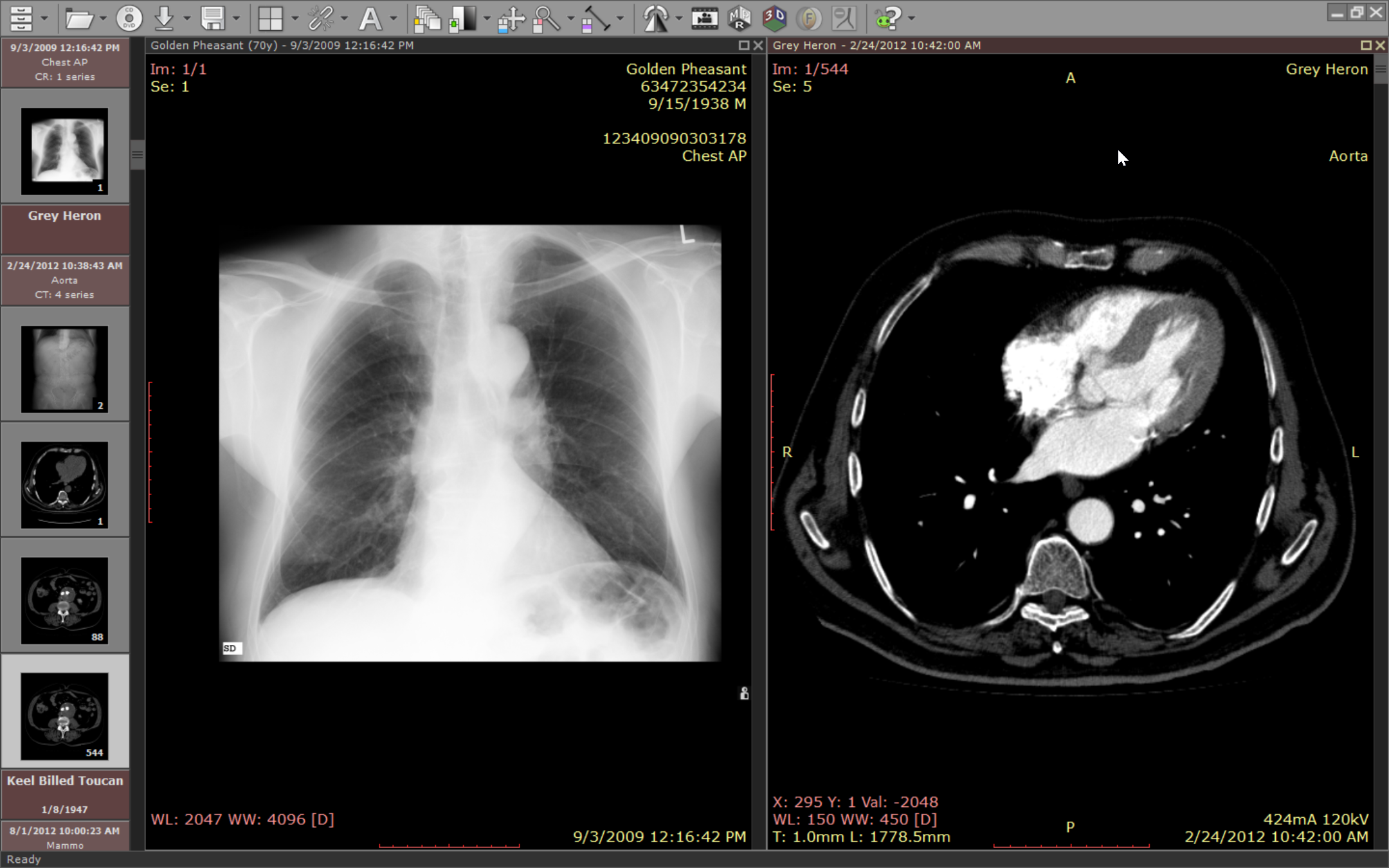
- Advanced Image Manipulation: Offers real-time image adjustments like window leveling, zoom, pan, and measurement tools that enable precise analysis directly within the viewer.
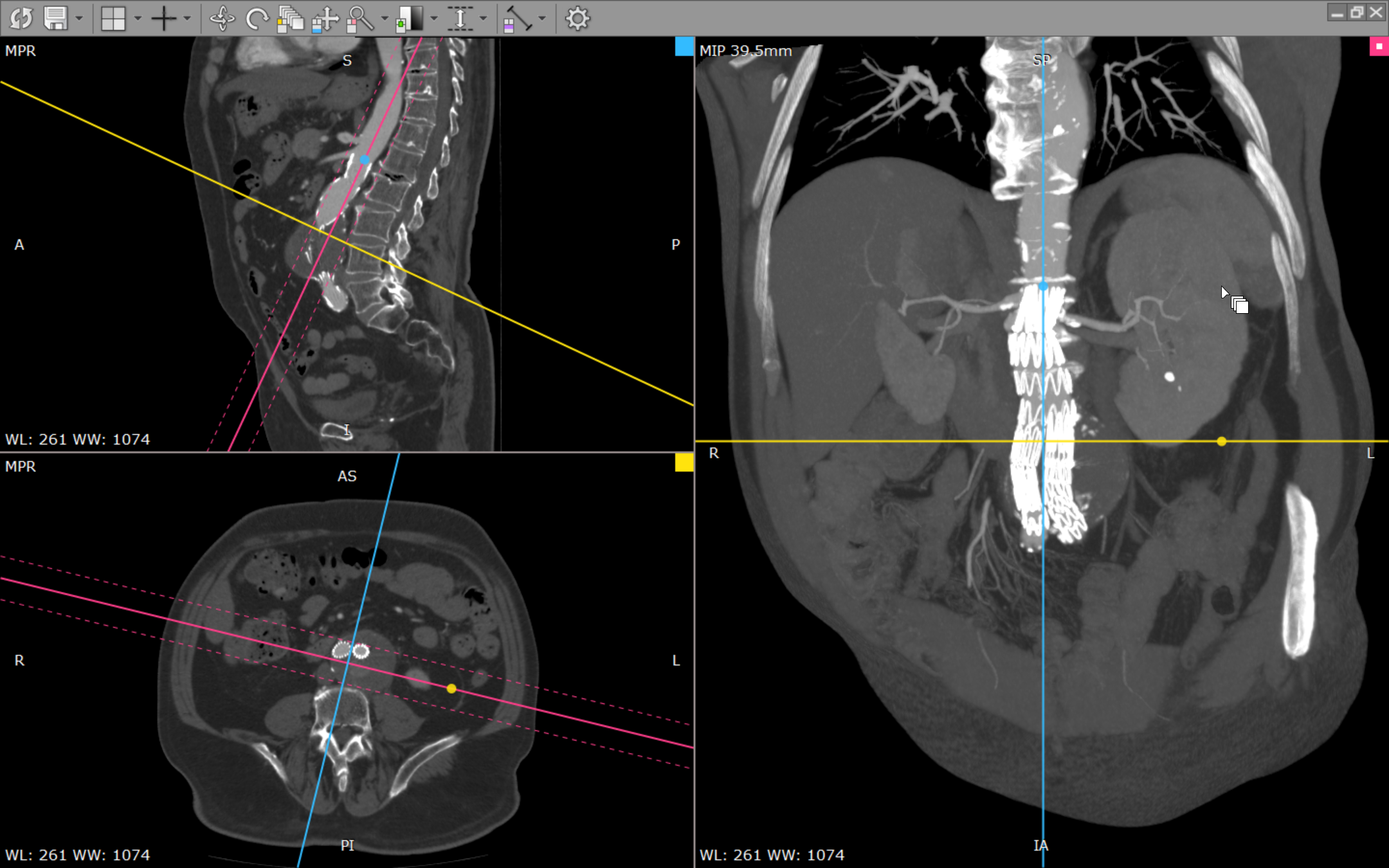
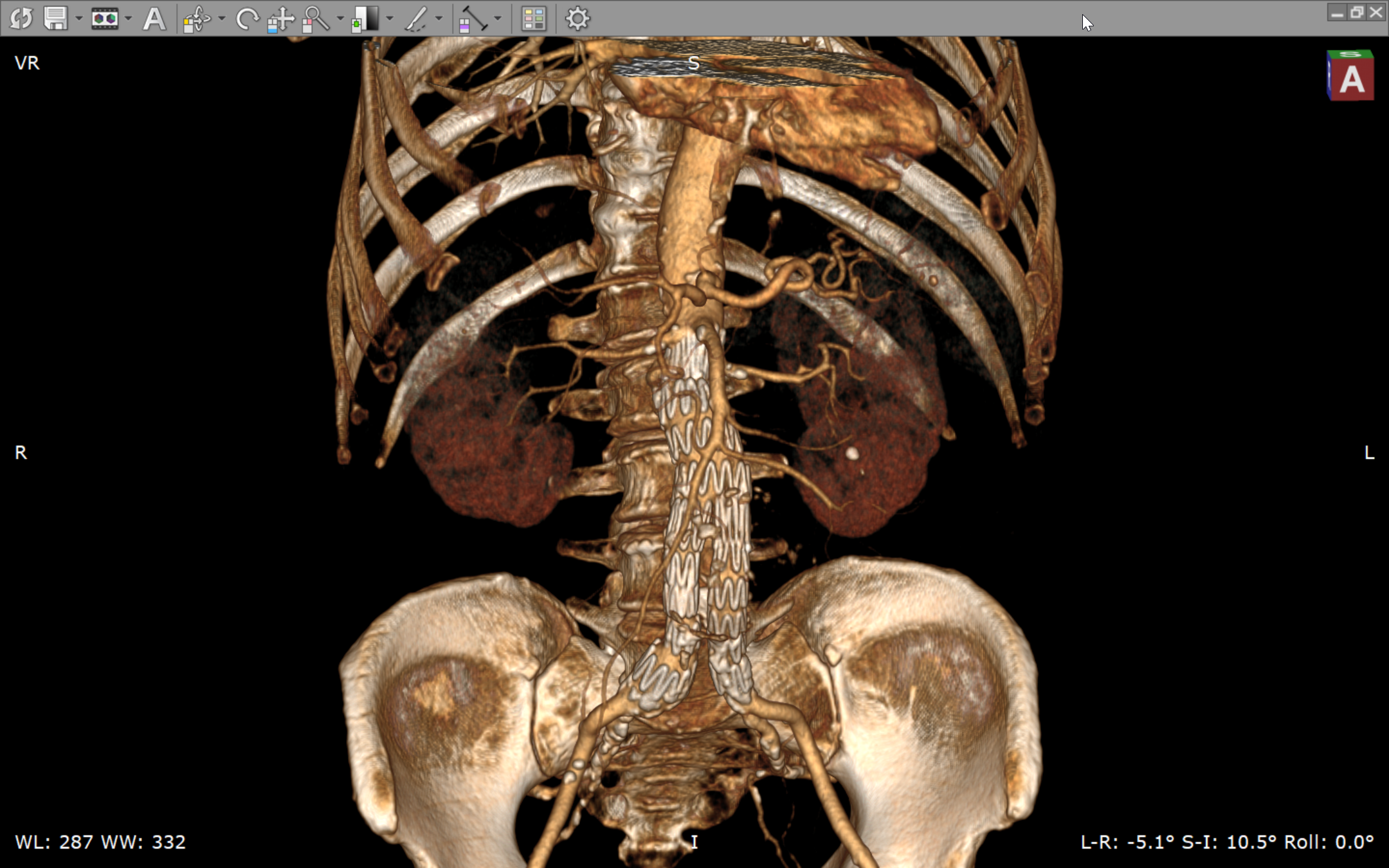
- Multi-Modal Viewing Capabilities: Supports synchronized multi-planar reconstructions (MPR) and 3D rendering, aiding in thorough diagnostic assessments.
- Optimized Performance: Designed to ensure smooth navigation through large image datasets without lag, streamlining clinical workflows.
The application primarily targets radiologists, medical technicians, researchers, and students who need a reliable and efficient DICOM viewer for daily medical imaging tasks.
A Fresh Perspective on Medical Imaging: Engaging Insights
Imagine flipping through the pages of a detailed medical atlas, but digitally—RadiAnt transforms this experience into an interactive journey. Its sleek interface feels like a well-organized gallery, where every image can be examined with the precision of a jeweler inspecting a gemstone. Whether you're analyzing a subtle lesion or performing a multi-planar review, RadiAnt elevates your visualization with clarity and speed, making complex diagnostics feel almost intuitive.
Deep Dive into Core Features: Clarity and Customization
Virtual Dissection with Multi-Planar Reconstruction (MPR)
The standout feature—multi-planar reconstruction—is akin to peeling back layers of an onion, revealing different perspectives of the same dataset. RadiAnt enables users to view sagittal, coronal, and axial planes side-by-side, synchronized for comparative analysis. This feature truly sets RadiAnt apart, especially when compared to more basic viewers that only offer static images. Its seamless navigation between different planes helps clinicians locate anomalies with greater confidence, all in real-time.
3D Rendering and Volume Visualization
For those requiring a three-dimensional perspective, RadiAnt's 3D rendering tools work like a digital sculptor, transforming flat images into spatial forms. This capability is invaluable in surgical planning or tumor tracking, providing a tangible sense of spatial relationships that 2D images cannot offer. The intuitive controls make manipulating 3D models straightforward, even for less experienced users.
User Experience: Aesthetic Design Meets Practicality
Using RadiAnt feels natural—its intuitive interface resembles a familiar media viewer, reducing the learning curve. Image adjustments such as brightness, contrast, and zoom are responsive and fluid, contributing to an unbroken workflow. Even new users can quickly pick up basic operations, while seasoned radiologists will appreciate the refined tools for detailed measurements and annotations. The app's responsiveness ensures that navigating through large datasets feels like flipping through a well-assembled photo album—smooth and effortless.
Setting It Apart: Medical Content Credibility & Teleconsultation Support
Compared to other medical image viewers, RadiAnt emphasizes reliability, with precise DICOM support that ensures high fidelity of imaging data. This accuracy fosters greater confidence in diagnoses and facilitates better medical content credibility. Moreover, its ability to export images or share annotated datasets efficiently enhances teleconsultation quality—clinicians can collaborate remotely with clarity and verifiability, bridging geographical gaps seamlessly. Such features make RadiAnt a reliable partner in both day-to-day diagnoses and complex case discussions.
Final Verdict: Is It Worth a Try?
Absolutely. RadiAnt DICOM Viewer strikes a commendable balance between advanced functionality and user accessibility. For radiologists and medical professionals seeking a trustworthy, efficient, and feature-rich DICOM viewing solution, RadiAnt stands out as a compelling choice. Its unique multi-planar and 3D reconstruction tools are particularly valuable, providing insights that less sophisticated viewers might miss. While it may require some initial familiarization, its straightforward interface makes it approachable for newcomers while satisfying experts' needs.
In summary, RadiAnt is not just a viewer—it's a competent assistant that turns complex imaging into comprehensible visuals, empowering clinicians to make better-informed decisions. For medical teams looking to elevate their diagnostic tools, giving RadiAnt a spot in your software arsenal is undoubtedly a decision worth considering.
Pros
- Intuitive user interface
- Fast loading times
- Robust 3D rendering capabilities
- Supports a wide range of DICOM formats
- Cost-effective licensing
Cons
- Limited annotation tools
- Few customization options
- Occasional stability issues with large datasets
- Limited support for non-standard DICOM tags
- Lacking cloud integration options