



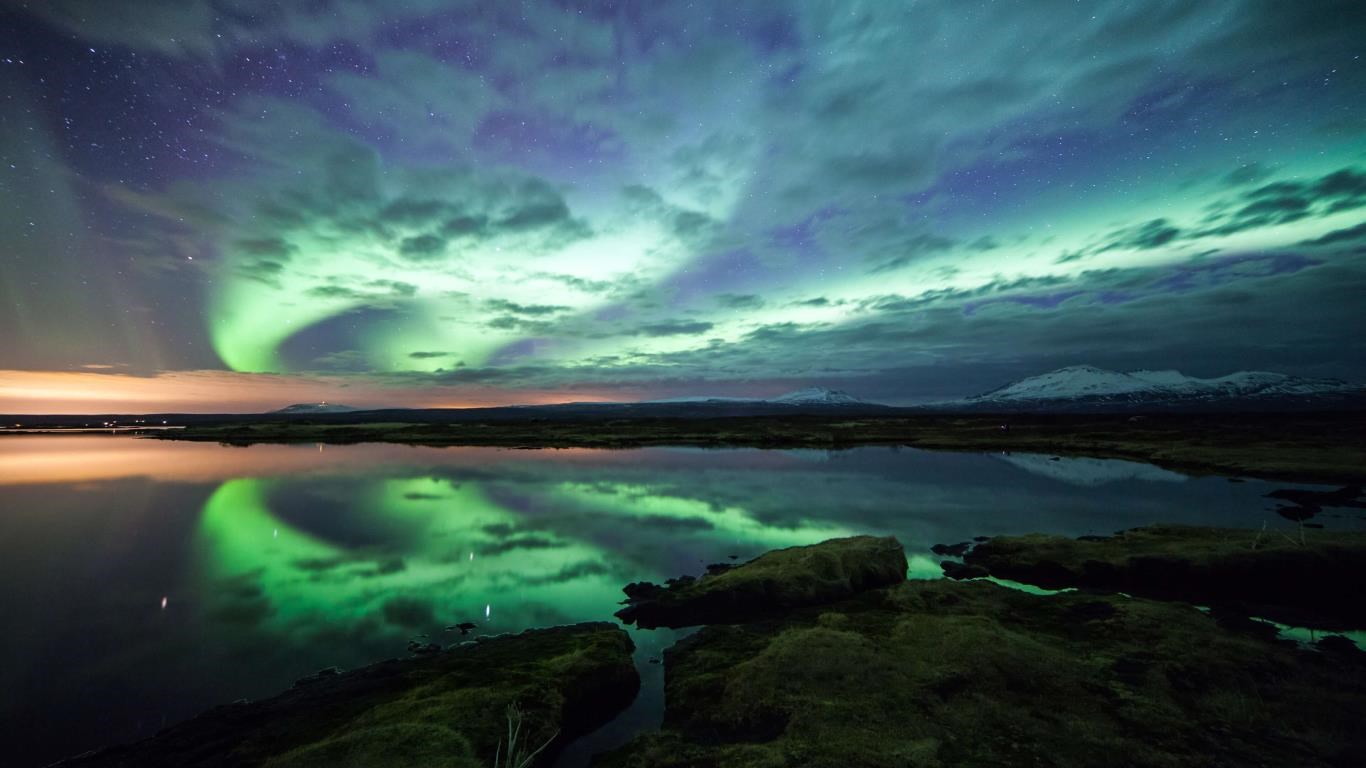

- Name Night Skies
- Category Personalization
- Available on PC
- OS Windows 10 version 14951.0 or higher
- languages English (United States)
Night Skies for Windows: Bringing the Night Sky Into Your Living Room
Imagine gazing up at a clear, star-studded sky from the comfort of your own home — Night Skies offers exactly that experience, transforming your Windows device into a portal to the universe. This application fuses stunning visuals with an intuitive interface, making it a captivating tool for astronomy enthusiasts and casual sky-watchers alike.
Basic Information and Core Highlights
Positioning and Developer
Night Skies is a visually immersive stargazing application designed to bring the beauty of the night sky right onto your computer screen, blending education with entertainment. Developed by Microsoft Corporation, a household name known for its reliable software solutions, the app emphasizes quality and user engagement.
Main Features and Target Audience
- Realistic Sky Simulation: Experience a detailed, dynamic night sky that accurately reflects current celestial positions.
- Customizable Sky Scenes: Personalize your viewing experience by adjusting themes, sky conditions, or adding specific celestial bodies.
- Educational Overlays: Access detailed information about stars, planets, constellations, and other celestial phenomena.
- Target Users: Astronomy fans, educators, students, or anyone with a curious mind eager to learn about the cosmos without leaving home.
Engaging and Immersive Sky Experience
Stepping into Night Skies is akin to donning a pair of cosmic glasses that unveil the universe's secrets. From the moment you launch the app, it envelops you in a serene, starry sky that shifts seamlessly as if you are gazing outdoors on a crisp, clear night. The realism and depth of the visuals draw you in—it's almost hypnotic, like watching a live celestial ballet perform just for your eyes.
Core Functionality 1: Detailed Celestial Navigation
At the heart of Night Skies lies its precise sky simulation engine. It accurately charts stars, planets, and constellations based on your location and time, creating a live, ever-changing celestial map. For astronomy buffs, this means no more deducing star positions from outdated charts — everything updates in real time. The intuitive interface allows users to effortlessly navigate the sky, zoom into specific objects, or switch between different sky views—be it day night, celestial maps, or artistic nightscapes.
Core Functionality 2: Personalization and Thematic Flexibility
The application's standout feature is its sophisticated personalization options. Unlike many similar apps, Night Skies offers a broad variety of themes, including moon phases, meteor showers, or specific astronomical events, allowing users to craft their perfect virtual night sky. Additionally, themes are compatible with existing Windows backgrounds and screensavers, ensuring aesthetic harmony across your desktop environment. This flexibility empowers users to tailor their visual experience—from tranquil, minimalistic skies to dramatic meteor displays—making each session uniquely theirs.
User Experience: Visually Appealing, Intuitive, and Accessible
The user interface is thoughtfully designed, favoring clarity over clutter. Navigating between features is smooth, thanks to responsive controls that feel natural—like turning a dial or flipping a switch. The learning curve is gentle; even first-time users can quickly locate star charts or access educational overlays, thanks to clear icons and a simple menu layout. For those new to astronomy, built-in tutorials and contextual tips ease the onboarding process, transforming complex celestial data into digestible insights—much like having a friendly guide standing next to you, pointing out constellations and explaining planetary motions.
What Sets Night Skies Apart?
Compared to other personalization or astronomical visualization apps, Night Skies shines in its combination of realism and customization. Its real-time sky simulation is highly accurate, offering a level of detail comparable to professional planetarium software but with a user-friendly approach. The app's theme compatibility with various Windows backgrounds is another distinct feature, allowing seamless integration into your existing digital environment, turning your desktop into a mini universe. This versatility sets it apart from simpler sky viewers, providing a richer, more immersive experience.
Final Recommendations and Usage Tips
All things considered, I recommend Night Skies for anyone interested in exploring the night sky without the hassle of telescopes or extensive astronomical knowledge. It's particularly suitable for educators wanting a captivating teaching aid, students keen to supplement their astronomy lessons, or hobbyists looking to deepen their celestial understanding. For best results, pair the app with a quiet evening and a comfortable viewing spot—you'll find yourself getting lost in the cosmos for hours.
In sum, Night Skies for Windows is a thoughtfully crafted, highly customizable sky simulation app that brings the universe into your digital life with style and accuracy. Whether you're seeking a decorative screensaver, an educational tool, or simply a moment of tranquility under the stars, it delivers an experience that is both beautiful and enlightening. Give it a try, and let the universe unfold before your eyes—right from your desktop.
Pros
- Beautiful, high-resolution night sky imagery
- Extensive catalog of celestial objects
- Informative and educational content
- User-friendly interface
- Customizable viewing options and sky simulations
Cons
- Limited offline content available
- Occasional lag during detailed star map rendering
- Basic features lack advanced customization
- In-app advertisement interruptions in free version
- Some celestial data may be slightly outdated











