
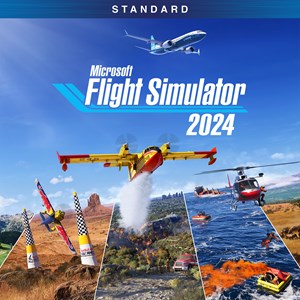
- Name Microsoft Flight Simulator 2024 - Standard Edition
- Category Simulation
Microsoft Flight Simulator 2024 – Standard Edition: Elevating Virtual Skies with Realism and Precision
Microsoft Flight Simulator 2024 – Standard Edition for Windows stands out as a comprehensive flight simulation experience that combines breathtaking visuals, meticulous physics, and user-friendly mechanics, making it a compelling choice for both aviation enthusiasts and casual gamers alike.
About the App: Flight Beyond the Screens
Developed by Xbox Game Studios, Microsoft Flight Simulator 2024 is designed to deliver the most realistic and immersive flight experience on PC. Its main features include incredibly detailed global landscapes, real-time weather integration, and an extensive aircraft catalog. The simulator aims to replicate the skies with uncanny authenticity, whether you're a seasoned pilot or a rookie eager to learn.
- Developer: Xbox Game Studios
- Key Features: Hyper-realistic environments, dynamic weather systems, extensive aircraft options, and integrated tutorials.
- Target Audience: Aviation enthusiasts, aspiring pilots, simulation hobbyists, and tech-savvy explorers seeking immersive experiences.
A Soaring Experience: An Exciting Introduction
Imagine yourself gazing at a panoramic sunrise over the Alps, chinning the joystick as your airplane cuts effortlessly through clouds—this is the kind of immersive adventure Microsoft Flight Simulator 2024 promises. The feeling of control and wonder converges as you explore the world's most iconic landmarks and realize how close virtual flying can come to the real thing. Whether you're maneuvering through bustling cityscapes or gliding over serene countrysides, this simulator captures the majesty of flight with remarkable fidelity, making every session a voyage filled with discovery.
Core Functionality: Flying with Realism and Precision
Stunning Visuals and Accurate Physics
The hallmark of Microsoft Flight Simulator 2024 lies in its astonishing graphics and physics engine. Leveraging satellite data and cloud-based AI, the scenery is rendered with almost cinematic clarity—from sprawling urban skylines to rural backdrops dotted with forests and mountains. The physics engine models aerodynamics precisely, providing authentic feedback based on aircraft weight, weather conditions, and altitude. This meticulous attention to detail allows even seasoned pilots to feel the subtle nuances of aircraft behavior under different scenarios, making every flight feel convincing and technically challenging.
Dynamic Weather and Real-Time Data
One of the most captivating features is the real-time weather system, which updates according to actual meteorological data worldwide. Flying into a thunderstorm or observing a serene sunset—these environmental changes aren't just visual spectacles but influence control surfaces, engine performance, and pilot visibility. This level of realism pushes the simulation closer to reality and provides a robust training ground for understanding weather effects on flight, a feature that distinguishes it from more simplified alternatives.
User Interface, Controls, and Learning Curve
The interface is thoughtfully designed—intuitive menus, customizable controls, and helpful onboarding tutorials make navigating this complex flight world accessible to beginners. The controls are responsive and fluid, whether using a mouse and keyboard or a dedicated joystick and yoke setup. While the learning curve can seem steep initially, especially in mastering advanced maneuvers or understanding aircraft systems, the simulator provides ample guidance and documentation. For those willing to invest some time, it rewards with a gradual sense of mastery and confidence akin to the real-world pilot training process.
What Sets It Apart: Aviation Realism and Transferable Skills
Unlike many other simulation games that prioritize entertainment over authenticity, Microsoft Flight Simulator 2024 excels in physics and mechanics accuracy. Its airplane handling models are built on comprehensive real-world data, giving users insight into the subtleties of aircraft behavior—stalling, turbulence, and control responses—emulating real pilot experiences closely. Moreover, this simulator has demonstrated notable potential in transferring learned skills to actual aviation contexts; pilots can practice navigation, instrument handling, and situational awareness in a safe virtual environment, thus adding educational value beyond entertainment.
Another distinct advantage is its extensive global coverage, allowing users to virtually fly from Machu Picchu to the Great Barrier Reef, all within a seamless, integrated platform. The incorporation of real-time weather and live traffic updates enhances the experience, making every flight unpredictable and engaging.
Final Verdict: A Solid Choice for Aviation Enthusiasts and Learners
Microsoft Flight Simulator 2024 – Standard Edition is highly recommended for those seeking a realistic, immersive flight experience on Windows. Its emphasis on physics realism, combined with stunning visuals and dynamic environment systems, delivers a compelling simulation that caters to both casual pilots and serious aviation students. While the initial setup and learning curve might require patience, the sophisticated yet approachable design makes it worthwhile. Whether exploring global landmarks or honing navigation skills, this simulator offers a genuine cockpit adventure—worthy of a place in any flight enthusiast's digital hangar.
Pros
- Exceptional Graphics and Realistic Visuals
- Wide Range of Aircraft and Locations
- Realistic Flight Physics and Controls
- Frequent Content Updates and Improvements
- Integration with Microsoft Ecosystem
Cons
- High System Requirements
- Occasional Performance Fluctuations
- Steep Learning Curve for Beginners
- Some Bugs and Glitches
- Limited Offline Functionality











