
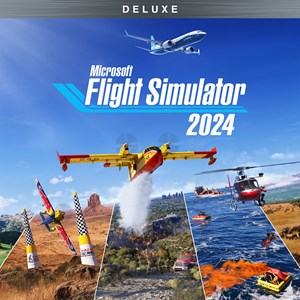
- Name Microsoft Flight Simulator 2024 - Deluxe Edition
- Category Simulation
Microsoft Flight Simulator 2024 - Deluxe Edition: A Soar Into Realistic Skies
Microsoft Flight Simulator 2024 Deluxe Edition offers aviation enthusiasts and aspiring pilots an immersive, highly detailed flight experience on Windows, blending cutting-edge graphics with authentic flight mechanics. As a flagship title developed by Xbox Game Studios, it elevates virtual flying to unprecedented heights, making it an ideal choice for both seasoned pilots and newcomers eager to explore the skies from their desktops.
Unveiling the Core Strengths of Flight Simulator 2024
At its heart, this simulator is a meticulously crafted digital cockpit—designed not merely to entertain, but to educate and inspire. The three standout features include:
- Photorealistic World Rendering: Leveraging satellite data and AI-driven landscapes, the environment mirrors real-world geography with stunning precision, allowing users to navigate through beautifully rendered cities, mountains, and coastlines that feel alive and authentic.
- Advanced Flight Physics: With physics engines finely tuned to replicate real aircraft behaviors, pilots experience a believable sense of aerodynamics, weather impact, and mechanical nuances—making each flight a learning journey rather than a mere game.
- Comprehensive Training and Scenarios: From basic takeoffs to complex emergency procedures, the simulator offers tailored tutorials and dynamic mission scenarios, helping users transfer knowledge from virtual skies to real-world piloting contexts.
Targeted at aviation enthusiasts, student pilots, and technology aficionados who seek a credible, engaging flight experience, the app bridges entertainment with education seamlessly.
Immersive Experience and User Interface
Launching Flight Simulator 2024 feels akin to stepping into a cockpit of tomorrow. The interface balances professional clarity with user-friendly UI elements, guiding newcomers smoothly while providing seasoned pilots with detailed controls. Navigating menus is intuitive, with a well-structured layout that avoids clutter, allowing quick access to settings, aircraft selection, and scenic view options.
The flight controls respond smoothly—precise enough to reflect subtle differences in throttle, pitch, and yaw, yet forgiving for beginners. Flight modeling mechanics feel grounded, with aerodynamic responses that faithfully mimic real aircraft behaviors. Though the learning curve can be steep initially, the included tutorials and scenic flights help users gradually master controls without frustration.
Visual fidelity is nothing short of breathtaking; clouds cast dynamic shadows, and sunlight reflects accurately off surfaces, creating a sense of presence that transports you skyward. The frame rate remains stable during most intensive scenes, ensuring a seamless experience whether sightseeing or performing complex maneuvers.
What Sets It Apart from Other Flight Sims?
While many flight simulators strive for realism, Microsoft Flight Simulator 2024 excels in two distinct areas. First, its integration of real-world weather and atmospheric data means your flight path can be affected by current weather conditions, adding a layer of unpredictability and immersion that other titles lack. Second, the simulator's ability to analyze and simulate real-world terrains with a level of geographic detail makes it an invaluable tool for pilots in training or research—this isn't just a game, but a virtual training ground.
Compared to competitors like X-Plane or Prepar3D, Flight Simulator 2024's visual realism and terrain accuracy serve as massive differentiators, making the flying experience as close to actual aviation as possible without leaving your desk. Its emphasis on transferability—applying learned principles to real-world flying—sets it apart as both an entertainment platform and a serious educational resource.
Final Recommendations and Usage Suggestions
If you're a casual hobbyist eager to explore the skies visually, this simulator provides a stunning, accessible entry point. For those serious about pilot training, its realistic physics and detailed scenarios can serve as supplementary practice, though it's not a replacement for certified instruction. The Deluxe Edition, with its additional aircraft and features, offers extra value for dedicated fans.
In essence, Flight Simulator 2024 is best enjoyed with a set of quality peripherals—joysticks, yokes, and pedals—to maximize immersion. Its comprehensive geographic coverage and realistic mechanics make it a noteworthy investment: a true virtual cockpit that can inspire future aviators or simply satisfy wanderlust from your home.
Overall, I recommend this app for anyone seeking a highly realistic, visually stunning, and educational flight experience. Whether you're looking to hone skills, explore the world, or just marvel at the beauty of flying, Flight Simulator 2024 stands out as a distinguished choice in the flight sim universe.
Pros
- Unmatched realism and stunning graphics
- Extensive worldwide scenery coverage
- Realistic flight physics and control systems
- Regular content updates and new features
- Supporting VR and advanced hardware integration
Cons
- High system requirements
- Occasional stability and performance issues
- Steep learning curve for new users
- In-app purchases and premium content
- Limited multiplayer options at launch











