
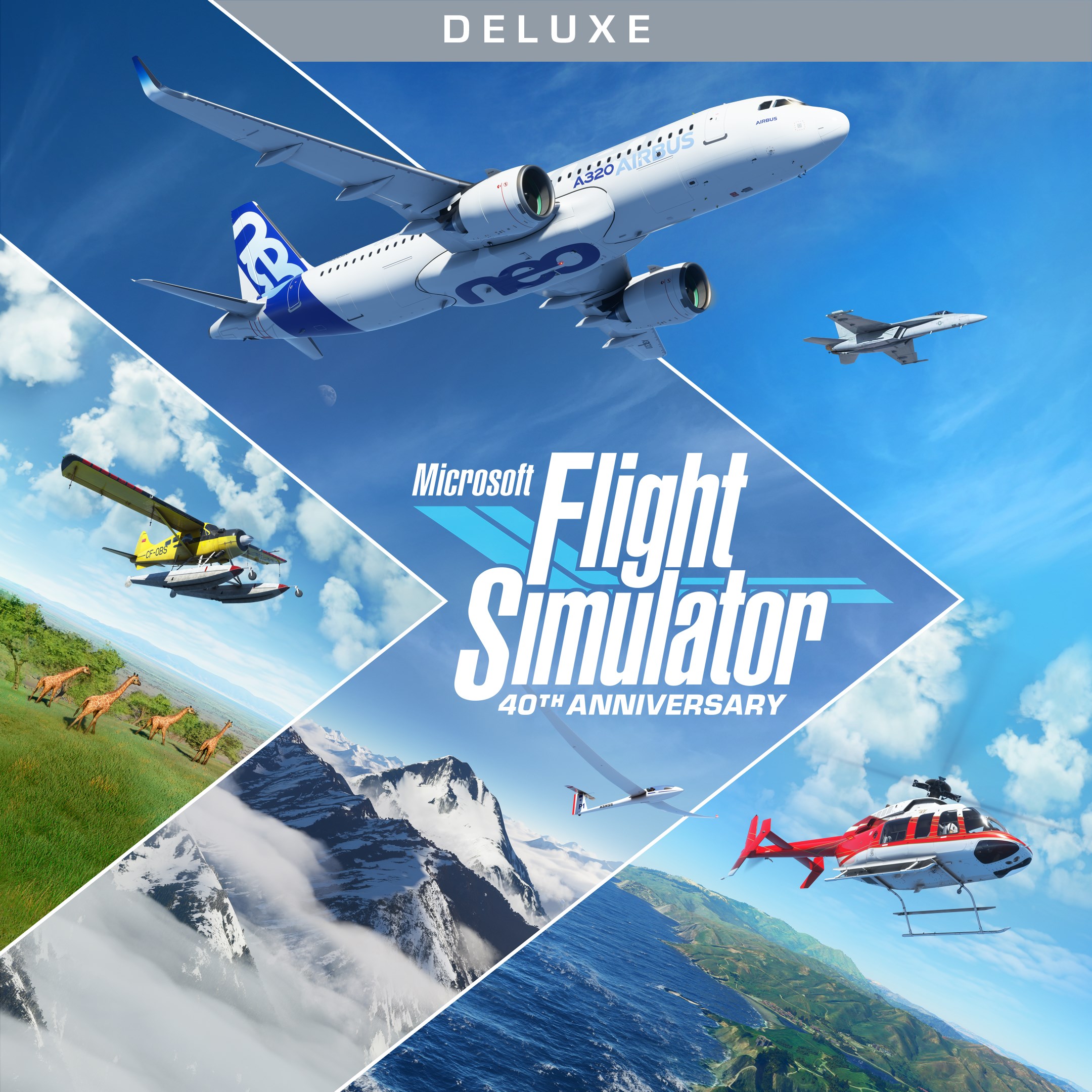
- Name Microsoft Flight Simulator (2020) Deluxe 40th Anniversary Edition
- Category Simulation
Introducing Microsoft Flight Simulator (2020) Deluxe 40th Anniversary Edition
Microsoft Flight Simulator (2020) Deluxe 40th Anniversary Edition for Windows is a comprehensive and immersive flight simulation experience that transports users into the skies with astonishing realism and detail. Perfect for aviation enthusiasts and aspiring pilots alike, this edition celebrates four decades of flight simulation excellence through refined visuals and expanded features.
About the Developer and Core Highlights
Developed by Xbox Game Studios, Microsoft Flight Simulator (2020) showcases the combined expertise of a dedicated team committed to delivering an authentic flight experience. The game's standout features include ultra-realistic weather systems, breathtaking global scenery powered by Azure AI, and meticulously modeled aircraft that respond accurately to flight physics. Additionally, the Deluxe 40th Anniversary Edition introduces new aircraft, landmarks, and flight training tools, making it a comprehensive package for both beginners and seasoned pilots.
Target Audience and Core Purpose
This simulator is geared toward aviation enthusiasts, hobbyists, and educational institutions interested in exploring flight mechanics or visualizing geography. Its detailed modeling makes it suitable for those seeking to understand real-world cockpit operation, as well as casual gamers looking for an engaging, visually stunning experience. Whether you're aspiring to become a pilot or just captivated by flight, this edition offers an expansive virtual cockpit to satisfy your aviation curiosity.
Engaging and Dynamic Flying Experience
Stepping into Microsoft Flight Simulator is akin to boarding a time machine that whisks you across the globe—towering over cities, soaring over mountains, and skimming across oceans with mesmerizing clarity. From the moment you lift off, the simulator's tight integration of physics and visuals crafts an experience that's both captivating and educational. The dynamic weather system updates in real time, transforming your flight into a cinematic journey through changing skies, clouds, and lighting effects. It's as if the virtual environment breathes and reacts, making each flight uniquely breathtaking.
Core Features: Realism and Interactive Depth
1. Unparalleled Visual Fidelity and Global Coverage
The simulator leverages satellite data and Azure AI to generate a replication of the entire Earth at an astonishing level of detail. Every cityscape, mountain range, and landmark is rendered with photographic accuracy, making the landscape feel alive. As a pilot, you can navigate from bustling urban airports to remote airstrips, with the scenery dynamically adjusting to different lighting conditions, weather effects, and seasons. This level of realism not only boosts immersion but also provides a genuine sense of exploration, akin to viewing the world through a high-powered drone.
2. Accurate Flight Dynamics and Aircraft Modeling
The core of any good flight simulator lies in its physics, and this edition excels here. Each aircraft—ranging from small Cessnas to detailed Boeing and Airbus models—responds accurately to wind, turbulence, and control inputs. The physics engine simulates realistic weight, balance, and aerodynamics, requiring users to master control nuances similar to real-world flying. This feature distinguishes it from more arcade-style simulators and makes it particularly valuable for pilot training or understanding aircraft behavior in various scenarios.
3. Learning Tools and Community Engagement
Beyond just flying, the simulator offers comprehensive tutorials, flight training modules, and community-driven content. Aspiring pilots can practice takeoffs, landings, and navigation with guided assistance, making the learning curve manageable and rewarding. Additionally, a vibrant online community shares custom sceneries, aircraft, and flight plans, enriching the experience. These aspects turn the simulator into an educational platform that encourages continuous learning and skill development.
Evaluating User Experience: Interface, Ease of Use, and Learning Curve
The interface of Microsoft Flight Simulator strikes a balance between professional sophistication and user-friendliness. The dashboard is intuitive, with clear navigation menus and customizable cockpit views that cater to both beginners and expert pilots. The game runs smoothly on high-end configurations, providing fluid frame rates and detailed textures without significant lag. For newcomers, the onboarding process offers helpful tutorials, making the initial learning curve less daunting. Experienced users will appreciate the depth of control options, from simple autopilot modes to full manual flying, allowing customization based on skill level.
What Sets It Apart from Other Flight Simulators
Compared to other flight simulation applications, Microsoft Flight Simulator's standout feature is its blend of hyper-realistic scenery powered by cutting-edge AI and its meticulously modeled aircraft physics. This combination creates an experience that mirrors real-life flying with surprising accuracy. Its ability to analyze real-world weather and present it dynamically to the user facilitates an unparalleled sense of presence and realism. Furthermore, its capacity to demonstrate real-world navigation, air traffic management, and meteorological phenomena enhances its appeal as a learning tool—offering a bridge between virtual and practical aviation knowledge.
Recommendation and Usage Tips
Microsoft Flight Simulator (2020) Deluxe 40th Anniversary Edition is highly recommended for aviation enthusiasts, hobbyists, and learners seeking a realistic, visually stunning flying experience. It is best suited for users with a capable PC setup to fully appreciate the detailed graphics and complex physics. For beginners, starting with basic flight lessons and gradually exploring more advanced features will enhance the enjoyment and educational value. Advanced users will find the simulator's depth a rewarding challenge, especially when customizing aircraft or exploring intricate weather scenarios.
In conclusion, this edition of Microsoft Flight Simulator stands out not just for its technical prowess, but for its ability to transport you into a virtual cockpit that's as close to real as simulation can get. Whether you're flying for fun, learning about aeronautics, or curious about the world from above, this simulator offers an inspiring and serious platform to explore the skies.
Pros
- Exceptional graphics and realism
- Extensive world scenery
- Comprehensive flight simulation features
- Regular updates and enhancements
- Rich content for aviation enthusiasts
Cons
- High system requirements
- Large download size
- Steep learning curve for beginners
- Occasional performance bugs
- Limited multiplayer features in certain regions











