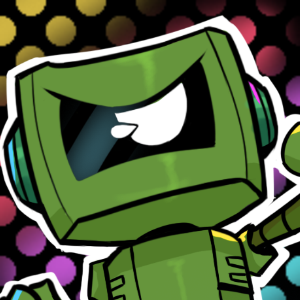
- Name I Wanna Be Car (Windows)
- Category Platformer
Introducing I Wanna Be Car: A Quirky Take on Platformer Adventures
Imagine transforming the usual side-scrolling platformer into a lively, vehicular escapade where your favorite cars come to life with personality and purpose. That's precisely what I Wanna Be Car offers—a charming, playful experience that turns the traditional into something fresh and engaging.
Developed by Sweet Bread Games, a Studio Known for Creative Twists
Crafted by the indie developer Sweet Bread Games, this title showcases their knack for inventive gameplay with a focus on humor and visual charm. Their approach emphasizes accessible mechanics wrapped in a fun, cartoonish aesthetic, making it inviting for gamers of all ages.
Key Features That Steer This Game Off the Beaten Path
- Unique Vehicle-Centric Gameplay: Unlike standard platformers, this game puts cars at the center, allowing players to navigate colorful levels with a dash of vehicular personality. It transforms familiar jumping puzzles into a lively ride through imaginative worlds.
- Humorous Animation and Character Design: The game's cars are designed with exaggerated, expressive faces, adding a layer of humor and personality that makes every crash and bounce entertaining.
- Simple Controls, Deep Fun: The gameplay mechanics prioritize ease of learning but encourage creative problem-solving in level navigation. This balance makes it accessible without sacrificing depth.
- Multiple Levels and Challenges: A variety of stages challenge players with obstacles tailored to different vehicle behaviors, keeping the experience fresh and engaging across the game's progression.
From Slick Menus to Smooth Driving: The User Experience
The interface of I Wanna Be Car embodies a playful yet intuitive design. Main menus are streamlined, featuring vibrant icons that immediately convey their purpose, akin to a friendly dashboard welcoming you. Transitioning into gameplay feels seamless—animations are fluid, giving the sensation of a well-oiled machine. The controls are straightforward, catering to newcomers and seasoned players alike, with responsive inputs that make guiding your vehicle satisfying and frustration-free.
Regarding learning curve, the game strikes a perfect balance. Beginners can quickly pick up the basics, while seasoned platformers will appreciate the subtly challenging stages that require thought and timing. The visual cues are clear, and the rewarding feedback after each succeeded challenge fosters a sense of achievement.
Standing Out in a Crowded Field of Platformers
What truly sets I Wanna Be Car apart from other platformer titles is its distinctive vehicular twist combined with humorous animation and approachable gameplay. While many platformers rely heavily on character-based heroes or abstract worlds, this game's focus on cars with personalities adds a layer of character-driven charm rarely seen elsewhere. Furthermore, its emphasis on simple yet engaging mechanics makes it a fantastic choice for players seeking lighthearted fun rather than complex mastery.
Compared to similar titles, its emphasis on vehicle-themed levels, paired with expressive animations, creates a unique niche. It's like stepping into a cartoon universe where each bounce and roll has personality, making every obstacle feel like part of a lively conversation rather than just a challenge to overcome.
Final Verdict and Recommendations
I Wanna Be Car is a delightful, approachable platformer that appeals to players of all ages, especially those who appreciate creative twists and humorous design. Its core strengths—distinctive vehicle-based gameplay and charming animations—make it a noteworthy addition to the puzzle-platformer genre. While it's simple enough for newcomers, the varying challenges keep the experience rewarding for more experienced gamers seeking casual fun.
If you're interested in a game that combines playful visuals with straightforward mechanics and a dash of quirky personality, I'd recommend giving this one a try. It's especially suited for players looking for a charming distraction that feels fresh yet familiar on their Windows device.
Pros
- Engaging, colorful graphics and sound effects
- Simple and intuitive controls suitable for all ages
- Multiple levels and challenges increase replayability
- Lightweight app with smooth performance on most Windows devices
- Free to download with optional in-app purchases
Cons
- Limited level variety in the free version
- Occasional minor bugs during gameplay
- Lack of detailed instructions or tutorials
- Limited customization options for characters
- Ads can sometimes interrupt gameplay