
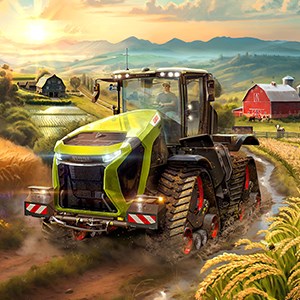
- Name Farming Simulator 25 (PC)
- Category Simulation
Introducing Farming Simulator 25 (PC): A Realistic Digital Farming Experience
Farming Simulator 25 for Windows, developed by GIANTS Software, offers players an immersive journey into the world of modern agriculture, blending detailed mechanics with accessible gameplay to satisfy both farming enthusiasts and simulation fans alike.
Game Overview and Target Audience
Positioned as a comprehensive farming simulation, Farming Simulator 25 allows users to operate a variety of authentic machinery, manage crop production, and explore rural landscapes. Created by GIANTS Software — known for their high-quality simulation titles — the game features realistic farming activities wrapped in a user-friendly interface. Its main highlights include multilingual vehicle operations, dynamic crop cycles, and a broad selection of farming equipment. Designed for players aged 12 and above, especially those intrigued by agriculture and machinery, this game serves both as educational entertainment and a relaxing pastime.
A Fresh Take on Farming Mechanics with Unmatched Realism
Stepping into Farming Simulator 25 is like donning a pair of coveralls and stepping onto a sprawling farmland, ready to cultivate crops, raise livestock, and manage resources. The game's core appeal lies in its meticulous attention to the nuances of modern farming technology—making each tractor start-up, seed sowing, or harvest feel grounded in real-world physics and mechanics. This feature particularly shines amidst other farm sims, elevating Farming Simulator 25 beyond simple gameplay to a learning-rich experience.
Authentic Machinery and Crop Management
One of the game's standout features is its extensive range of authentic machinery, from towering combine harvesters to intricate irrigation systems. These models mirror their real-life counterparts closely, with physics-based operation that requires players to consider factors like fuel consumption, terrain, and environmental conditions. As crops grow through realistic growth cycles, players develop strategies similar to real farmers—balancing planting schedules, weather impacts, and resource allocation. Such mechanics not only provide immersive gameplay but also subtly inform players about agricultural processes.
Intuitive Interface and Smooth User Experience
Surfacing through a clean, well-organized interface, Farming Simulator 25 makes navigation feel seamless. The controls are intuitive—think of it as learning to drive a real tractor with a user-friendly dashboard guiding your every move. The game runs smoothly on a wide range of PCs, minimizing lag and making complex operations feel effortless. Learning curves are gentle enough for newcomers but rich enough to engage seasoned simulation aficionados—like tending a well-kept farm that grows more intricate as you gain experience.
Unique Selling Points for Serious Simulation Seekers
What truly sets Farming Simulator 25 apart from other farming games is its commitment to mechanics realism and the transferability of skills. Unlike more arcade-like farm games, this title emphasizes comprehensive physics modeling—accurate soil behavior, machinery handling, and crop growth—creating a sandbox that mimics genuine farming challenges. Additionally, players can analyze how machinery efficiency and resource management translate to real-world farming, offering a subtle educational edge. This meticulous attention to detail makes it an invaluable tool for anyone serious about understanding agricultural technology.
Recommendations and Final Thoughts
Farming Simulator 25 comes highly recommended for those who appreciate detailed simulation combined with genuine mechanics—think of it as a digital farm that teaches and entertains simultaneously. Its user-friendly design makes it accessible to newcomers, while its realism satisfies experienced enthusiasts seeking depth. I'd suggest it for players interested in agriculture, mechanics, or simply looking for a relaxing yet engaging simulation experience. For those curious about real-world farming intricacies or seeking a rich, authentic sky-high farming adventure, this game is a solid choice that won't disappoint.
Pros
- Realistic Farming Experience
- Wide Vehicle and Equipment Selection
- Engaging Graphics and Graphics Optimization
- Structured Career Mode
- Regular Updates and Community Support
Cons
- Occasional Performance Fluctuations
- Limited Multiplayer Functionality
- Steep Learning Curve for Beginners
- Occasional Bugs and Glitches
- High System Requirements for Optimal Experience











