Enhancing the Ballpark Experience with Walkout Song DJ
Music is the heartbeat of every sports event, transforming the atmosphere and energizing players and fans alike. However, managing music in a live game setting — especially as the ballpark DJ — has historically been a challenging task. That's where Walkout Song DJ steps in to revolutionize the way music is played during games, making it effortless to craft an electrifying environment for every inning and batter. Designed with ease of use and professional quality in mind, this app enables you to bring pump-up music, memorable announcements, and situational songs seamlessly into your game day experience.
Simple, Intuitive Walkout Song Management
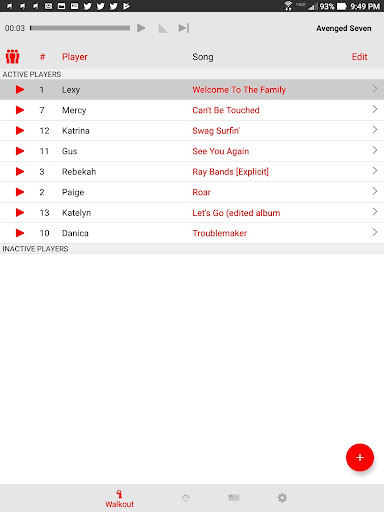
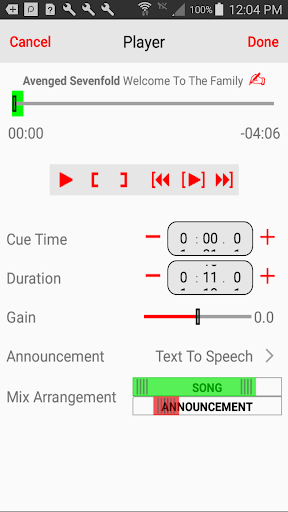
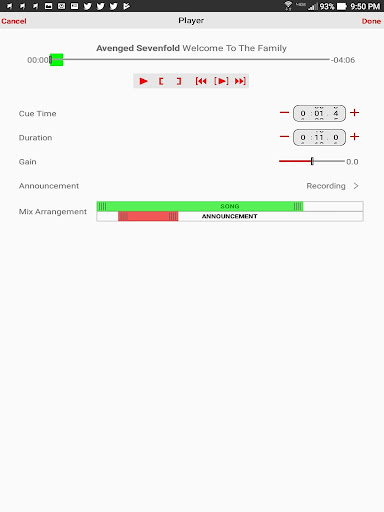
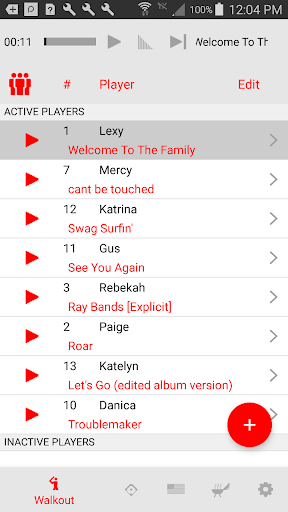
One of the standout features of Walkout Song DJ is its straightforward process for creating personalized walkout songs for each batter. Instead of fumbling through complex controls, you can simply input the •player name and •player number, then select a song from your existing music library or imported files. The app provides a precise editing view, allowing you to choose the exact segment of the song — adjusting both the start position and playback duration — to generate a perfect walkout experience. Additionally, to ensure the music complements the game without overpowering or annoying fans, you can set individual •volume levels for each walkout.
Effortless Playback and Announcements
Once everything is set, simply press the play button, and in just 11 seconds, you’ll have a high-energy anthem pumping for the batter. The app smoothly fades the song as the player steps up, maintaining a professional and crowd-pleasing atmosphere. For an added touch, you can incorporate various types of •announcements, including imported audio files, recorded voices, or AI-generated text-to-speech messages. These announcements can appear before, during, or after the walkout song, helping to hype up the crowd or deliver important information with ease.
Managing Inning Breaks and Game Flow
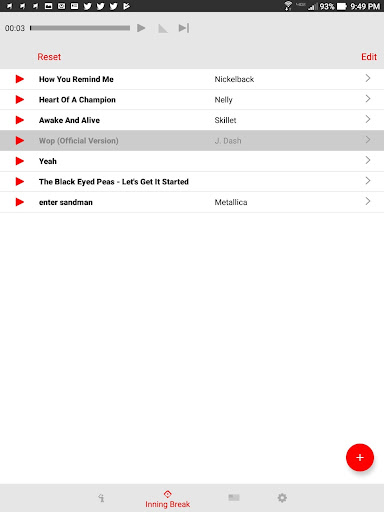
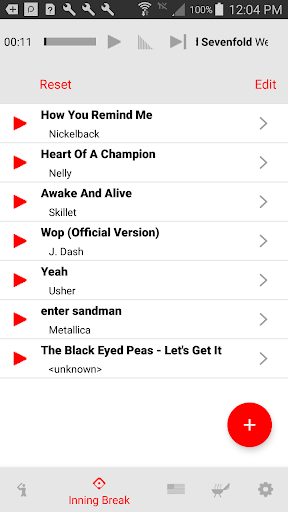
The game goes on, inning after inning, and the music shouldn’t disrupt the fun. Walkout Song DJ features a dedicated
inning break songs
view, allowing you to select appropriate tunes for between innings. Since inning breaks are typically two minutes and most songs extend beyond that, the app intelligently fades out songs prior to the start of play. This provides a perfect transition, giving you a moment to step away or grab a snack without worrying about abrupt music cuts or overlaps.Adding Character with Situational and Pre-Game Music
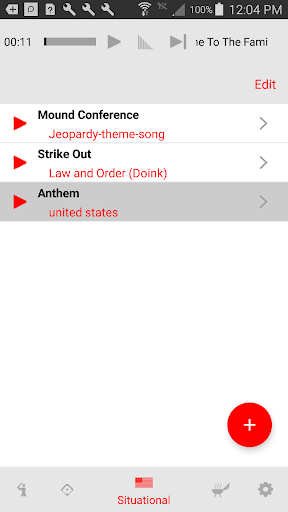
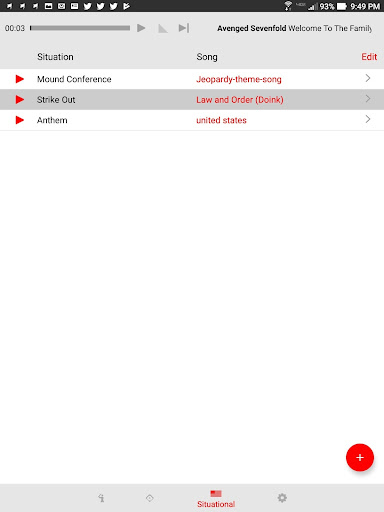
To truly elevate the game atmosphere, Walkout Song DJ offers quick access to •situational music. This includes iconic tunes and game-specific sounds like the national anthem, “Take Me Out to the Ball Game,” the •Jeopardy Theme Song, sponsor mentions, and team fight songs. For pre-game warm-ups, you can create customized playlists that play smoothly, helping athletes and fans get "in the zone" before the game begins. This feature ensures your event is full of energy from start to finish.
Multi-Team Support and Easy Setup
If your role involves DJing for multiple teams, no problem — Walkout Song DJ allows you to save and create separate •song pages for each team, making transitions simple and quick. The app’s user-friendly interface means you can sit back, relax, and focus on the game while the music plays confidently with minimal effort.
Important Notes on Music Sources
Please note that Walkout Song DJ does not include a music library, and the only supported subscription service for music is Apple Music. Currently, support for Spotify, Amazon Prime, or YouTube Music is unavailable due to platform restrictions. Before purchasing, it’s recommended to contact the support email provided if you need guidance on sourcing your music files.
Pros
- User-friendly interface facilitating easy navigation
- Extensive library of available resources and content
- Regular updates ensure the latest features and information
- Reliable performance with minimal downtime
- Affordable pricing plans suitable for various users
- Excellent customer support and assistance
Cons
- Limited customization options for advanced users
- Occasional bugs and glitches affecting functionality
- Steep learning curve for first-time users
- Requires consistent internet connection for optimal use
- Some features available only in premium versions
- Limited integration capabilities with other tools