

Discover the Power of Music Audio Editor, MP3 Cutter
Are you passionate about customizing your audio files with ease and professionalism? Music Audio Editor, MP3 Cutter is a versatile mobile application designed to empower users to edit, cut, merge, and enhance audio on their Android devices effortlessly. Whether you're creating personalized ringtones, remixing songs, or converting video to audio, this app offers a comprehensive suite of features to meet all your audio editing needs.
Intuitive and User-Friendly Interface
Getting started with Music Audio Editor, MP3 Cutter is simple and straightforward. The clean and intuitive interface ensures that even beginners can navigate without any hassle. With just a few taps, users can load their audio or video files to begin editing. This accessibility means you don’t need advanced technical skills to craft professional-quality audio clips. The app's quick learning curve allows you to dive into editing your favorite tunes or sound effects instantly, making it a perfect tool for both novices and seasoned audio enthusiasts.
Comprehensive Audio Editing Features
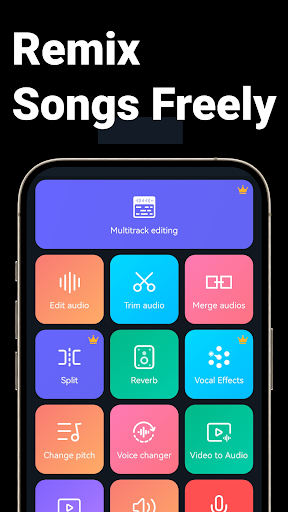
This app is packed with powerful features that cover virtually every aspect of audio editing. Super Sound, a similar tool, supports a broad spectrum of functions, and Music Audio Editor, MP3 Cutter is no exception. With the app, you can:
Cut and Trim Audio
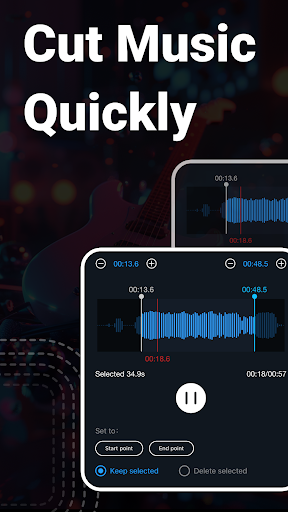
Accurately cut segments from your audio files within milliseconds, allowing precise editing. Whether you want to isolate a catchy chorus or trim unwanted parts, the app supports multiple cutting modes—save the beginning, middle, or end of a track with ease.
Merge and Splice
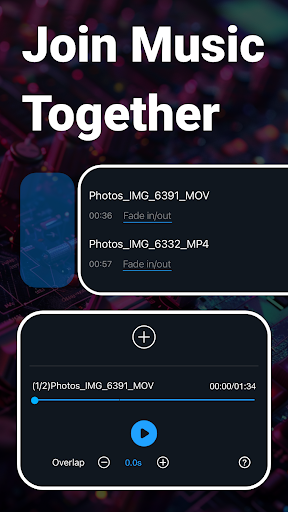
Combine multiple audio files or insert sound clips seamlessly to create mashups or custom soundtracks. The splicing features enable you to merge songs or audio segments into cohesive tracks for professional or personal projects.
Audio Effects and Adjustments
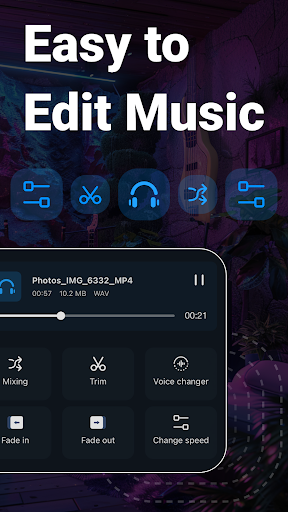
Enhance your audio with features like fade in/out, volume adjustment, pitch change, and tempo modification. Want to add more spice? The equalizer offers various presets for bass, treble, and custom adjustments to perfectly tune your sound.
Voice and Video Features
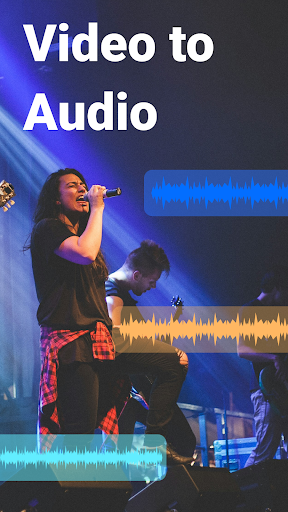
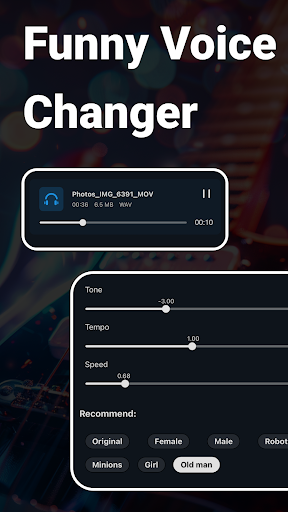
Transform your recordings with a voice changer—switch your voice to male, female, robot, or old man, adding fun effects to your recordings. Additionally, you can convert videos to audio, making it easy to extract music from your favorite clips or videos.
Advanced Editing and Conversion
Insert audio into other tracks, support batch processing, and convert between multiple formats like mp3, wav, flac, aac, and more. Compress audio files for sharing or uploading without sacrificing sound quality.
Extras That Boost Creativity
Beyond basic editing, the app offers innovative features like:
- Voice changer, to modify voices with different effects.
- Audio insertion, allowing multiple sound layers in one track.
- Set as Ringtone, Alarm, or Notification directly from the app—making customization quick and easy.
- Batch processing for multiple files simultaneously, saving time on large projects.
- Access to over 2000 royalty-free music tracks, perfect for projects or personal use.
High Performance and Sharing Made Easy
Despite the extensive features, Music Audio Editor, MP3 Cutter runs smoothly, ensuring a lag-free experience on a wide range of devices. Once your editing is complete, sharing your creations is just a tap away—upload to social media, send via messaging apps, or set as your ringtone directly within the app. Its lightweight design consumes minimal resources, so it won’t slow down your device.
Why Choose Music Audio Editor, MP3 Cutter?
If you're seeking an easy-to-use yet powerful audio editing solution packed with professional features, this app is a must-have. Its straightforward design makes complex editing tasks accessible to everyone, while the extensive feature set caters to advanced users as well. Whether you're creating custom ringtones, producing mixes, or converting videos to audio, Music Audio Editor, MP3 Cutter provides all the tools you need in one comprehensive app.
Download Now and Unleash Your Creativity!
Experience the convenience and power of Music Audio Editor, MP3 Cutter. Download today to start editing your audio files with precision and ease. Bring your musical ideas to life, craft perfect ringtones, or produce professional-sounding mixes—right from your Android device!
Pros
- User-friendly interface for easy editing
- Supports multiple audio formats
- Fast processing and rendering
- Precision cutting with waveform preview
- No ads in the paid version
Cons
- Limited features in the free version
- Occasional crashes on older devices
- No cloud storage integration
- Paid version required for premium tools
- Interface lacks customization options










