

Introduction to MP3 Cutter and Ringtone Maker
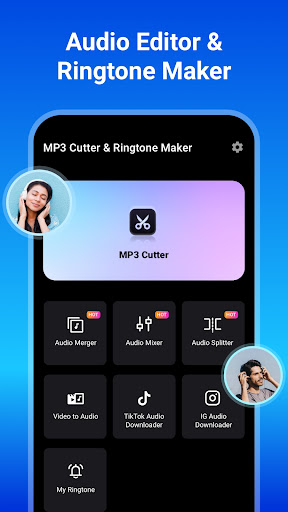
Are you tired of using generic ringtones that everyone else has? MP3 Cutter and Ringtone Maker is an versatile app designed to help you craft personalized ringtones, edit audio clips, and manage your favorite music files effortlessly. Whether you're a casual user or a music enthusiast, this audio editor offers a comprehensive set of features to meet all your needs. With support for multiple formats, quick editing tools, and customization options, it’s the perfect tool to elevate your mobile audio experience.
Key Features of MP3 Cutter and Ringtone Maker
Easy-to-Use Interface and Fast Editing
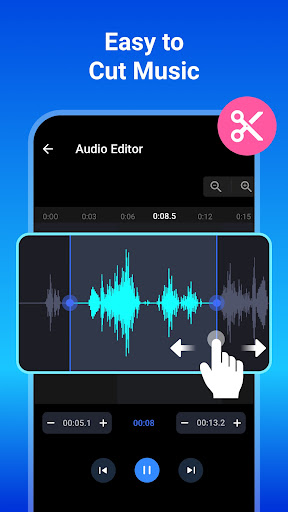
The app features a simple and intuitive interface that makes editing a breeze. You can select songs directly from your device's library or SD card, then use waveform zooming or single-tap controls to set precise start and end points. With millisecond-level cutting and waveform visualization, you gain complete control over your edits, ensuring your custom ringtones sound just perfect. The process is quick, allowing you to start editing right after choosing your music file without delays.
Versatile Audio Format Support
This versatile audio cutter supports a broad range of formats including mp3, wav, ogg, m4a, aac, and flac. No matter what music format you have, you can easily trim, merge, or convert them into your desired output format for high-quality results.
Powerful Audio Editing Tools
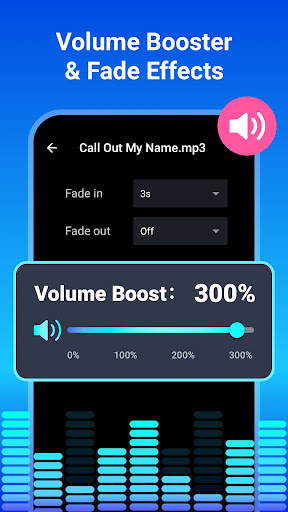
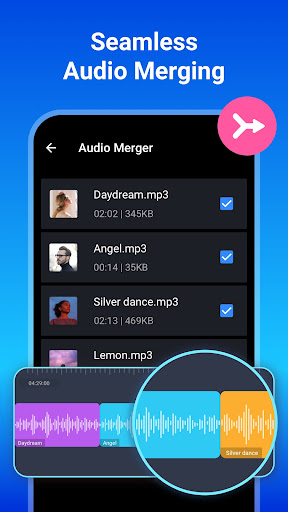
Beyond simple trimming, MP3 Cutter & Ringtone Maker provides tools like audio merging and music editing. You can merge multiple tracks to create mashups or unique song combinations. Adjust the bitrate to produce crisp, high-definition sound (such as 192kb/s or 256kb/s), or boost and reduce volume levels to suit your preferences. Features like fade-in and fade-out effects add a professional touch to your custom tones.
Customize and Set Ringtones
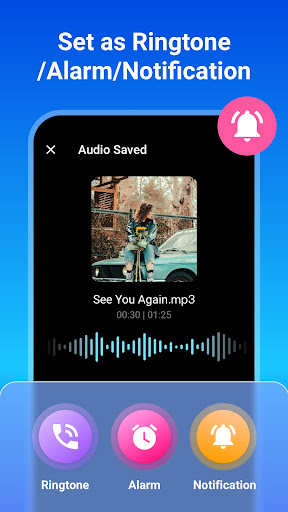
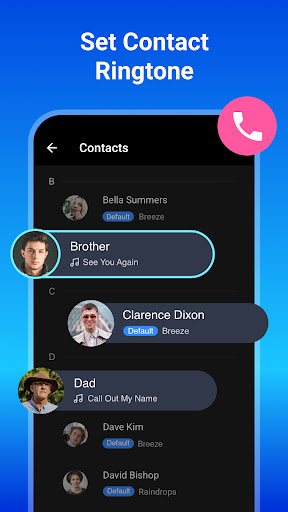
Personalization is at the core of this app. You can assign specific ringtones to individual contacts, set tones as alarms, notifications, or system alerts. Creating a ringtone is as simple as selecting the portion of audio you want, editing its metadata (like title), and saving or sharing it directly from the app.
Advanced Audio Features
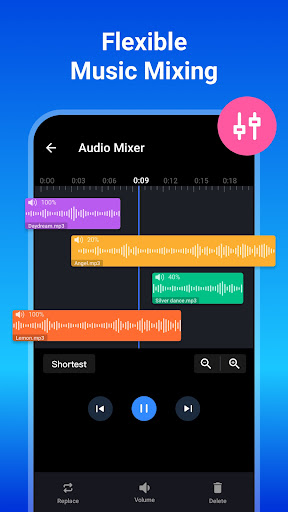
This music editor allows you to merge compositions, mix tracks, and customize every detail to craft the perfect sound. The built-in music player lets you preview clips before saving, and re-edit if necessary. The app also facilitates format conversion to suit different devices or preferences, making it a comprehensive audio editing solution.
How to Use the MP3 Cutter & Ringtone Maker
- Select a music file from your device or SD card.
- Use waveform zooming or tap to set the Start and End times for your clip.
- Edit clip tags such as title, format, bitrate, and volume.
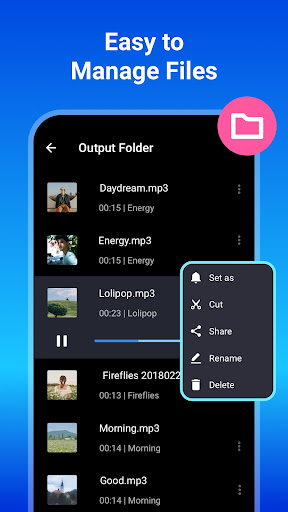
- Choose to save as a Ringtone, Alarm, Notification, or share the clip directly.
Additional Features for Custom Ringtone Creation
Audio Merger and Joiner
Combine multiple audio tracks seamlessly with high sound quality. Rearrange the order of your songs to create personalized mashups that stand out.
Audio Mixer and Music Editor
Mix different music tracks into a single composition. Use this feature to create truly unique tunes that reflect your style and preferences.
Ringtone Editor and Maker
Set custom ringtones for your contacts directly, making your caller ID more personalized. Enjoy inbuilt tools that help you craft the perfect tone for every occasion.
Professional Audio Editing
With features like waveform zooming, manual start and end point setting, and format conversion, this app is suitable for both casual users and audiophiles who demand precision in their edits.
User Experience and Performance
The application is designed to run smoothly with minimal resource usage, ensuring quick processing times for your edits. Its user-friendly interface, coupled with helpful guidance, makes audio editing accessible regardless of your skill level. While the app does include ads, they are unobtrusive and do not hinder the editing process. Overall, it delivers reliable performance and a satisfying user experience for creating custom ringtones and editing audio files.
Conclusion
In summary, MP3 Cutter and Ringtone Maker stands out as a comprehensive audio editing app that combines ease of use with powerful features. Whether you want to create personalized ringtones, merge songs, or adjust audio quality, this tool has you covered. Its support for multiple formats, precise editing capabilities, and customization options make it an excellent choice for anyone looking to enhance their mobile audio experience. Download it today and start crafting your unique soundtracks to make your device truly yours!
Pros
- User-friendly interface.
- Supports various audio formats.
- Fast processing speed.
- Precise control over start and end times.
- Easy sharing of created ringtones.
Cons
- Advertisements present in the free version.
- Limited features without making a purchase.
- Some formats require conversion before use.
- Occasional crashes of the application.
- Restricted editing tools available.










