

Discover the Power of Voice Recorder Pro: Your Ultimate Audio Recording Companion
Are you looking for a versatile and reliable audio recording app that can handle all your speech, music, and note-taking needs? Look no further than Voice Recorder Pro. This feature-rich application transforms your Android device into a professional-level sound studio, with user-friendly design and a multitude of options to customize your recordings. Whether you're a student capturing lectures, a journalist recording interviews, or someone who just wants to jot down thoughts on the go, Voice Recorder Pro is your perfect companion.
Effortless Setup and Intuitive Interface
One of the first things users notice about Voice Recorder Pro is its straightforward, clean interface. Getting started is quick and easy—just download the app, and you're ready to record in minutes. The minimal design ensures that you’re not overwhelmed by complex menus or unnecessary features, making it accessible for everyone, whether tech-savvy or a beginner.
Outstanding Features for Every Recording Need
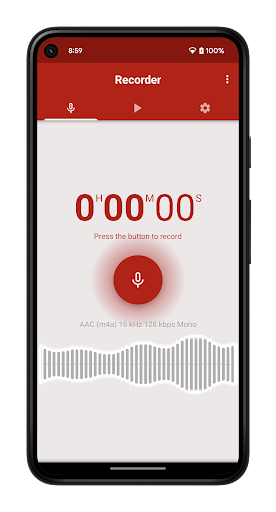
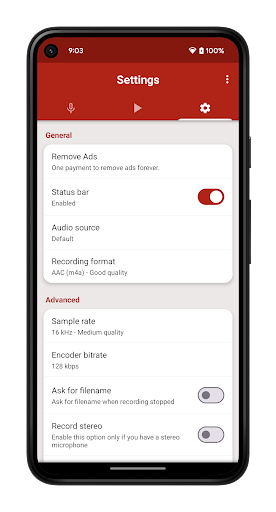
What sets Voice Recorder Pro apart is its impressive collection of features that cater to both basic and advanced users. The app supports 4 different audio formats: MP3, high-quality PCM (WAV), AAC (M4A/MP4), and AMR (3GP), giving you flexibility to save space or maximize audio fidelity. For those needing fine control, adjustable sample rates from 8 kHz (phone quality) to 44 kHz (CD quality) and changeable bitrates from 32 to 320 kbps are available.
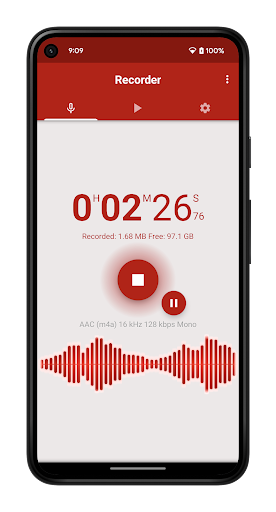
Another highlights include support for stereo and mono recordings, a live audio spectrum analyzer for real-time monitoring, and the ability to record in the background—even when the screen is off. You can easily customize your recording folder, choose between microphоnes or phone call sources (note: not a dedicated call recorder), and open recordings with other apps for editing.
Enhanced User Experience and Sharing Options
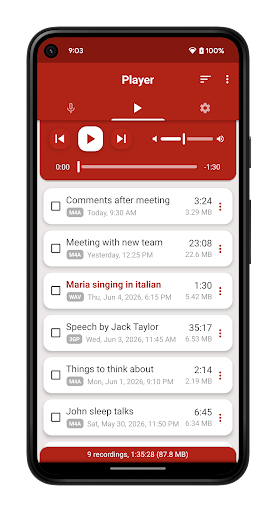
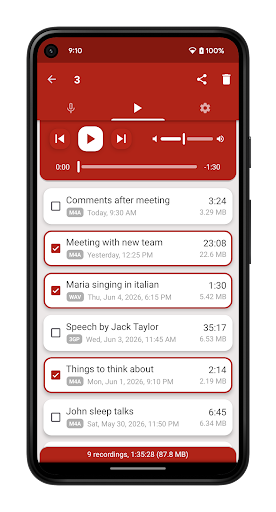
<Voice Recorder Pro features an integrated media player with volume control, supporting quick playback and easy sound management. You can rename, delete, or share files via email or social media. The app also allows you to set recordings as ringtone, alarm, or notification sounds—making your audio memorable and personalized.
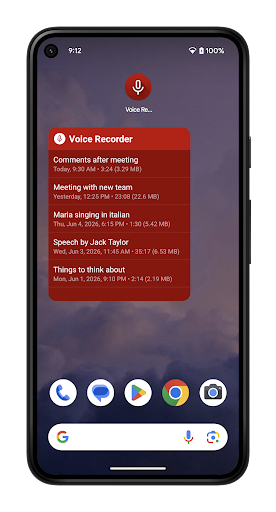
Managing your recordings is seamless with features like a resizable widget for quick access, the ability to sort files by date, name, size, or duration, and options to share or delete multiple files simultaneously. The app also supports automatic stop when your device runs out of memory or during active calls, ensuring that your recordings are safe and uninterrupted.
Additional Useful Features
Other notable functionalities include:
- Auto start recording for hands-free use
- Control recording and playback from the status bar
- Blinking LED notification during recording or playback (for devices with notification LED)
- Automatic stopping to protect data integrity
- Support for save to Android media library
Why Choose Voice Recorder Pro?
If you seek an audio recorder app that combines high-quality recordings with ease of use, Voice Recorder Pro is your ideal choice. Its range of features ensures it can handle everything from casual voice memos to professional interviews and concerts. Regular updates and a dedicated development team demonstrate the commitment to providing a top-tier user experience.
Connect and Follow
Stay connected with SplendApps for the latest updates and support:
- Website: splendapps.com
- Privacy Policy: Privacy Policy
- Contact Us: Contact Us
Pros
- High-quality audio recording
- User-friendly interface
- Supports multiple audio formats
- Easy editing features
- Great customer support
Cons
- Contains ads
- No cloud backup
- Limited free features
- Requires in-app purchases
- Occasional bugs











