

Discover the Power of the Voice Recorder: Memos & Audio App
Are you ever in a situation where you wish you had a reliable voice recorder at your fingertips? Whether it's capturing a fleeting brilliant idea, recording an important lecture, or noting down a critical meeting, the Voice Recorder: Memos & Audio app is designed to meet all your audio recording needs easily and efficiently. This versatile app combines intuitive usability with advanced features, making it the perfect tool for students, professionals, or anyone who values high-quality voice recordings.
Main Features of the Voice Recorder
The Voice Recorder offers a comprehensive suite of features tailored to enhance your recording experience:
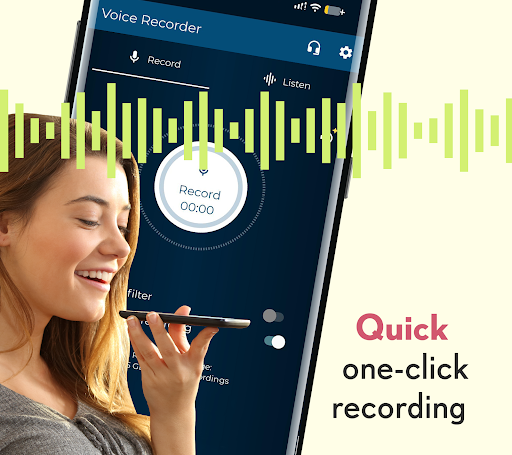
Simple and Quick Recording
Capture voice memos, interviews, or lectures effortlessly with just a tap. The interface is straightforward, allowing you to start recording without any complicated setup—ideal for spontaneous moments.
Adjustable Audio Settings
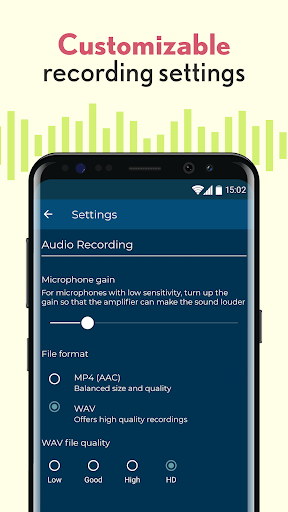
Customize your recordings with options to tweak mic gain, choose different audio quality levels, and select preferred formats, ensuring crystal-clear sound tailored to your environment.
Intelligent Silence Filter
Powered by smart detection, the app automatically pauses recording during silence, preventing unnecessary gaps. This feature is perfect whether you're in a noisy café or a quiet library, helping you save storage space and keep your recordings clean.
Personalized Ringtone and Alerts
Set your recordings as personalized ringtones, default ringtones, notifications, or alarms—turn your memorable sound snippets into useful alerts.
Easy Sharing and Organization
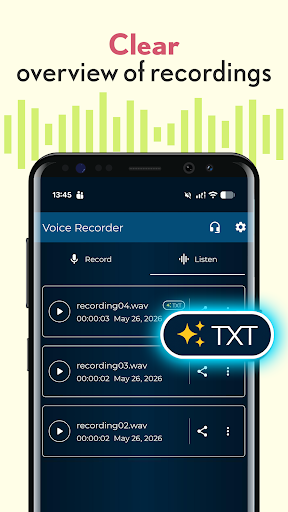
Name, save, and share your recordings directly through various platforms. Organize your files with tags, labels, or timestamps, making retrieval simple when needed.
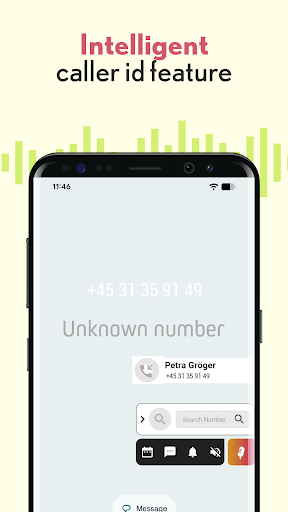
Record After Calls with Smart Caller ID
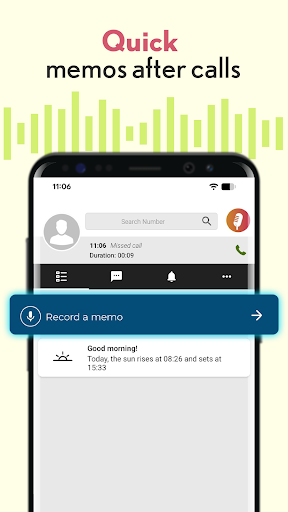
This unique feature enables you to instantly record voice notes or reminders after phone calls. The app automatically identifies the caller, adds their name to the recording's title, and stores the file without manual input, making it effortless to recall details discussed during calls.
Why Choose Voice Recorder for Your Audio Needs?
Whether you're a student attending lectures, a journalist capturing interviews, or a professional recording meetings, this audio recorder is designed to adapt to varied environments:
High-Quality Recordings in Any Environment
Thanks to adjustable settings and noise filtering, your recordings will sound clear, even amidst background noise. The automatic pause function ensures you don’t record unnecessary silence, helping you keep your files concise and relevant.
User-Friendly and Efficient
The intuitive interface allows quick access to all features, making recording a seamless experience. The app launches promptly and performs reliably without lag, so you won't miss a crucial moment.
Multi-Platform Compatibility
Available for both Android and iOS devices, the Voice Recorder works across major platforms, ensuring you stay connected with your recordings no matter your device.
Multiple Sharing Options
Easily share your recordings through email, social media, or upload directly to cloud services, enabling effortless collaboration and backup.
Final Thoughts: Your Portable Audio Companion
The Voice Recorder: Memos & Audio app is more than just a basic sound recorder—it’s an intelligent, feature-rich tool that simplifies capturing and organizing your audio recordings. Its blend of user-friendly design, customizable audio options, and smart functionalities like silence filtering and call recording make it an essential app for anyone seeking hassle-free audio capture. Whether for educational purposes, professional use, or personal notes, this app ensures your ideas and important moments are recorded with clarity and ease. With its versatility and reliable performance, the Voice Recorder is poised to become your go-to app for all things audio recording.
Pros
- User-friendly interface.
- High-quality audio recording capabilities.
- Compatibility with various audio formats.
- Allows recording in the background.
- Effective file organization features.
Cons
- Contains advertisements in the free version.
- Has limited editing functionalities.
- Lacks cloud synchronization in the free version.
- Uses battery quickly during operation.
- Occasional app crashes observed.











