

Introduction to the TP-LINK tpCamera App
Stay connected to what matters most with the TP-LINK tpCamera app—a comprehensive cloud-based video monitoring solution designed for remote home, family, and pet surveillance. Whether you’re at work, traveling, or simply away from home, this user-friendly app allows you to access your security cameras anytime and anywhere with an internet connection. By installing the TP-LINK tpCamera app on your smartphone, you can effortlessly view live video feeds, manage multiple cameras, and store precious moments securely in the cloud.
Key Features of the TP-LINK tpCamera App
The app boasts a variety of features that enhance your remote surveillance experience:
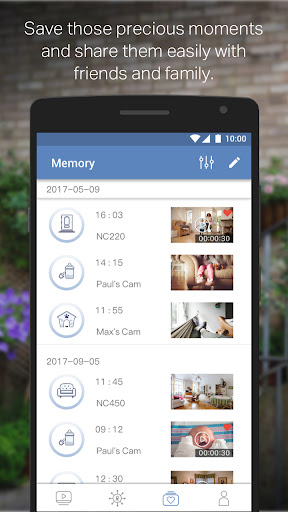
- Free cloud service for life: Enjoy unlimited, cost-free cloud storage for your videos and photos, ensuring you can relive moments anytime without worrying about subscription fees.
- Quick registration and easy setup: Designed for simplicity, the app guides you through connecting your cameras with just a few taps, making installation straightforward—even for those less tech-savvy.
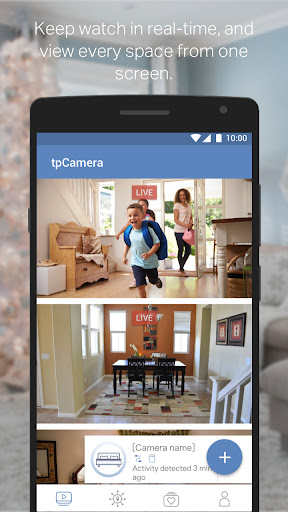
- Multicamera management: Manage and stream live videos from multiple TP-LINK cameras simultaneously, providing comprehensive coverage of your property.
- Secure cloud storage: Store and access snapshots and recordings securely, safeguarding your memories against data loss.
- Multi-language support: Available in diverse languages, including English, French, German, Spanish, Portuguese, Italian, Russian, Polish, Traditional Chinese, Korean, making it accessible to a global user base.
Setting Up Your TP-LINK tpCamera and First Impressions
Getting started with the TP-LINK tpCamera app is a seamless experience. Upon download, the app provides clear, step-by-step instructions to connect your cameras, ensuring minimal hassle. The intuitive interface presents a logical layout, making navigation smooth even for users unfamiliar with home security systems. Within moments, your cameras are up and running, offering quick access to your live video streams.
Standout Features and Daily Use
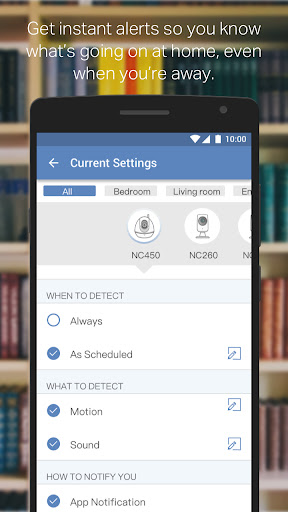
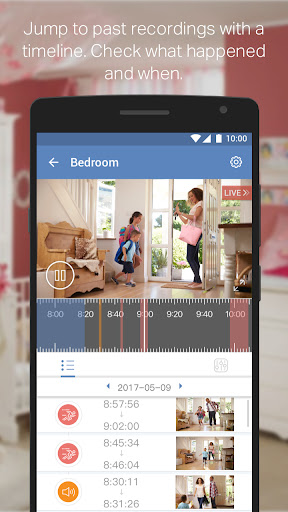
One of the most valuable features is the real-time motion detection notifications. Whenever movement is detected, your phone receives an instant alert, giving you peace of mind whether you’re at work or on vacation. This proactive approach ensures you’re always aware of activity around your home.Another feature I find particularly useful is the two-way audio. It allows you to speak directly through the camera—perfect for communicating with family members, pets, or visitors. The high-quality video ensures visuals are crisp and clear, creating a sense of presence no matter where you are.Using the app daily proves to be reliable and straightforward. It maintains a stable live feed with minimal delay, and the modern, sleek design enhances the overall user experience. The app supports multiple cameras, enabling you to switch between feeds effortlessly, which is ideal for comprehensive home surveillance.
Potential Improvements and Final Thoughts
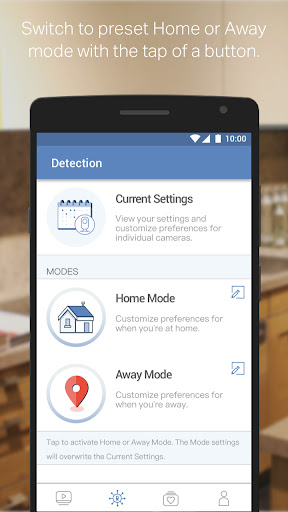
While the TP-LINK tpCamera app offers numerous benefits, there’s still room for refinement. For instance, the motion detection notifications can sometimes be overly sensitive, alerting you to shadows or passing cars. Introducing customizable sensitivity settings would help users tailor alerts to their preferences. Additionally, regular updates could improve performance and introduce new features, further enriching the user experience.Overall, the TP-LINK tpCamera app is a reliable, easy-to-use security solution that provides peace of mind through remote monitoring. Its combination of intuitive design, powerful features, and free lifelong cloud storage makes it an excellent choice for homeowners seeking efficient home surveillance. If you’re looking to enhance your security setup, this app is definitely worth considering.
Pros
- Simple setup process
- High-quality video streaming
- Remote access through mobile app
- Supports multiple devices
- Motion detection alerts
Cons
- Requires a stable internet connection
- Cloud storage requires a subscription
- App may crash occasionally
- Limited features available for free
- No desktop application available











