

Overview of Multi Space - Web Scan & Sync
Multi Space - Web Scan & Sync is a versatile application designed to simplify the management of multiple chat accounts and web content across various devices. Whether you're juggling personal, family, or work-related chat platforms, this app consolidates all your messaging needs into a single, easy-to-use interface. Its primary focus is on helping users manage multiple web chat accounts effectively, enabling seamless synchronization and interaction without the hassle of switching between different apps.
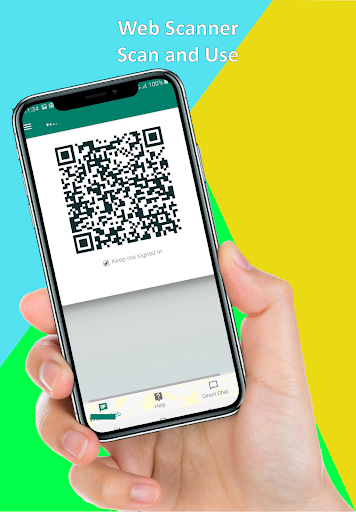
One of its standout features is the Web Scan & Sync capability, which allows users to scan QR codes or web pages and synchronize content across devices effortlessly. This makes it ideal for busy professionals, social media managers, or anyone who needs to stay connected on multiple platforms at once. Additionally, the app provides a robust Status Saver & Business Status Saver feature—perfect for downloading and saving photos, videos, and GIFs from chat statuses, ensuring you never miss a moment.
Designed with user convenience in mind, Multi Space - Web Scan & Sync boasts a sleek, intuitive interface that makes setup and navigation straightforward, even for those unfamiliar with advanced apps. Its fast performance and lightweight design mean you can manage multiple accounts without draining your device's resources. Whether you are managing social media profiles, personal chats, or business communication channels, this app helps streamline your messaging experience, saving valuable time and effort.
Overall, this app is an excellent solution for individuals and professionals who need to keep their digital communications organized and accessible, making multitasking a seamless experience.
Key Features of Multi Space - Web Scan & Sync
• Sync Multiple Accounts
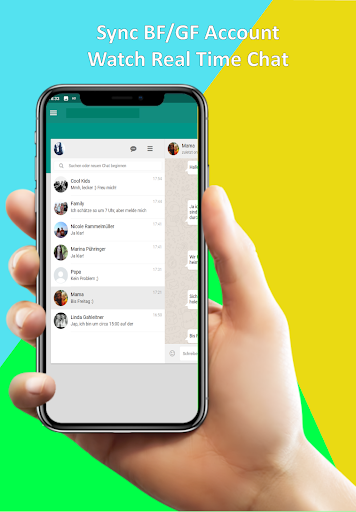
Easily synchronize and manage multiple web chat accounts—including accounts for friends, family, or work—from a single application. This removes the need to log in and out repeatedly, enhancing productivity and convenience.
• Seamless Switching
Switch effortlessly between different chat profiles without the hassle of re-authentication. This feature enables a smooth transition between multiple accounts, making multitasking more efficient.
• Unified Dashboard
Access all your chat accounts from a centralized interface where you can manage messages, notifications, and chats with ease. This unified view helps keep your digital life organized.
• Cross-Platform Sync
Sync conversations from your mobile device to the web and manage them in real-time across multiple platforms, ensuring you stay connected regardless of device preferences.
• Download Photos & Videos
Download valuable media content such as photos, videos, and GIFs directly from chat statuses or business updates. The app offers a quick and simple one-click download feature, allowing you to save memories effortlessly.
• Easy Setup and Operation
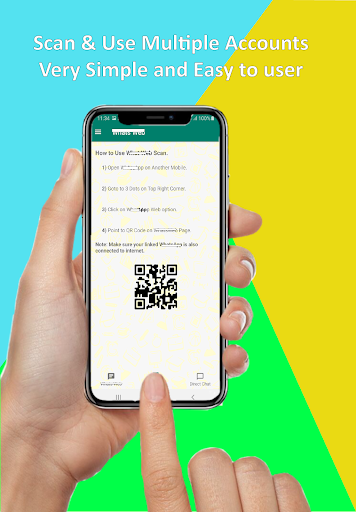
Setting up is straightforward—scan QR codes from each chat account to start managing multiple conversations instantly. The user-friendly interface simplifies the process, making it accessible even for beginners.
• View & Manage Saved Statuses
Browse through your saved statuses with an intuitive gallery, preview content before saving, and share your favorite statuses instantly with friends and family. All saved media can be accessed offline, without internet dependency.
• No Login Required
Open the app, select your desired accounts, and start managing your chats without additional login procedures. This feature enhances privacy and ease of use.
• Additional Features
The app supports app cloning for multiple accounts, making it easy to manage personal and professional profiles simultaneously. Its smooth, lightweight design ensures optimal performance without taxing your device’s resources.
How to Make the Most of Multi Space - Web Scan & Sync
Using the App
To start, download and install Multi Space - Web Scan & Sync from your app store. Open the app, select the chat platform you wish to sync, and scan the QR code from each of your chat accounts. Once linked, you can effortlessly switch between accounts from a unified dashboard, managing all conversations seamlessly.
Using the Status Saver & Business Status Saver
View the desired status or business update within your chat app. Launch the Status Saver feature, which automatically detects the viewed statuses. Choose the media you want to save, then tap the save button to download to your device. Access your saved media anytime to view, share, or keep as memories offline.
This suite of features makes it simple to archive important moments and stay organized, whether for personal keepsakes or business references.
Why Choose Multi Space - Web Scan & Sync
This app is the perfect digital solution to streamline your multi-account management, enhancing your productivity and saving you time. By consolidating multiple messaging and web content management into one platform, it eliminates the frustration of juggling different apps and logins. Whether you're managing work and personal chats or need quick access to web content, Multi Space - Web Scan & Sync offers a reliable, easy-to-use experience.
It also supports business needs, allowing users to download and share statuses and updates efficiently. Its lightweight design ensures minimal impact on your device, making it suitable for daily use without compromising performance. If you want an organized, efficient way to keep all your messaging platforms and web content in check, give Multi Space - Web Scan & Sync a try and transform your digital life today!
Pros
- Seamless synchronization across devices
- Intuitive and easy-to-use interface
- High performance and efficiency
- Compatibility with multiple platforms
- Ensures secure data management
Cons
- Limited features available in the free version
- Occasional delays during synchronization
- Requires stable internet connection
- Potential battery drain
- Advertisements displayed in the free version










