

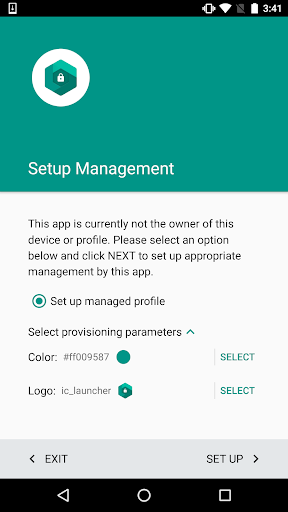
Overview of Test DPC
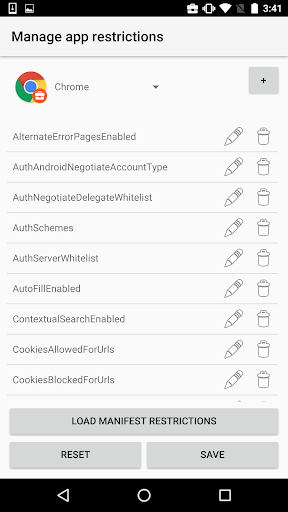
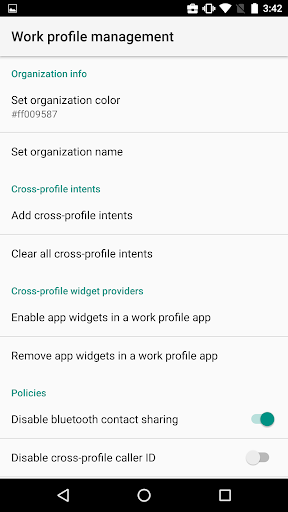
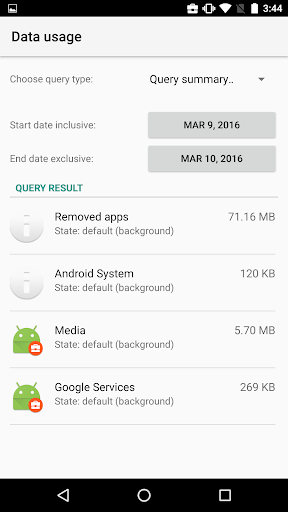
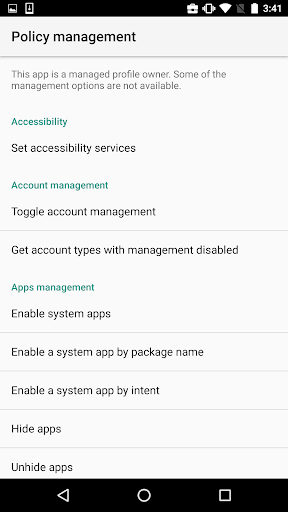
Test DPC is a specialized application designed exclusively for development and testing purposes within the Android Enterprise ecosystem. It is not intended for production environments and should never be used with real user data. Serving as a sample device policy controller (DPC), this app empowers developers to observe how their applications behave in a managed device context such as device owner mode or within a managed profile. It provides a simulated environment where users can configure a work profile, enable work-related apps, impose application restrictions, and enforce security policies with ease.
As an implementation reference, Test DPC helps streamline the development of other device policy controllers by offering a clear, practical example. The open-source nature of the project, which can be explored at here, further enhances its value for developers seeking a reliable solution for managing enterprise device policies.
Primarily, this app is an essential tool for Android developers and IT administrators involved in Android Enterprise and EMM (Enterprise Mobility Management). By providing a controlled environment to test device management features, Test DPC removes the need for extensive physical testing devices, saving both time and resources.
Key Features and Functionality
Simulating Managed Device Environments
Test DPC enables developers to simulate various device management scenarios, including enforcing security policies, restricting app usage, and managing device configurations. This makes it ideal for testing how apps respond to different device management settings without requiring multiple physical devices.
Configuration and Policy Management
User-friendly yet utilitarian, the app allows configuring multiple user profiles and customizing policy settings. For example, you can disable camera access, whitelist specific applications, and set application restrictions to mimic real-world enterprise device management conditions. Despite its simple interface, the app’s straightforward controls make testing efficient and effective.
Testing Real-World Scenarios
The unique advantage of Test DPC lies in its ability to help developers and IT professionals assess how their apps perform under managed device rules. This includes evaluating app behavior under restrictions or altered device settings—critical for ensuring compliance and functionality in managed environments.
Why Choose Test DPC?
Advantages for Developers & IT Professionals
Test DPC is a highly valuable resource for those working with Android Enterprise solutions. It significantly accelerates development cycles by allowing quick testing of policy changes and app responses in a simulated environment. This saves the effort and expense of deploying and managing multiple test devices in real-world scenarios.
The app’s open-source status fosters a collaborative development environment, promoting continuous improvement and updates from the community. While it may lack polished graphical design, its focus on functionality and flexibility makes it a favorite among developers and enterprise IT teams alike.
It’s important to recognize that Test DPC is primarily geared towards technical users—developers, system administrators, and IT staff—rather than general consumers seeking a feature-rich or visually engaging application. Its capabilities are designed for testing, deploying, and managing enterprise device policies efficiently.
Conclusion
In summary, Test DPC stands out as an indispensable tool for anyone involved in developing, testing, or managing Android enterprise devices. It provides a practical sandbox environment that closely mimics real-world device management scenarios, allowing for thorough testing of application behavior and policy enforcement. Though not suitable for production use, its role in streamlining development workflows and ensuring policy compliance makes it a critical component in enterprise mobility management.
Whether you are a developer seeking to verify app compatibility with enterprise policies or an IT professional implementing device management strategies, Test DPC offers a reliable and versatile platform. Give it a try, and discover how it can enhance your Android device management and app development process.
Pros
- Free and open-source tool.
- Supports multiple user profiles.
- Facilitates security policy testing.
- Simplifies application management.
- Compatible with Android devices.
Cons
- May need technical expertise to operate.
- Limited to the Android platform only.
- Occasional bugs have been reported.
- Not intended for casual end-user use.
- Requires administrator permissions.











