
Introduction to the Pydroid Repository Plugin
If you're an Android user passionate about Python development, the Pydroid repository plugin offers a valuable extension to enhance your coding experience. This plugin serves as a quick install repository packed with prebuilt packages that include native libraries, streamlining the process of expanding your Python environment on mobile devices.
Designed primarily for use with the Pydroid 3 IDE, the plugin's core function is to allow the IDE to adhere to Developer Program Policies regarding the downloading of executable code. While some users might find installing a separate app inconvenient, it is currently the authorized and recommended approach to access a broad selection of Python libraries without compiling them from source.
It's also worth noting that these packages are intended solely for use within the Pydroid ecosystem. Any usage outside of related applications is generally prohibited unless explicitly permitted in the package licenses. All trademarks mentioned are the property of their respective owners.
What Does the Pydroid Repository Plugin Offer?
Convenient Library Management for Python on Android
If you're into developing Python applications on your Android device, the Pydroid repository plugin significantly simplifies the process of managing and installing libraries. It acts as a bridge to access a vast collection of prebuilt packages that include native libraries crucial for many Python modules.
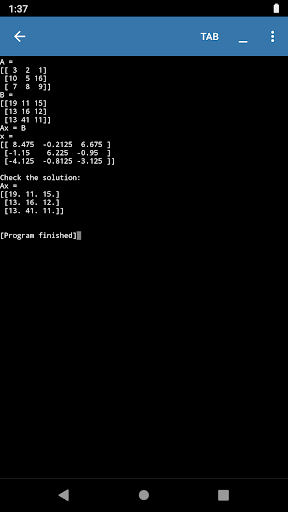
This extension is especially useful when working with libraries such as NumPy, Pandas, TensorFlow, or Keras. Instead of manually compiling libraries or navigating complex dependency installations, you can quickly install the required packages directly through the plugin interface.
To start using the repository plugin, simply install it from the Google Play Store. Once installed, it integrates seamlessly with your existing Pydroid 3 environment — whether you're using the free or the premium version — allowing you to maximize your Python development on mobile without any major hurdles.
User Experience and Practical Benefits
Seamless Integration and Ease of Use
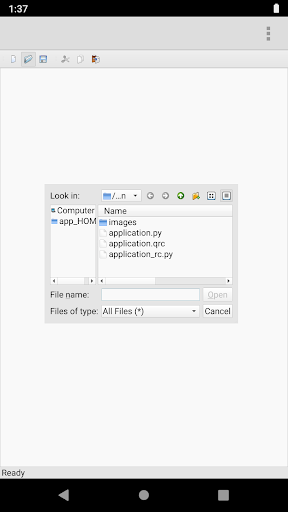
The integration of the Pydroid repository plugin with Pydroid 3 is designed to be smooth and intuitive. After installation, it feels like a natural extension of the IDE, with a clean and user-friendly interface that caters to both beginners and experienced programmers.
Developers can effortlessly browse available packages, install libraries, and manage dependencies—all within the familiar Pydroid environment. This fast and efficient process eliminates the need for complex setup procedures typical on desktop environments.
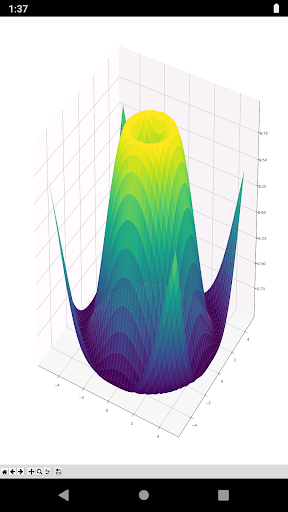
Whether you're diving into data science with libraries like NumPy and Pandas, experimenting with machine learning frameworks like TensorFlow or Keras, or developing custom scripts, the plugin provides quick access to tools required for advanced Python projects. This makes mobile Python development more practical and less cumbersome.
Additional Options and Considerations
Alternative Library Building Approach
If you encounter issues installing the repository plugin, or prefer not to use it, you can opt to build libraries directly from their source code. To do this, uncheck the option to “use prebuilt libraries repository” in your Pydroid settings. Keep in mind, this method may be time-consuming and might require manually installing dependencies, but it provides greater flexibility for advanced users.
However, it's important to remember that these prebuilt packages are exclusively for use within the Pydroid environment and not for external applications, unless explicitly permitted in their licenses.
Conclusion: Boost Your Python Development on Android
Overall, the Pydroid repository plugin is an essential tool for anyone serious about Python programming on Android. It expands the capabilities of the Pydroid 3 IDE by providing effortless access to a comprehensive library repository, enabling the development of complex and diverse projects right from your mobile device.
Whether you're working on data science, machine learning, or general scripting, this plugin simplifies library management and accelerates your coding workflow. If you’re looking to push your Python projects further on Android, installing the repository plugin could be the next step to unlock a world of possibilities on your mobile device.
Pros
- Integrates seamlessly with Pydroid IDE.
- Supports multiple Python versions.
- Easy to install and update.
- Highly customizable for advanced users.
- Enhances coding efficiency.
Cons
- Requires Pydroid IDE to function.
- Limited to Python language only.
- Some features need premium access.
- Occasional compatibility issues.
- No offline documentation available.











