

Introduction to Preference Manager: Addon
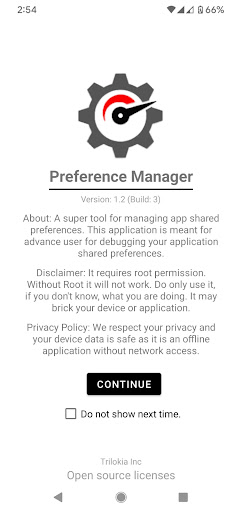
Preference Manager: Addon is a powerful tool designed for advanced users who want to manage their mobile device's shared preferences effectively. This application serves as an essential utility for debugging app shared preferences, allowing users to access and manipulate preference data directly. It is particularly useful for developers, tech enthusiasts, and experienced users seeking greater control over their device’s configuration. However, it’s important to note that this app requires root permissions to function properly. Without root access, the application will not operate, so proceed only if you understand the risks involved. Misuse of this tool may lead to device or application issues, including potential bricking. As an add-on to Gamers GLTool Pro, Preference Manager: Addon emphasizes privacy and safety by being an offline application, meaning it does not access the internet or transmit data, ensuring your device data remains secure. Always exercise caution and only use this app if you are familiar with rooting and system modifications.
Key Features of Preference Manager: Addon
Unleash Advanced Preferences Management
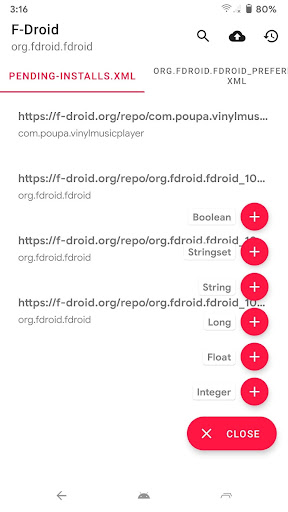
This application is an invaluable resource for managing shared preferences across different apps on your device. It allows users to browse, edit, and delete stored preferences, which are typically hidden from standard user interface options. Whether you are troubleshooting app issues or trying to customize behavior, this feature provides deep access to the underlying app data. With Preference Manager: Addon, users can easily locate specific preferences using intuitive search functions and modify settings to optimize performance or achieve personalized configurations.
Intuitive User Interface
Upon launching Preference Manager: Addon, users are greeted with a clean, well-organized interface that prioritizes simplicity and usability. The app design ensures that even complex tasks feel straightforward, as all functionalities are accessible through an intuitive layout. This thoughtful design makes it easy for users to navigate different sections, whether they are adjusting system preferences or managing app permissions, without feeling overwhelmed by unnecessary options.
Deep Customization and Profiling
One of the standout aspects of Preference Manager: Addon is its customization capabilities. Users can explore and modify preferences at a granular level, giving them control over various aspects of their device’s behavior. Additionally, the app supports the creation and management of profiles tailored for specific scenarios, such as work, travel, or gaming. Saving these profiles allows quick toggling between different configurations, making device management more efficient and personalized.
Performance Optimization Tools
Beyond preference management, Preference Manager: Addon includes features designed to enhance device performance. Users have reported noticeable improvements in speed and battery life after utilizing the app’s resource optimization tools. The application intelligently manages background processes and system resources, ensuring that your device operates smoothly and efficiently. This makes it a valuable addition for users looking to fine-tune their device’s performance without installing bulky third-party apps.
Robust Security and Privacy
Security is a key consideration during app development, and Preference Manager: Addon is no exception. The app offers meticulous permission management features, allowing users to control exactly which apps have access to sensitive data. Its offline operation ensures that personal information remains protected, with no data transmitted over the network. This focus on security reassures users that their privacy is a top priority while customizing system and app settings.
Final Thoughts
If you are an experienced user seeking deep control over your Android device's preferences, Preference Manager: Addon is a must-have tool. It combines ease of use with extensive functionalities, enabling you to customize, troubleshoot, and optimize your device at a granular level. Although it requires rooting and carries some risks, knowledgeable users will find it invaluable for enhancing performance, security, and personalization. Whether for debugging shared preferences or fine-tuning system settings, this app unlocks a new level of device management and customization, making it an essential addition to any power user’s toolkit.
Pros
- User-friendly interface
- Highly customizable options
- Supports multiple devices
- Regular updates
- Offline mode available
Cons
- Limited features in the free version
- Requires in-app purchases
- Occasional synchronization issues
- Advertisements in the free version
- Can consume many resources











