
Phone to TV HDMI USB-C MHL – The Ultimate Guide to Wired Screen Mirroring
If you’ve ever tried watching a movie or giving a presentation from your phone, you know the struggle of squinting at a tiny screen. The Phone to TV HDMI USB-C MHL app solves this completely. It is your all-in-one tool for wired screen mirroring – no WiFi needed, no buffering, just a direct, high-quality connection between your Android device and any TV with an HDMI port.
Why Choose Wired Screen Mirroring?
Wireless casting services like Chromecast and Miracast are convenient, but they come with compromises. A wired HDMI connection, on the other hand, offers:
Zero lag – essential for gaming, video calls, and live presentations.
No WiFi required – works anywhere, even without internet or a router.
Higher quality – direct HDMI output delivers full HD without compression.
More reliability – no buffering, no disconnects, no signal drops.
No WiFi required – works anywhere, even without internet or a router.
Higher quality – direct HDMI output delivers full HD without compression.
More reliability – no buffering, no disconnects, no signal drops.
Key Features of the App
HDMI Compatibility Check
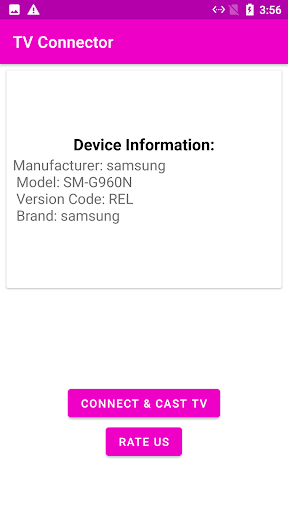
Before spending money on cables, use the app to check if your phone supports HDMI output via USB-C DisplayPort Alt Mode or MHL. Instantly know whether your device works with a USB-C to HDMI adapter or an MHL cable.
MHL Checker
Verify MHL support with a single tap. The app tells you if your phone can use an MHL connector, saving you from buying adapters that won’t work.
USB-C to HDMI Guide
Step-by-step instructions for connecting your Android phone to TV using a USB Type-C to HDMI cable or adapter. No tech jargon, just easy-to-follow steps.
MHL Connection Guide
Detailed guidance on how to connect phone to TV using an MHL cable, including which adapters are compatible with your specific device.
OTG Support Test
Check if your phone supports USB OTG connections, enabling additional wired peripherals for an enhanced experience.
HDMI Troubleshooting
Fix common issues like “No Signal,” black screen, unsupported device, or HDMI not detected. The app walks you through solutions so you get connected quickly.
Cable and Adapter Recommendations
Find the right USB-C to HDMI adapter, MHL cable, or HDMI connector tailored to your phone model. No more guesswork at the store.
How to Connect Phone to TV with HDMI
The process is straightforward:
1. Open the app and check your phone’s HDMI/MHL compatibility.
2. Get your recommended cable – either a USB-C to HDMI adapter or an MHL cable.
3. Connect the HDMI cable from your phone to your TV’s HDMI port.
4. Switch your TV to the correct HDMI input.
5. Your phone screen mirrors instantly – enjoy!
2. Get your recommended cable – either a USB-C to HDMI adapter or an MHL cable.
3. Connect the HDMI cable from your phone to your TV’s HDMI port.
4. Switch your TV to the correct HDMI input.
5. Your phone screen mirrors instantly – enjoy!
Everything works over a wired connection, so there is no need for internet or wireless setup.
Supported Wired Technologies
The app covers all major wired screen mirroring standards:
USB-C to HDMI (DisplayPort Alt Mode)
MHL (Mobile High-Definition Link)
SlimPort (MyDP)
USB-C to DisplayPort
OTG USB connections
MHL (Mobile High-Definition Link)
SlimPort (MyDP)
USB-C to DisplayPort
OTG USB connections
What If Your Phone Doesn’t Support HDMI?
If the compatibility check shows your phone lacks HDMI output, the app provides alternative methods, including wireless options like Miracast and Chromecast. You can still connect your phone to your TV – just a different way.
Perfect For
Movie and show lovers – watch on the big screen with no buffering.
Mobile gamers – play with zero lag through a wired connection.
Professionals – give presentations by connecting phone to projector via HDMI.
Travelers – share vacation photos and videos with family on the hotel TV.
Remote workers – hold video calls on the big screen using Zoom or Teams.
Mobile gamers – play with zero lag through a wired connection.
Professionals – give presentations by connecting phone to projector via HDMI.
Travelers – share vacation photos and videos with family on the hotel TV.
Remote workers – hold video calls on the big screen using Zoom or Teams.
Works With All TV Brands
Compatible with Samsung, LG, Sony Bravia, TCL, Hisense, Philips, Vizio, Sharp, Toshiba, Panasonic – any TV that has an HDMI input port. No brand restrictions, no compatibility headaches.
Conclusion
The Phone to TV HDMI USB-C MHL app is the easiest and most reliable way to mirror your Android phone screen to any TV. With built-in compatibility checks, detailed guides, and troubleshooting support, you can go from wondering about HDMI support to enjoying a full-screen experience in minutes. Download the app today and discover why wired screen mirroring is still the best choice for speed, quality, and reliability – without WiFi.
Pros
- Seamless connection between devices.
- Supports high-definition streaming.
- Compatible with multiple devices.
- Easy setup process.
- Affordable pricing.
Cons
- Limited to USB-C ports.
- May require additional adapters.
- Not all apps are supported.
- Occasional lag in video streaming.
- Requires stable internet connection.











