
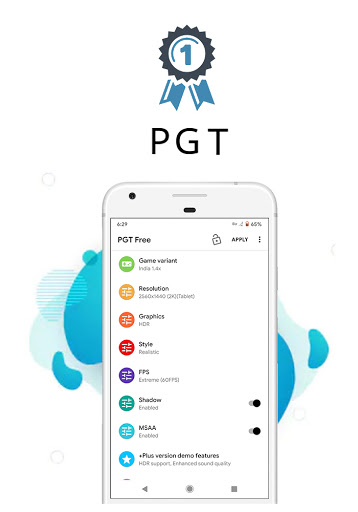
Introduction to PGT: GFX, Launcher & Optimizer
Feature Highlights of PGT: GFX, Launcher & Optimizer
Comprehensive Graphics Customization
Supports all major Android OS versions (4.3 to 13+), ensuring compatibility with most devices.
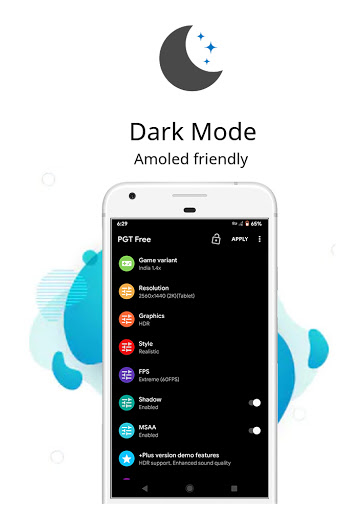
You can change resolution to improve clarity or performance, and even apply HDR and UHD graphics on lower-end devices to enhance visual richness. The app allows you to unlock all FPS levels up to 90 FPS, providing ultra-smooth gameplay. Shadows can be customized for a more realistic environment, while enabling anti-aliasing reduces jagged edges for cleaner visuals. Users can also set ultra audio quality for an immersive gaming experience.
Easy-to-Use Interface
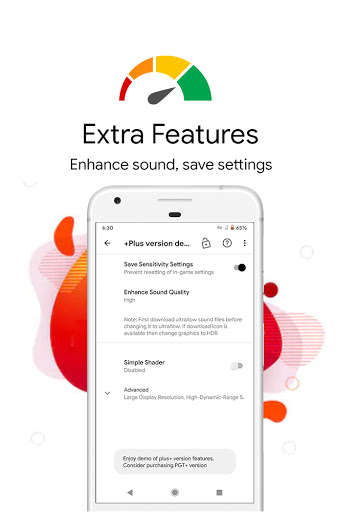
The app’s intuitive interface makes adjusting settings straightforward, even for those not deeply familiar with gaming or device optimization. Once configured, PGT remembers your preferences, ensuring hassle-free gaming sessions in the future.
Performance Optimization & Boosting
Beyond visuals, PGT offers a game booster feature that fine-tunes CPU and GPU resources, helping to eliminate lag, reduce stuttering, and optimize memory. It’s akin to giving your device an energizing boost—keeping your games running smoother than ever, regardless of how demanding the titles are.
Additional Features & Support
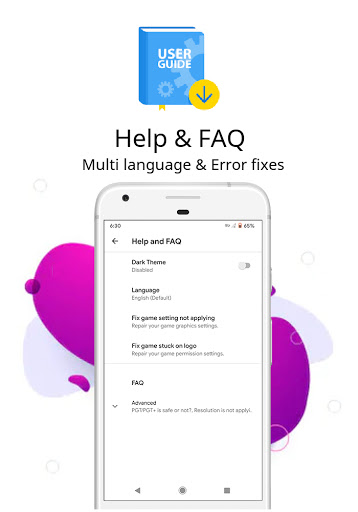
Help & FAQ sections are available for useful tips and troubleshooting. The app works seamlessly with all regional variants and versions, making it an all-encompassing tool for any mobile gamer wanting to push their device’s limits safely.
How PGT: GFX, Launcher & Optimizer Enhances Your Gaming Experience
In the competitive world of mobile gaming, even small improvements in graphics quality and frame rate can significantly enhance gameplay. PGT transforms your Android device into a portable gaming powerhouse by allowing detailed customization of graphics and boosting device performance. Imagine traveling from standard to high-definition graphics with just a few taps, or experiencing ultra-smooth action with unlocked high FPS levels—these are the benefits PGT delivers.
The app’s ability to adjust resolutions, enable HDR, and unlock FPS levels ensures you can tailor your gaming visuals to match your preferences and device capabilities. Additionally, by automatically optimizing CPU and GPU usage, PGT helps maintain high performance during intense gaming sessions. This results in reduced lag, fewer frame drops, and an overall smoother experience—crucial factors for competitive online gaming or immersive solo adventures.
Designed with user convenience in mind, PGT features an uncomplicated interface so you can quickly modify settings without frustration. Its compatibility across regional variants, and the support for global, Chinese, Lite, Korean, Vietnamese, Taiwanese, and beta versions, makes it a versatile companion for gamers worldwide. Whether you’re a casual player or a serious enthusiast, this app equips you with the tools needed to elevate your mobile gaming to the next level.
In conclusion, PGT: GFX, Launcher & Optimizer is more than just a graphics tweak tool—it’s your all-in-one gaming enhancement suite. With its ability to improve visual clarity, boost performance, and simplify customization, this app is an essential for anyone who demands more from their mobile games.
Pros
- Enhances game graphics significantly
- User-friendly interface
- Supports a wide range of games
- Improves game performance
- Customizable settings
Cons
- May drain battery quickly
- Not compatible with all devices
- Requires in-app purchases for premium features
- Can be complex for beginners
- Potential for overheating during prolonged use











