
Introduction to the OTG Reader App
The OTG Reader app is an innovative solution designed to transform your Android device into a portable USB file management tool. Whether you need to browse USB flash drives or card readers, this app makes it simple and convenient to access your files on the go. No longer do you need a laptop or computer—just connect your USB devices directly to your phone or tablet using an OTG (On-the-Go) cable, and you’re all set to manage your files effortlessly. This application is perfect for users who frequently travel or work remotely, providing quick access to documents, media, and other content stored on external drives.
Features of OTG Reader
The OTG Reader app boasts a comprehensive set of features designed to enhance your user experience:
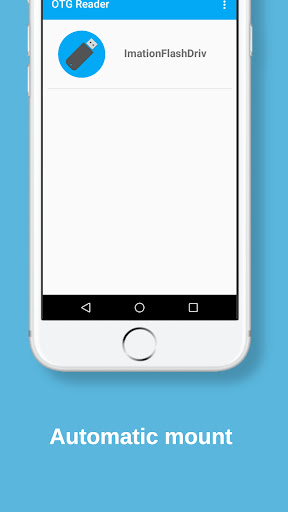
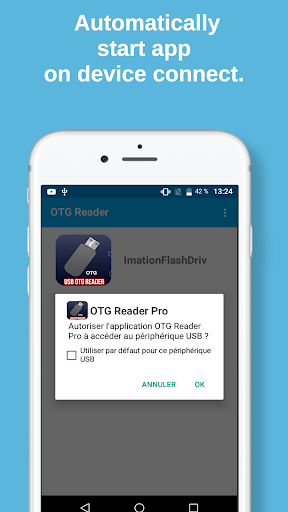
- Automatic Mounting – Simply connect your USB drive, and the app detects and mounts it automatically, saving you time and effort.
- One-Click Mount/Unmount – Manage your external drives with ease using a single tap to mount or unmount drives.
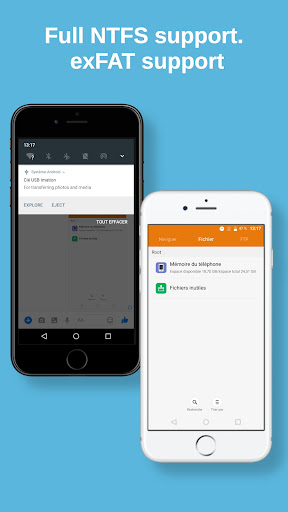
- Full Support for NTFS and exFAT – Compatibility extends beyond FAT32 to include NTFS and exFAT disk formats, ensuring you can access most file systems without issues.
- Notification Alerts – You receive notifications once drives are successfully mounted, keeping you informed about device status.
- Automatic Module Loading – Modules needed to operate various file systems load automatically, providing seamless compatibility.
- UTF-8 Mode Switching – Customize your file handling by toggling UTF-8 mode for better character encoding support.
- Media Scanner Integration – When a drive is mounted, a media scanner runs automatically, updating your device's media library instantly.
- Support for Large Files – The app handles files larger than 30MB, making it suitable for viewing high-resolution images, videos, and large documents.
How to Use OTG Reader Effectively
Getting started with OTG Reader is straightforward:
- Connect an OTG cable to your Android device.
- Plug your USB flash drive or card reader into the cable.
- Open the OTG Reader app—the interface is designed to be intuitive for users of all skill levels.
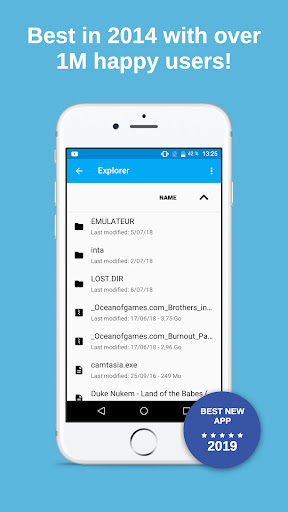
- The app will automatically detect and mount your drive, displaying all files in a navigable interface.
- You can then open, copy, move, rename, or delete files directly within the app, using your device’s native apps for viewing or editing.
Why Choose OTG Reader for Your File Management
Many Android users find the OTG Reader app to be a reliable and user-friendly choice for portable file access. Its clean interface minimizes the learning curve, allowing you to quickly start managing files without complication. The app’s performance is optimized for speed and stability, ensuring smooth operation even when handling large or numerous files. It’s free from intrusive advertisements, making for a distraction-free experience. Additionally, support for multiple disk formats such as FAT32, NTFS, and exFAT means you won’t encounter compatibility issues with most storage devices. If you’ve ever been in a situation where accessing external files on your Android device was a hassle, this app offers an effective and practical solution.
Final Thoughts
In summary, OTG Reader is an essential app for anyone who needs portable, quick access to files stored on USB drives or card readers via their Android device. Combining powerful features with ease of use, it makes managing external storage straightforward and efficient. Whether you’re traveling, working remotely, or just want a convenient way to browse your external drives, OTG Reader has got you covered. Just remember to carry your OTG cable along—it transforms your Android device into a versatile file explorer that can handle all your portable storage needs effortlessly.
Pros
- Quick access to USB storage devices
- Supports a variety of file formats
- Intuitive user interface
- Automatic organization of files
- Access files offline
Cons
- May not be compatible with all USB devices
- Occasional errors during file transfer
- Limited integration with cloud services
- Requires OTG cable for use
- Contains advertisements in the free version











