

Discover the Amazing Features of Musicolet Music Player
Oh, the joy of discovering a music app that caters to the needs of true music lovers! You know what I’m talking about, right? Those of us who just can’t live without a well-organized playlist and uninterrupted tunes. Say hello to Musicolet Music Player — a breath of fresh air in the cluttered world of music apps. Let’s dive into what makes this app a must-have for any audiophile.
Unleashing the Tunes with Musicolet
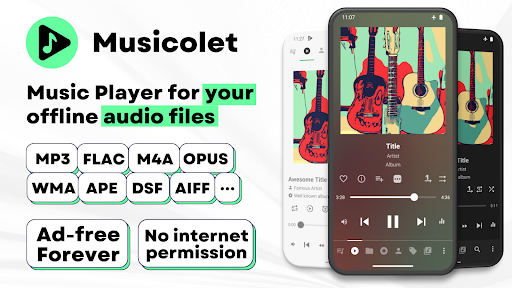
The first thing you’ll notice about Musicolet Music Player is its no-nonsense approach. It’s all about getting you to your local audio files as swiftly as possible. No ads, no internet permissions — just pure, unadulterated music. This means your privacy is respected while delivering an impeccable audio experience. The app is designed for music lovers who prefer to listen to their collection without interruptions or unnecessary features.
Key Features That Hit the Right Note
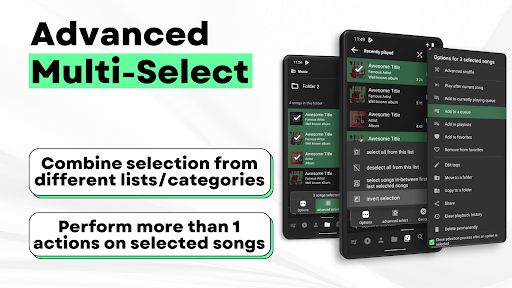
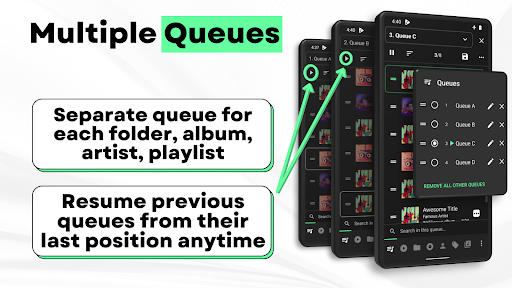
One of the standout features of Musicolet is its Multiple Queues. You can create and manage up to 20 queues simultaneously, each dedicated to a different folder, album, artist, or playlist. Think of it as having your own personal DJ that never runs out of playlists! This makes switching between different sets of music seamless and highly customizable.
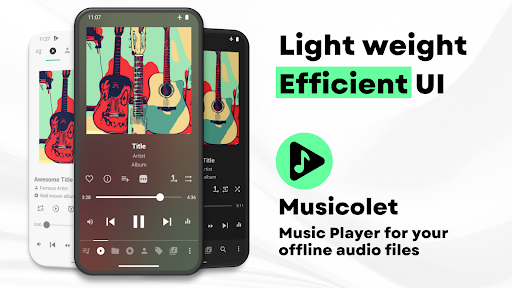
The app boasts an intuitive and efficient UI. All major components—like Main player, Queues, Folders, Albums, Artists, and Playlists—are arranged in a single row, giving you easy one-tap access. Navigating your music library has never been so effortless.
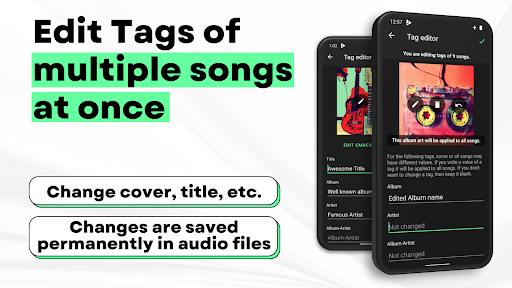
For those who love customization, Musicolet includes a tag editor+ feature. You can edit tags and album arts for multiple songs at once. Plus, features like move/copy songs and rename folders directly within the app enhance your organizational control.
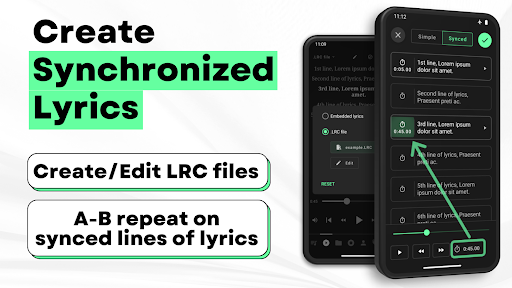
Another exciting option is creating synchronized lyrics. Offline lyrics embedded in the audio files as ID3 tags or in .lrc files are supported. While Musicolet doesn’t fetch lyrics automatically from the internet, you can manually add or edit lyrics, making it perfect for long trips without internet.
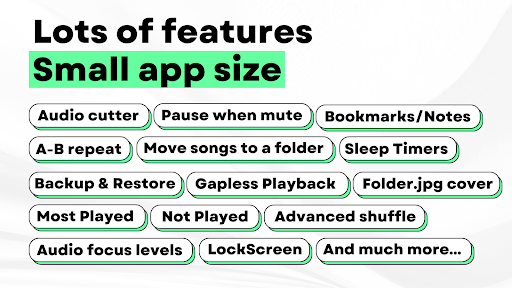
The app supports sleep timers, which can be set to close after a certain time or after playing a specific number of songs. This is great for bedtime listening without worrying about battery drain.
With Android Auto support, controlling your music from your car’s interface is smooth and straightforward. You can access playlists, queues, and the entire music library without distraction.
The app boasts an intuitive and efficient UI. All major components—like Main player, Queues, Folders, Albums, Artists, and Playlists—are arranged in a single row, giving you easy one-tap access. Navigating your music library has never been so effortless.
For those who love customization, Musicolet includes a tag editor+ feature. You can edit tags and album arts for multiple songs at once. Plus, features like move/copy songs and rename folders directly within the app enhance your organizational control.
Another exciting option is creating synchronized lyrics. Offline lyrics embedded in the audio files as ID3 tags or in .lrc files are supported. While Musicolet doesn’t fetch lyrics automatically from the internet, you can manually add or edit lyrics, making it perfect for long trips without internet.
The app supports sleep timers, which can be set to close after a certain time or after playing a specific number of songs. This is great for bedtime listening without worrying about battery drain.
With Android Auto support, controlling your music from your car’s interface is smooth and straightforward. You can access playlists, queues, and the entire music library without distraction.
Additional Handy Features for Music Enthusiasts
Musicolet also lets you add shortcuts of albums, artists, folders, or playlists directly to your Home Screen. Enjoy stunning widgest and a versatile lock screen interface that includes controls, queue display, and lyrics. The app offers light and dark themes to match your mood or device environment.
Customization continues with options to change notifications’ appearance and enable fast-forward and rewind buttons in notifications. All these features are designed to enhance your listening experience without complicating it.
Musicolet also provides reliable backup and restore options—both automatic and manual—so your playlists, settings, and play counts are safe and can be easily transferred between devices.
Customization continues with options to change notifications’ appearance and enable fast-forward and rewind buttons in notifications. All these features are designed to enhance your listening experience without complicating it.
Musicolet also provides reliable backup and restore options—both automatic and manual—so your playlists, settings, and play counts are safe and can be easily transferred between devices.
Privacy, Performance, and Overall Experience
One of the most appealing aspects of Musicolet is its ad-free environment, ensuring an uninterrupted listening experience. Importantly, it’s a completely offline application that doesn’t require internet permissions. You can enjoy your music collection privately and securely.
Designed with lightweight efficiency, Musicolet won’t slow down your device or drain your battery. Its focus on local files and minimal resource usage makes it a perfect choice for Android users seeking a reliable, fast, and privacy-conscious music player.
Designed with lightweight efficiency, Musicolet won’t slow down your device or drain your battery. Its focus on local files and minimal resource usage makes it a perfect choice for Android users seeking a reliable, fast, and privacy-conscious music player.
Conclusion
In a world full of flashy apps packed with unnecessary features, Musicolet Music Player stands out as a simple, powerful, and user-focused alternative. It’s suitable whether you’re a casual listener or a dedicated audiophile who wants complete control over their music library. With its array of features like multiple playlists, offline lyrics, intuitive UI, and no ads, it truly delivers a premium offline music experience. If you’re looking for a free and ad-free music app that respects your privacy and puts your music front and center, give Musicolet a try—you won’t be disappointed.
Pros
- No advertisements, ensuring uninterrupted listening
- Lightweight app design
- Uses minimal storage space
- Supports offline playback
- Multiple playlists for easy management
- User-friendly and intuitive interface
Cons
- Limited streaming choices
- Does not offer cloud synchronization
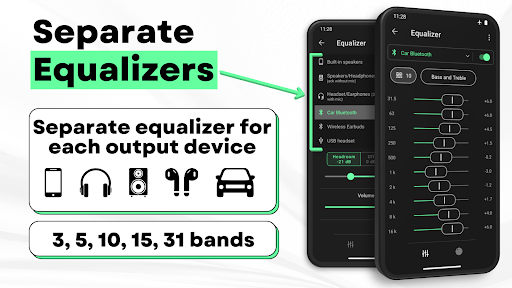
- Includes only basic equalizer settings
- Lacks social sharing features
- Does not provide lyrics integration











