

Introduction to Music Player & MP3 - MMusic
MMusic is a must-have offline music player for Android users seeking high-quality sound and versatile management features. Designed by a professional team, this app seamlessly combines high-definition audio playback, full format support, and intelligent library organization. With an intuitive user interface that includes retro tape and vinyl record styles, MMusic provides an immersive listening experience without the need for an internet connection. Whether you're commuting, working out, or relaxing at home, MMusic ensures you enjoy your favorite tunes anytime and anywhere, elevating your offline music experience to a new level.
Powerful Offline Audio Player with Wide Compatibility
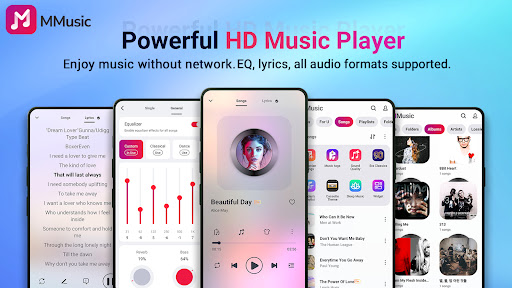
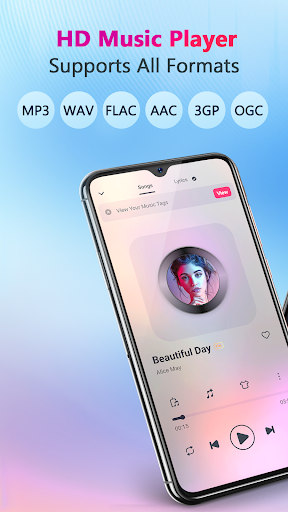
MMusic excels as a powerful offline audio player supporting all mainstream formats, including MP3, FLAC, WAV, MIDI, AAC, and APE. Its excellent compatibility ensures that every song you have can be played in optimal quality, unlocking an unlimited music experience. No internet needed, meaning you can access your entire music library offline, whether in low connectivity areas or on the go.
Exceptional Sound Quality with Built-in Equalizer
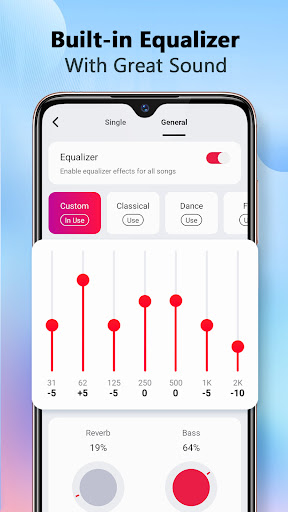
MMusic is equipped with advanced audio technology to deliver high-definition sound for every track. A standout feature is its built-in equalizer, offering numerous presets for genres like classical, dance, folk, rock, and more. Users can effortlessly enhance their listening experience with bass boosting, reverb effects, and a virtualizer, all tailored to personal preferences. This customization capability transforms ordinary music playback into an extraordinary auditory journey.
Stylish Themes and Aesthetic Customization
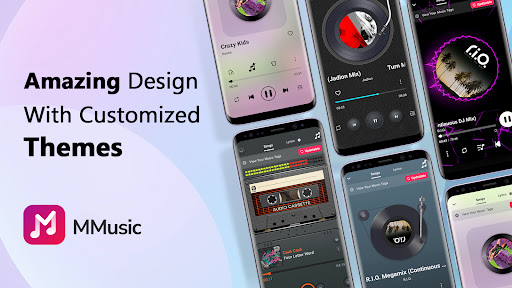
Design plays a crucial role in user engagement, and MMusic delivers with its stylish interface. Supporting a variety of themes—from retro tape to vinyl record styles, as well as modern minimalist designs—the app combines aesthetics and emotion seamlessly. Each theme is carefully crafted to enhance the visual appeal, making music listening not just auditory but also a visual delight.
Smart Music Management with Custom Playlists
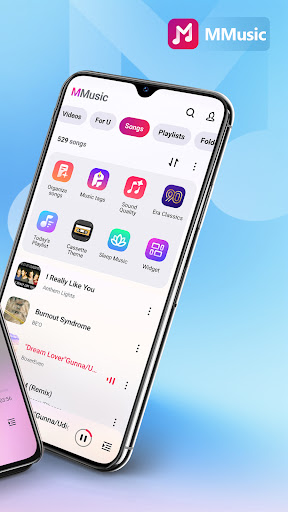
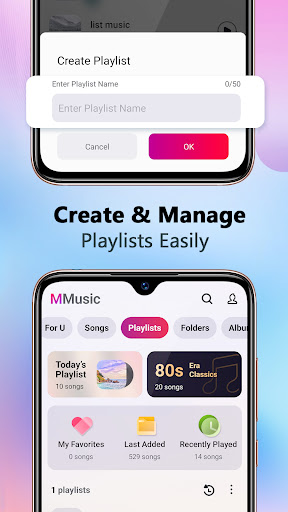
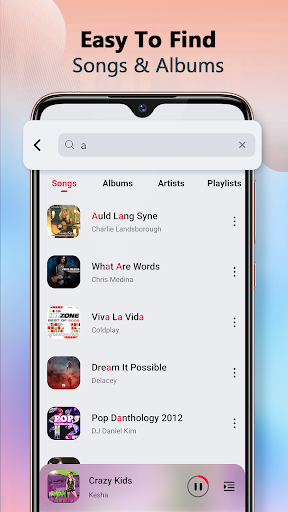
One of the highlights of MMusic is its intelligent sorting system. The app automatically scans and classifies your audio files by artists, albums, folders, and playlists. Creating and managing custom playlists is quick and easy, enhanced by the drag-and-drop feature. Features like auto playlists—including Featured, Most Played, and Recently Played—help you access your favorite tracks effortlessly. This comprehensive management system makes your music library organized and accessible.
Additional Features for Enhanced Listening
MMusic includes several noteworthy features such as:
- Offline support for multiple formats including 3GP and OGG.
- Deep library scan and automatic refresh to keep your music collection up-to-date.
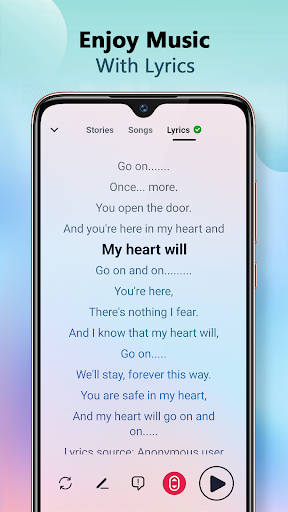
- Lyrics display to sing along and fully enjoy your favorite songs.
- Browsing and playing music by playlists, albums, and artists.
- Options for shuffling, looping, and repeating tracks.
- Background playback for uninterrupted listening.
- Compatibility with Bluetooth and wired headphones.
- A stylish user interface designed to enhance user experience.
Alternative Music Players and Their Unique Appeal
Another popular choice worth mentioning is MyMusic - Mp3 Music Player. It offers a sleek and modern experience with highly customizable playlists and a user-friendly interface. Supporting multiple audio formats beyond MP3, including the wide variety of formats, this app is appreciated for its low resource consumption and smooth performance. Its features, such as a powerful EQ, sleep timer, and organized library, cater well to casual listeners and music enthusiasts alike. Whether you prefer the feature-rich design of MMusic or the minimalist approach of MyMusic, both provide excellent options to enjoy your offline music collection seamlessly.
Conclusion: Elevate Your Offline Music Experience
In summary, Music Player & MP3 - MMusic stands out as a comprehensive solution for offline music lovers. Combining high-quality audio, broad format support, and customizable themes, it caters to users seeking both performance and style. Its intelligent management features simplify organizing your music library, while the advanced equalizer and sound customization options redefine the listening experience. Whether you're a casual listener or a dedicated audiophile, MMusic is designed to deliver an immersive, versatile, and aesthetically pleasing music journey, making it an essential app for those who want the best offline audio experience on their Android device.
Pros
- User-friendly interface.
- Supports multiple audio formats.
- Offline listening capability.
- Customizable playlists.
- Includes an equalizer with presets.
Cons
- Contains advertisements.
- Lacks built-in lyrics feature.
- Limited functionality in the free version.
- Occasional app crashes.
- Does not support podcasts.











