
Introduction to the Micro SD Card Formatter
Are you struggling with managing your Micro SD cards? Whether you're facing issues like corruption, malfunction, or simply need to free up space, the Micro SD Card formatter app is your ultimate solution. Designed specifically to help users easily format, repair, and recover data from damaged or problematic SD cards, this app offers a seamless experience right from your smartphone. It combines powerful features with a user-friendly interface, making it ideal for both beginners and tech enthusiasts seeking efficient memory management.
Key Features of the Micro SD Card Formatter App
The Micro SD card formatter app provides a comprehensive set of features to simplify SD card management:
Easy Formatting
You can quickly learn how to format SD card using this app. Whether you need to erase all data or repair a damaged memory card, it offers a straightforward process. With just a few taps, you can safely format your SD card and restore it to its optimal state.
Data Recovery & Repair
The app excels at recovering lost data, including pictures, videos, and files. It also helps repair damaged or malfunctioning SD cards, enabling you to regain access to your important data without hassle.
Memory Cleanup & File Management
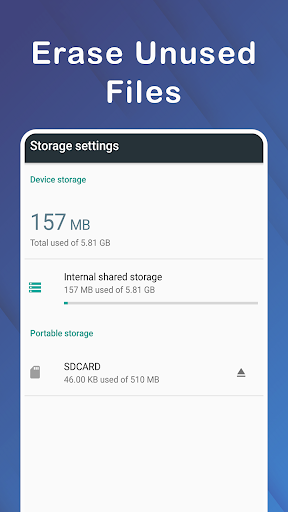
Manage your storage efficiently by cleaning up unnecessary files, copying, or moving data between your phone and SD card. The app supports browsing all folders and files, ensuring you have complete control over your device's memory.
Support for Multiple Storage Devices
Whether dealing with external Micro SD cards or internal storage, the app allows you to select and format specific memory types, making it versatile for various device setups.
Additional Benefits
As a lightweight and easy-to-use tool, the app is designed to work quickly and efficiently. It supports different file systems, making it suitable for camera cards, smartphones, gaming consoles, and other devices. Plus, it helps prevent common issues like the inability to write or transfer files, sudden size changes, or data access errors.
Why Choose the Micro SD Card Formatter App?
If you're seeking a reliable SD card repair tool that combines efficiency with safety, this app is your best choice. It allows users to format damaged Micro SD cards easily and recover lost data, giving your storage devices a new lease on life. Whether you're dealing with a corrupted SD card or simply want to optimize your storage, this SD card formatter provides a hassle-free solution. Its intuitive interface and quick operation make it accessible for users with any experience level. Plus, the app is lightweight, meaning it won't drain your device's resources while delivering powerful functionality.
Performance and User Experience
During testing, the Micro SD Card formatter app performed flawlessly, without crashes or delays. Its reliable operation ensures that your data remains safe, especially when formatting or recovering files. The app also offers helpful tips, such as backing up your data before formatting, to further safeguard your files. Users appreciate its speed and simplicity, making formatting SD cards a quick task rather than a cumbersome chore.
Conclusion: Your Go-To Tool for SD Card Management
In summary, if you are looking for a trusted SD card formatter and recovery tool, this app is the perfect solution. It combines essential features like damaged SD card repair, data recovery, and efficient file management into an easy-to-use package. Whether you're preparing your card for new use or trying to fix a corrupted one, this app streamlines the process, saves time, and secures your data. Download the Micro SD Card formatter app today and experience hassle-free SD card management, turning your malfunctioning memory cards into fully functional storage devices effortlessly.
Pros
- Efficiently formats micro SD cards.
- Supports a variety of file systems.
- User-friendly interface.
- Includes quick format option.
- Compatible with most card brands.
Cons
- Limited advanced configuration options.
- Lacks data recovery capabilities for lost files.
- Requires manual updates.
- Contains advertisements in the free version.
- Does not support cloud backup.











