

Discover the Power of MediaMonkey Pro: The Ultimate Music Management App
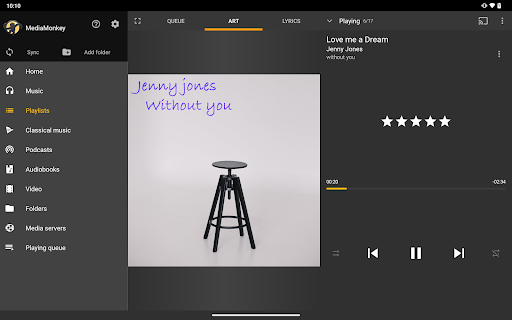
Are you a serious music collector seeking an efficient and feature-rich solution to manage your vast music library? Look no further than MediaMonkey Pro. This premium upgrade transforms the free MediaMonkey app into a comprehensive music management powerhouse, offering a suite of advanced features designed to enhance your listening experience and streamline your library organization.
Features That Take Your Music Experience to the Next Level
Wi-Fi Sync: Effortless Wireless Library Management
Wi-Fi Sync is one of the standout features of MediaMonkey Pro. It allows you to wirelessly synchronize your music library—including ratings, play history, volume levels, and more—between your Windows PC and mobile devices. Forget about cumbersome cables; with this feature, keeping your music collection up-to-date across devices is seamless and effortless, ensuring your favorite tracks are always at your fingertips, wherever you go.
UPnP/DLNA Support: Stream and Download with Ease
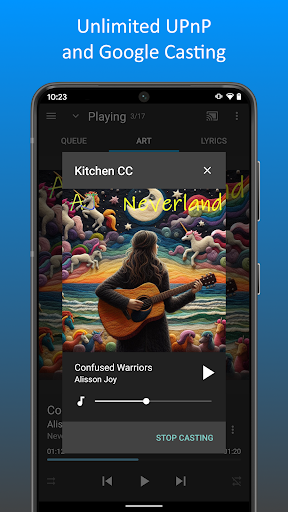
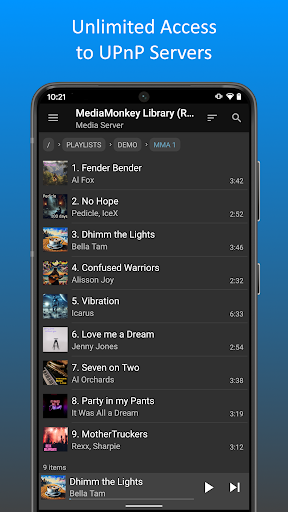
Another powerful feature is support for UPnP/DLNA. With this, you can play or download content directly from UPnP/DLNA servers within your home network. Whether you're streaming music through your smart home speakers or accessing your media on different devices, MediaMonkey Pro makes content sharing smooth and straightforward.
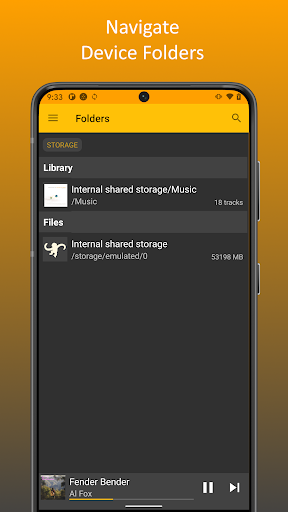
Folder Browsing: Navigate Your Library Like a Folder System
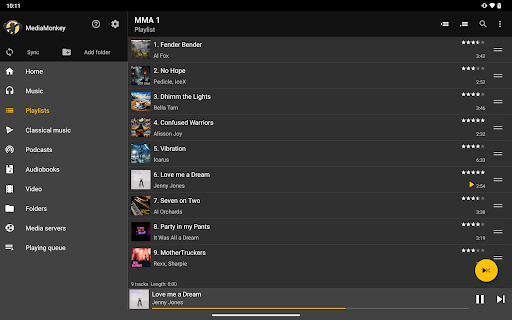
For those who prefer a traditional approach, Folder browsing offers a familiar file hierarchy view. Easily navigate your music library by folder, making it simple to find and play specific albums or tracks based on your organizational preferences.
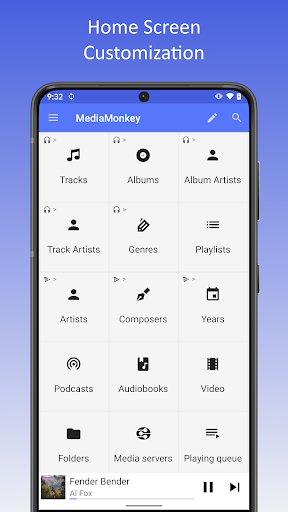
Customizable Home Screen: Tailor Your Music Hub
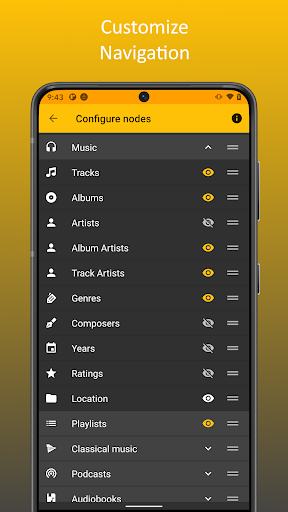
Personalize your main interface with the configurable home screen. Choose what content or shortcuts appear, creating a tailored experience that highlights your favorite music collections or playlists for quick access.
Unlock More Possibilities with Licensing
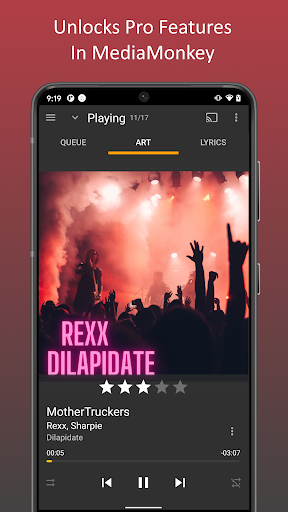
The MediaMonkey Pro license acts as a key to unlock these advanced features within the free MediaMonkey app. First, you need to install the free version, and then upgrade to enjoy the premium functionalities that make managing large or complex music libraries easier and more enjoyable.
Why MediaMonkey Pro Is a Must-Have for Music Enthusiasts
Massive Library Management Made Simple
Whether your library contains dozens or thousands of tracks, MediaMonkey Pro handles them all effortlessly. Its automatic organization and file renaming capabilities eliminate the hassle of manual sorting, saving you time and ensuring your collection stays neat and accessible.
Cross-Device Synchronization for Seamless Listening
With MediaMonkey Pro, you can synchronize your music library across multiple devices, including smartphones, tablets, and PCs. This seamless syncing guarantees your playlist preferences, ratings, and listening history follow you everywhere, making your music experience truly portable.
Personalized Listening Experience
Adjust sound settings with the built-in equalizer and playback controls, crafting a customized audio environment. Whether you favor bass-heavy tracks or crystal-clear vocals, MediaMonkey Pro gives you the tools to fine-tune your listening sessions.
Advanced Features for Power Users
For audiophiles and advanced users, MediaMonkey Pro supports a wide range of audio formats and includes tools for audio conversion. Its volume leveling feature maintains consistent loudness across tracks, preventing sudden volume jumps. Additionally, features like party mode and sleep timer enhance your user experience, whether you're hosting a gathering or winding down at night.
Final Thoughts: Is MediaMonkey Pro Worth It?
In summary, MediaMonkey Pro is an exceptional app for anyone serious about their music collection. Its robust set of features, intuitive interface, and customization options make managing and enjoying your music effortless. If you're looking to elevate your audio experience and handle large libraries efficiently, giving MediaMonkey Pro a try is highly recommended. Experience the difference and enjoy your music collection like never before—because good music management is truly a game-changer.
Pros
- Strong media organization capabilities.
- Compatible with many audio formats.
- Syncs effortlessly across multiple devices.
- Provides advanced options for audio and video playback.
- User interface can be customized.
Cons
- The app requires payment; no free version available.
- Interface may be too complex for beginners.
- Podcast management features are limited.
- Full synchronization depends on MediaMonkey server.
- Does not support cloud storage integration.











