
Introduction to Listen Audiobook Player
Are you an avid audiobook enthusiast searching for a reliable and feature-rich audiobook player? Look no further than Listen Audiobook Player. Designed with simplicity and powerful functionalities in mind, this app provides a seamless experience for audiobook lovers of all levels. Whether you're listening at home, during your commute, or while working out, Listen Audiobook Player ensures you enjoy your audiobooks with high-quality audio and easy organization.
Key Features of Listen Audiobook Player
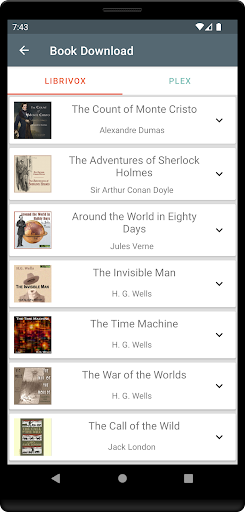
One of the standout qualities of Listen Audiobook Player is its comprehensive set of features aimed at enhancing your listening experience. It supports a wide array of audio formats including mp3, m4b, m4a, opus, ogg, aac, and flac, provided they are DRM-free. This flexibility ensures compatibility with many sources of audiobooks, such as Librivox, Downpour, and Loyal Books. You can also curate a library by uploading your own audiobooks, which can be organized effortlessly within folder hierarchies or playlists.
Intuitive Library Management
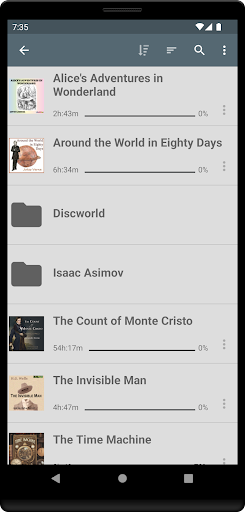
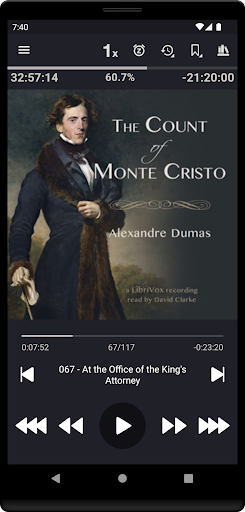
The app features a folder-based library system that automatically syncs with your audiobook folder. Each book should be placed in its own folder, allowing for simple organization within subfolders. You can browse your library by folder or view all books at once, using the fast search function to locate your favorite titles with ease. Cover art can be embedded or loaded from folder images, making browsing more visually appealing.
Customizable Playback Options
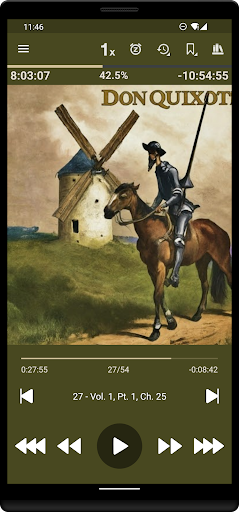
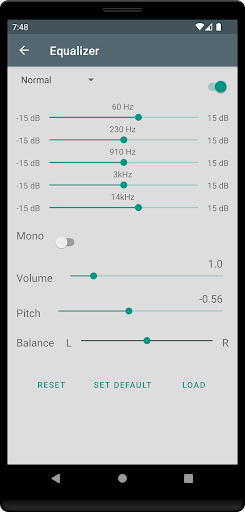
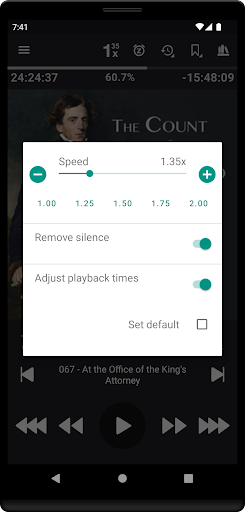
Listen provides extensive playback customization, including variable playback speed (0.5x to 4x), trim silence, pitch control, and volume boost. You can set default preferences globally or override them for individual books. Additionally, features like embedded chapters enhance navigation through complex audiobooks, making it easier to jump between sections.
Enhanced Listening Experience
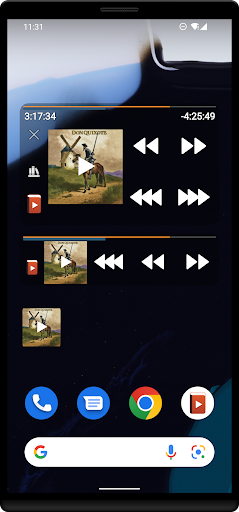
Enjoy high-quality sound with support for embedded cover art, or add custom images for a personalized touch. The app also offers integration with Android Auto and Plex, allowing you to directly download books from your Plex library or convert files to Opus format for smaller file sizes without sacrificing sound quality. Support for Bluetooth controls, a lock-screen widget, and task automation through tools like Tasker further elevate the user experience.
Additional Features
Listen includes handy features such as bookmarks with sharing options, position history, sleep timer with shake to reset, and customizable skip times. The app can remember the last volume setting, and offers a user-defined play queue for seamless listening. Users can also personalize interface colors, and define headset button actions for maximum convenience. For multi-device syncing, built-in sync support ensures your bookmarks and current position stay synchronized across devices.
Security, Refund Policy, and Support
The app comes with a 7-day risk-free trial. Google offers an automatic 2-hour refund window, but if you need more time, you can request a refund within the week by providing your order number from your receipt email. For support, users can contact the dedicated team via email for quick assistance. The developer emphasizes privacy by not including any advertisements or in-app purchases, allowing users to enjoy their audiobooks without interruptions or upselling.
Language Support and Accessibility
Listen Audiobook Player is accessible to a global audience with support for multiple languages, including English, Deutsch (German), Русский (Russian), Polski (Polish), Svenska (Swedish), Українська (Ukrainian), Français (French), Español (Spanish), and Italiano. This makes it easier for users worldwide to enjoy their audiobooks comfortably.
Final Verdict
If you're looking for an easy-to-use yet powerful audiobook player, Listen Audiobook Player is an excellent choice. It combines simplicity with advanced features such as customizable playback, extensive format support, and robust library management. Whether you're a casual listener or a dedicated audiobook aficionado, this app elevates your listening experience to new heights. Download it today and start immersing yourself in your favorite stories with unmatched convenience and quality.
Pros
- Highly customizable playback options.
- Supports a wide range of audio formats.
- Offline listening capability.
- User-friendly interface.
- Sleep timer is very handy.
Cons
- No free version available.
- Lacks advanced bookmarking.
- Can occasionally crash.
- Limited cloud integration.
- No cross-device sync.











