

Discover the Power of Koala Sampler: Your Pocket-Sized Music Studio
Are you a music enthusiast looking for a versatile and intuitive app to elevate your creative process? Koala Sampler is the perfect solution—a compact, powerful tool that transforms your smartphone into a full-fledged music production studio. Whether you’re a beginner or a seasoned producer, this app offers endless sonic possibilities and a seamless workflow that keeps you in the flow of making music.
Features That Spark Creativity
Effortless Sampling and Recording
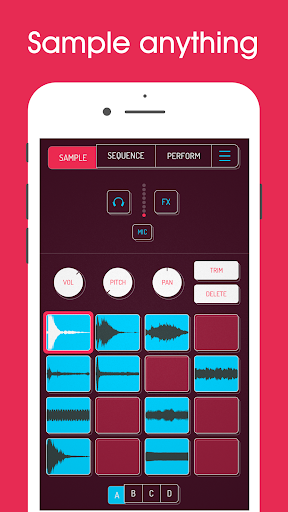
Record up to 64 different samples using your phone’s microphone or load your own sounds. Capture your voice, nature sounds, or any audio source and start manipulating those samples instantly. The intuitive interface makes it easy to layer and arrange sounds without getting bogged down by complicated menus.
Built-in Effects for Sound Transformation
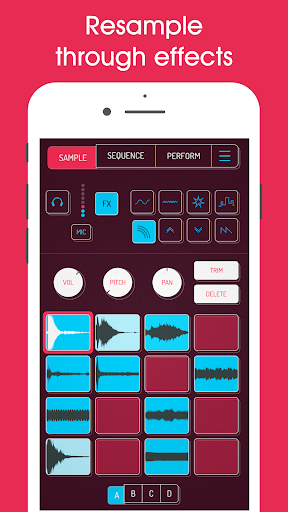
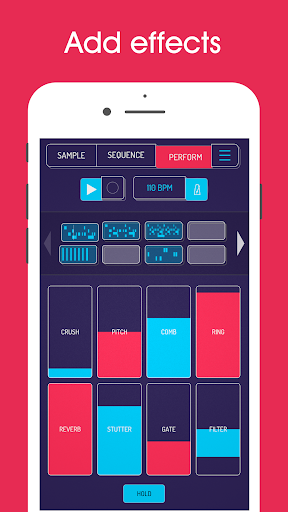
Transform your sounds with 16 superb built-in effects such as reverb, distortion, octave shift, robot, and more. These effects help you craft unique textures and tones. Plus, you can resample the app’s output back into a new sample through the effects, creating endless sonic experimentation.
Powerful Sequencer and Sample Management
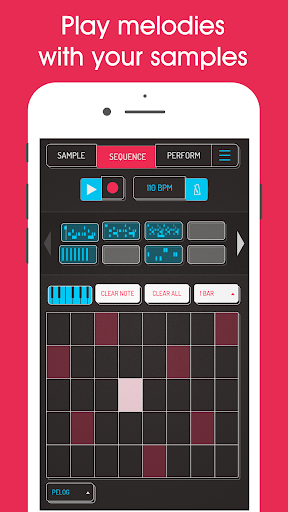
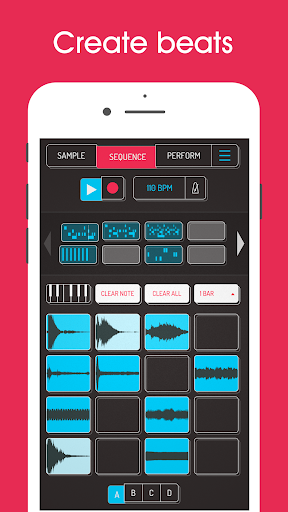
The high-resolution step sequencer allows you to create beats and arrange sequences easily. You can copy, paste, and merge sequences by simple drag-and-drop actions. Import your own samples, or use the AI-powered feature to separate samples into individual instruments like drums, bass, or vocals, providing more control and creative options.
Keyboard Mode and Playability
The app’s keyboard mode enables chromatic playing or using one of nine scales. Adjust attack, release, and tone settings for each sample to shape your sound. Additionally, features like mute, solo, and note repeat improve your performance and live jam sessions.
Effects and Controls to Enhance Your Tracks
Microphone Effects
Choose from 8 built-in microphone FX including More Bass, Robot, Reverb, Fuzz, and Synthesizer. These make real-time vocal and sound processing easy and fun.
DJ Mix Effects
Layer your tracks with 16 built-in DJ effects such as Bit-crusher, Pitch-shift, Tempo Delay, Vibrato, and more for a professional DJ feel.
MIDI Integration
Connect your MIDI controllers to trigger samples and manipulate parameters in real-time with MIDI controllability. This opens up performances and live remix possibilities.
Additional Features for Advanced Users
Pro Features via Samurai In-App Purchase
Unlock pro-quality timestretching with four modes, a piano roll editor, auto-chop for samples, and other advanced tools that cater to serious producers seeking precision and flexibility in their workflow.
User Experience and Community Support
Koala Sampler emphasizes a design focused on making music creation instant and enjoyable. The user interface is streamlined to help you stay in the creative flow without micro-managing complex parameters. Many users have praised its effectiveness, with some calling it a must-have tool that rivals high-end hardware beatboxes.
Supported by an active community, you can share tips, tricks, and your latest beats. The developers regularly update the app based on user feedback, continually expanding its functionality and stability.
Conclusion: A Must-Have for Modern Musicians
If you're looking for a versatile, user-friendly, and powerful music app, Koala Sampler is your perfect companion. It’s ideal for capturing inspiration on the go and transforming simple sounds into professional-grade tracks. Whether you're producing beats, experimenting with sound design, or just having fun, Koala Sampler offers the tools and flexibility to bring your musical ideas to life. Dive into the world of portable music creation and see where your creativity takes you!
Pros
- Intuitive interface enabling quick sampling
- High-quality audio output
- Supports a variety of audio formats
- Easy to integrate with other music applications
- Low latency performance
Cons
- Limited features in the free version
- Requires in-app purchases for full functionality
- Occasional crashes on older devices
- Lacks built-in tutorials for beginners
- Fewer effects compared to competitors











