

Discover the Power of iReal Pro for Music Practice and Performance
Practicing music effectively requires the right tools, and iReal Pro stands out as a game-changing application designed for musicians of all skill levels. This innovative app essentially acts as your portable backup band, providing realistic accompaniments that help you master your instruments, improve improvisation techniques, and prepare for performances with confidence. Recognized as one of Time Magazine’s 50 Best Inventions of 2010, iReal Pro is loved by thousands of students, teachers, and prestigious music institutions like Berklee College of Music and Musicians Institute.
Features That Make iReal Pro a Must-Have Music Companion
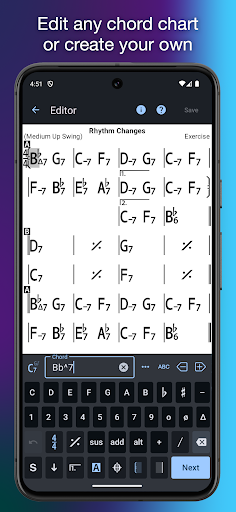
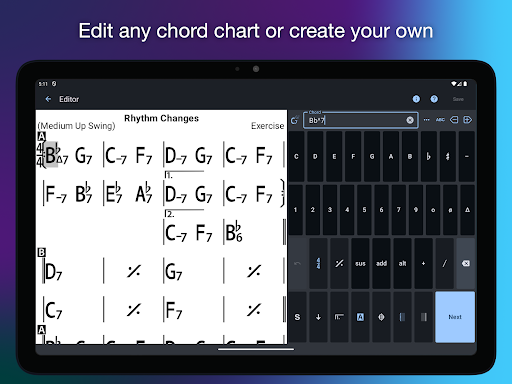
At its core, iReal Pro offers a versatile platform to create, customize, and practice with chord charts—an essential resource for any musician. The app functions as
“It's a Book”
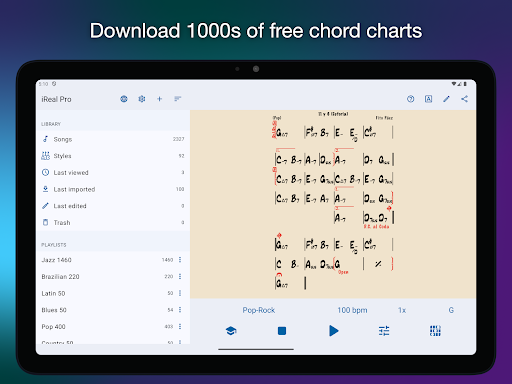
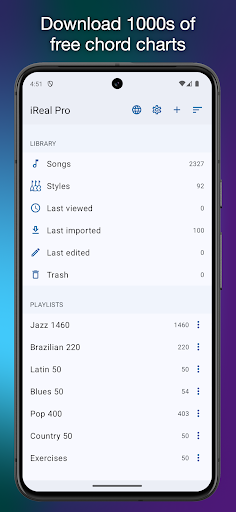
where you can create, edit, print, share, and organize chord charts of your favorite songs. Whether you’re practicing jazz standards, pop hits, or classical pieces, having your personalized library of chord charts enhances your practice sessions and performance readiness.Additionally, iReal Pro functions as
“It's a Band”
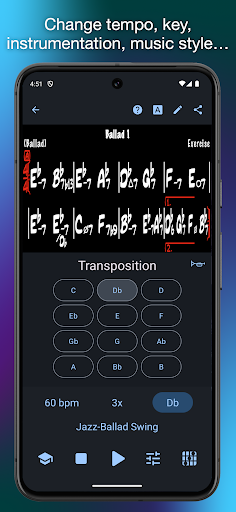
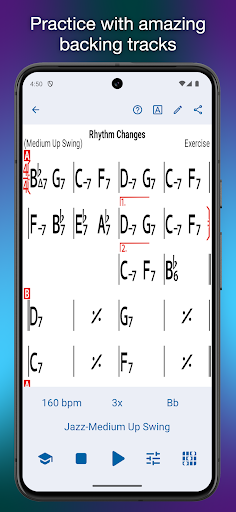
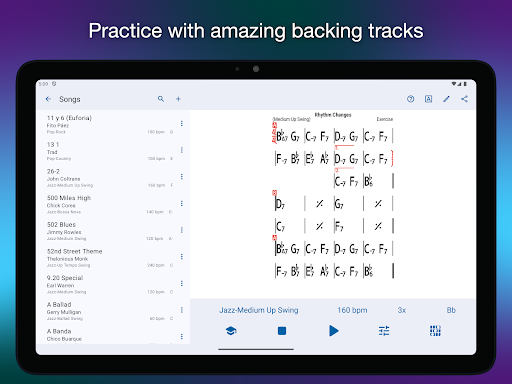
—a virtual ensemble that allows you to rehearse with a realistic-sounding accompaniment. Choose from over 51 built-in styles such as Swing, Ballad, Gypsy Jazz, Bluegrass, Country, Rock, Funk, Reggae, Bossa Nova, and Latin, with more styles available through in-app purchases. Personalize your backing tracks by selecting sound sources like piano, Fender Rhodes, electric and acoustic guitars, bass, drums, vibraphone, and organ. You can even record yourself playing or singing along, making it easier to monitor and improve your performances.Robust Tools to Enhance Your Practice
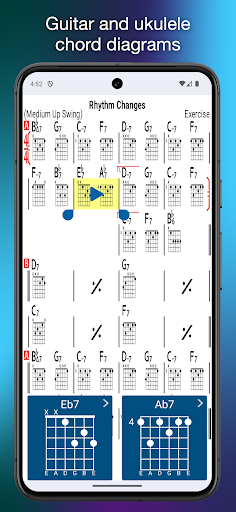
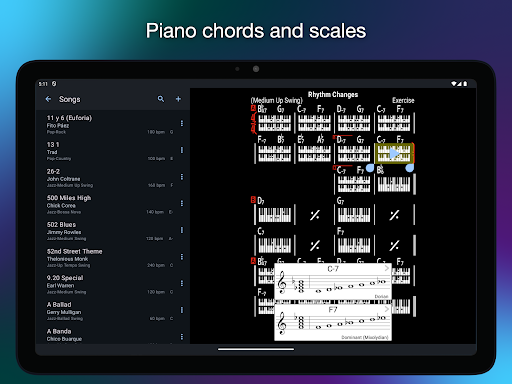
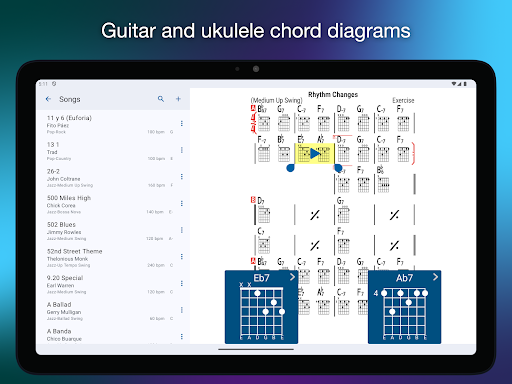
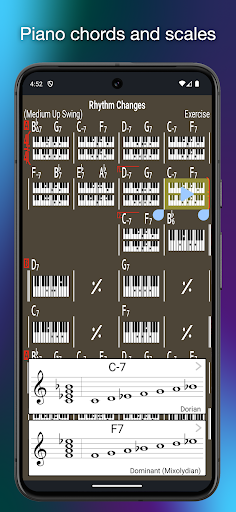
One of the standout features of iReal Pro is its ability to assist musicians in honing their skills. The app includes a comprehensive library of chord diagrams and fretboard charts for guitar, ukulele, and piano. This helps you learn and memorize fingerings for any chord, facilitating effective practice sessions.
The app also offers powerful practice tools, such as:
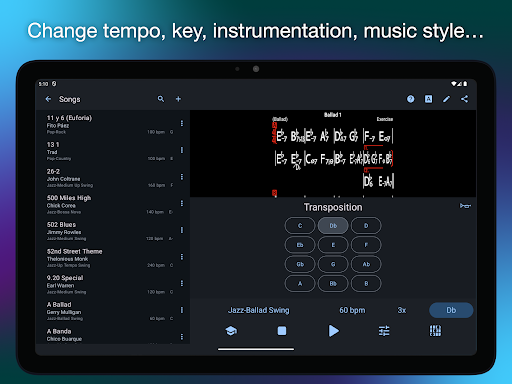
- Chord transposition: Change the key of any song with just a few taps, making it suitable for vocalists and musicians working in various tonalities.
- Looping: Focus on difficult sections by looping specific measures, which is very effective for mastering complex passages.
- Playlists: Create multiple editable playlists to organize your practice material efficiently.
- Scale and improvisation support: Receive scale recommendations for each chord, assisting in improvisation and solo planning.
Seamless Sharing and Exporting for Flexibility
Sharing your progress and custom charts has never been easier. iReal Pro allows you to export songs and playlists as PDFs or MusicXML files, ideal for printing or importing into other notation programs. Audio recordings of your practice sessions can be saved as WAV, AAC, or MIDI files, giving you flexibility to review performances or share them with others.
The app also supports seamless sharing among users via email and community forums, where musicians can upload, download, and exchange chord charts and custom styles. Always remember to back up your songs regularly to prevent data loss.
Why iReal Pro is the Ideal Practice Partner
Whether you are a seasoned professional or a beginner, iReal Pro makes practicing more productive and enjoyable. Its user-friendly interface is intuitive, allowing quick access to features without unnecessary distractions. The app’s customization options, including sound selection, transposition, and looping, let you tailor every session to your specific goals.
Apart from individual use, the app fosters a vibrant community of musicians sharing their chord charts, which keeps your library fresh and inspiring. The regular updates ensure that you have access to new styles, features, and improvements—demonstrating the developers' commitment to supporting musicians worldwide.
In summary, iReal Pro combines comprehensive tools, realistic accompaniments, and a supportive community to elevate your musical journey. Whether practicing alone, preparing for gigs, or composing new pieces, this app equips you with everything needed to refine your skills and boost your confidence as a musician. If you’re serious about improving your playing, giving iReal Pro a try could be a transformative step forward.
Pros
- Extensive library of chords suitable for musicians.
- User-friendly interface facilitating easy navigation.
- Supports a variety of music genres.
- High-quality sound and playback realism.
- Options to customize practice sessions.
Cons
- Requires subscription for full functionality.
- Limited features in the free version.
- Reported occasional app crashes.
- Lacks real-time collaboration capabilities.
- Steep learning curve for newcomers.











